

Introduction to the Google Pixel Watch
Are you searching for a smartwatch that not only complements your lifestyle but actively enhances it? The Google Pixel Watch seamlessly merges functionality with elegant design, making it a remarkable device for tech enthusiasts and casual users alike. Crafted with a sleek appearance and packed with powerful features, this watch aims to transform how you stay connected, track fitness, and manage daily tasks. Let’s explore what makes the Google Pixel Watch stand out in the crowded wearable market.
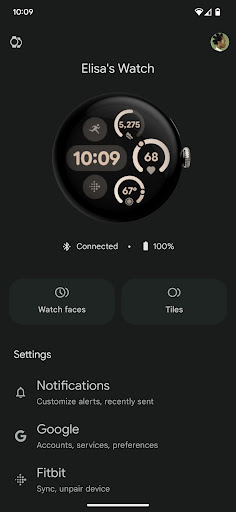
Managing Your Google Pixel Watch with the App
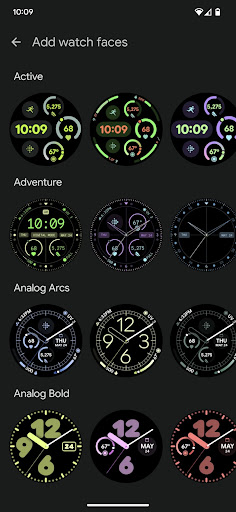
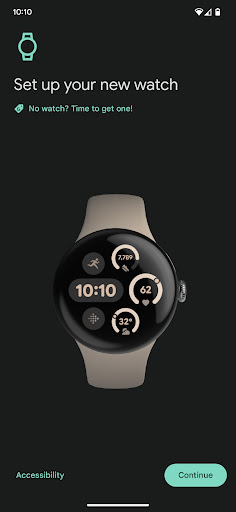
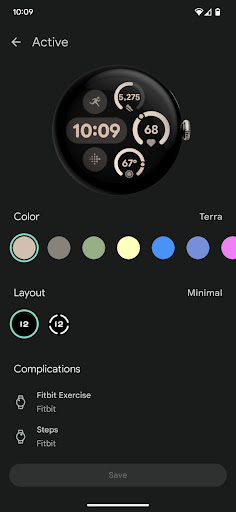
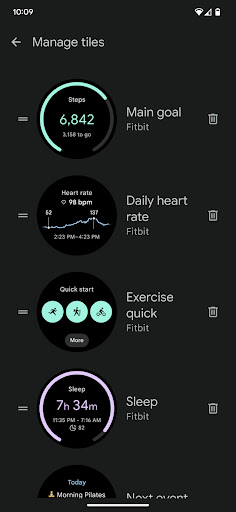
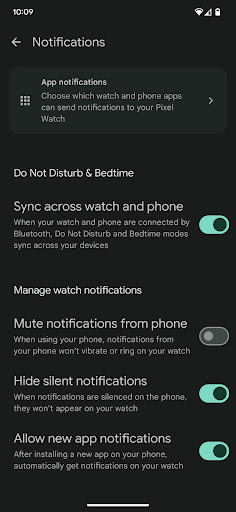
The Google Pixel Watch app allows you to effortlessly set up and manage your device directly from your Android 8.0+ smartphone. Customization options are extensive, giving you control over various aspects of your watch to personalize it according to your preferences. You can easily change watch faces to match your style, manage tiles for quick access to your favorite apps, and customize alerts and notifications to stay informed without being overwhelmed.
Through the app, you can also handle Google services such as Google Assistant and Google Wallet, making your watch an extension of your digital life. Installing and managing apps is straightforward, ensuring your device remains tailored to your needs. For those in selected regions, the app supports mobile carrier setup to enable cellular connectivity—note that this feature is available only for specific countries and carriers (more info).
Privacy management is also streamlined via the app, giving you control over your data and settings. If you need support or have questions, the Google Pixel Watch Community is a helpful resource for troubleshooting and discussions.
Please note, the Google Pixel Watch is officially available in select countries, including the United States, Australia, several European nations, India, Japan, Singapore, and others.
Design and Performance of the Google Pixel Watch
Imagine a device that not only fits perfectly on your wrist but also elevates your style—welcome to the Google Pixel Watch. Its minimalist, round dial exudes sophistication and modernity, making it suitable for both casual wear and professional settings. The vibrant, easy-to-read display brings your watch face to life, and the intuitive interface ensures you won’t have to fumble around to find features.
Powered by Wear OS, the Pixel Watch offers a seamless blend of beauty and brains. Whether you’re an Android enthusiast or an iOS user, the watch syncs effortlessly across platforms, providing a smooth user experience. It brings a range of apps and services directly to your wrist, including Google Assistant, Google Maps, and Spotify. The built-in GPS, heart rate monitor, and workout modes make it a comprehensive fitness companion—like having a personal trainer with you at all times. Additionally, the water-resistant design enables you to wear it while swimming or engaging in water-based activities.
Battery Life and Charging Features
One of the most critical aspects of any smartwatch is battery life, and the Google Pixel Watch excels here. It offers enough power to last a full day even during intensive use. For lighter usage, you might even enjoy two days of operation—an ideal balance for busy lives. Charging is quick and convenient thanks to the device’s fast-charging feature, and it supports wireless charging, simplifying your daily routine—especially if you are already embedded in the Google ecosystem with compatible devices like Pixel phones.
Is the Google Pixel Watch Worth It?
In my honest opinion, the Google Pixel Watch is more than just a stylish accessory; it’s a versatile companion that can streamline your daily routine and enhance your health and connectivity. Whether you're looking to stay connected on the go, monitor your fitness metrics, or simply enjoy a sleek design, this smartwatch offers a comprehensive solution. Its integration with Google’s ecosystem and rich feature set make it a compelling choice for anyone interested in a high-quality wearable device.
If you're in the market for a smartwatch that combines style, functionality, and innovative features, the Google Pixel Watch definitely deserves your consideration. Once you experience its capabilities, you might wonder how you ever managed without it.
Pros
- Elegant and minimalist design
- Seamless integration with Google services
- Accurate fitness tracking
- Customizable watch faces
- Supports Google Assistant
Cons
- Limited app selection
- Battery life could be improved
- No LTE option available
- More expensive than competitors
- Lacks advanced health sensors











