
Discover the Power of the Go Fly Drone Camera Controller App
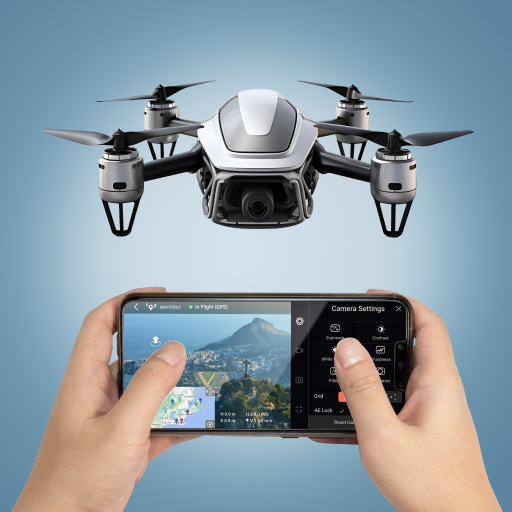
Are you captivated by the idea of viewing the world from a bird's-eye perspective? The Go Fly Drone Camera Controller app transforms that dream into reality. Designed for drone enthusiasts of all levels, this innovative application offers seamless control over your drone's camera and flight operations, making aerial photography more accessible and enjoyable than ever before.
Features That Elevate Your Flying Experience
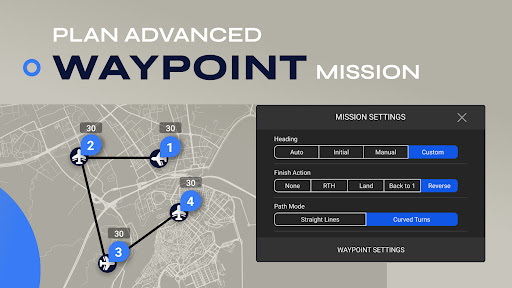
Waypoint Missions
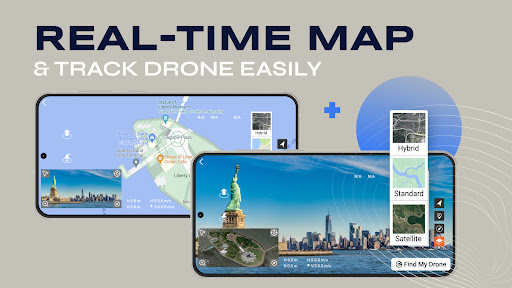
With our intuitive waypoint mission planning tools, you can easily create complex flight paths. Whether you're a beginner or a seasoned pilot, this feature allows for precise and seamless navigation, letting your drone follow a predetermined route effortlessly.
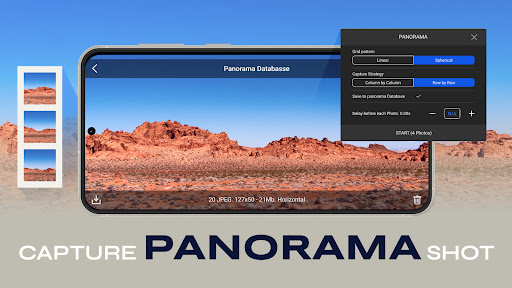
Panorama Capture
Capture breathtaking 360-degree panoramas horizontally and vertically. This feature makes it simple to create stunning immersive images, ideal for landscape photography, real estate showcases, or creative projects.
Focus Mode
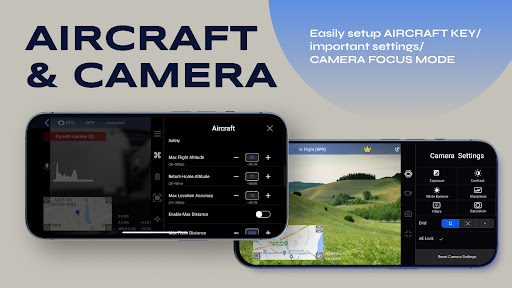
Gain full control over your drone’s yaw axis and gimbal with Focus Mode. This function ensures you can concentrate on framing perfect shots while the app handles camera stabilization, thereby elevating your aerial cinematography.
Additional Capabilities
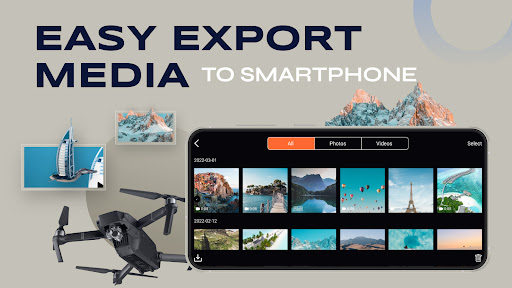
The app supports Smart Flight Modes, provides an expansive Camera View, and allows Effortless Image and Video Export directly to your iPhone. Enhance your workflow with tools like On-Screen Exposure Graph and Gimbal Direction Adjustment. For beginners, comprehensive flight tutorials are included to help you get started safely and confidently.
Compatibility and Future Upgrades
While the Go Fly app is compatible with a wide range of drone models, users of Mavic series should note that some features like Low Battery Warning, Critical Low Battery Warning, and Lock Gimbal When Shooting are currently unsupported but are planned for future updates. Additional functionalities such as Preview media and controlling Head LEDs add more convenience, depending on your drone model.
Why Choose the Go Fly Drone Camera Controller App?
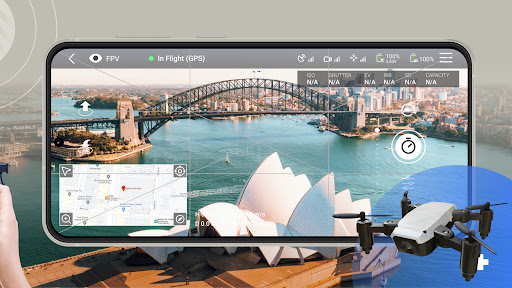
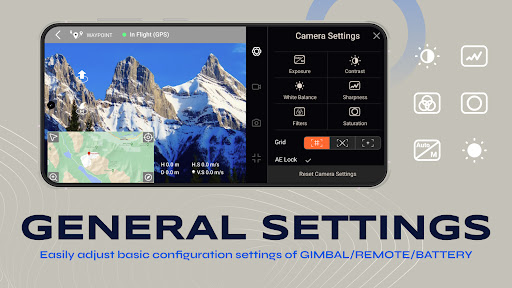
This app is not just a control tool — it’s a comprehensive aerial photography assistant. Its sleek, user-friendly interface ensures both beginners and expert pilots can easily navigate its extensive features. The real-time video feed offers a live view from your drone’s perspective, enabling precise shot composition on the fly. Adjust camera settings, program flight paths, and even draw custom routes directly on your screen—making complex shots achievable with minimal effort.
Performance and Reliability
During field tests, the app demonstrated robust connectivity and responsive controls, maintaining a stable connection even at a distance. The smooth live video stream and accurate battery indicator help pilots plan their flights and land safely before batteries run out. Safety measures are integrated to ensure a secure flying experience, reducing the risk of mishaps.
Enhance Your Aerial Adventures Today
Whether you're pursuing hobbyist photography, professional videography, or just exploring the skies, Go Fly is an essential app to enhance your drone flying experience. Its powerful features, ease of use, and ongoing development make it a reliable companion for every aerial adventure. Take your drone photography and videography to new heights—let your imagination soar with Go Fly!
Pros
- Intuitive user interface
- Real-time video streaming
- Customizable flight controls
- Offline maps available
- Compatible with many drones
Cons
- Limited battery monitoring
- Occasional connectivity issues
- Requires frequent updates
- Not beginner-friendly
- In-app purchases necessary











