

Introduction to GizmoHub: The Essential Child Monitoring App
Are you a parent seeking a reliable way to ensure your child's safety while respecting their independence? Look no further than GizmoHub, the innovative app designed to help you keep track of your child's activities and location through their wearable device. With GizmoHub, you can effortlessly monitor, communicate, and safeguard your child, all from your smartphone. This comprehensive app offers a suite of features tailored for modern parents who want to stay connected without being intrusive.
Key Features of GizmoHub
The GizmoHub app revolutionizes child safety management by providing an array of practical functions. Whether it's real-time location tracking, instant messaging, or setting up safety zones, GizmoHub ensures you are always in the loop. Here are some of its main capabilities:
Real-Time Location Monitoring
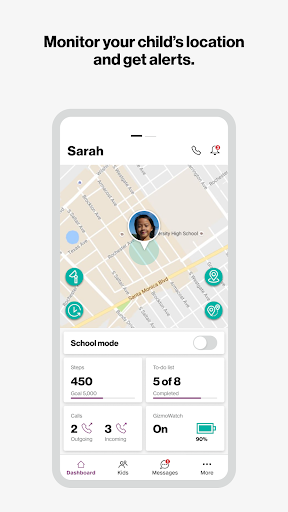
With GizmoHub, you can monitor your child's location in real time and receive instant alerts when they arrive at or leave designated areas. This feature acts as a virtual guardian, giving you peace of mind without being overly invasive. It helps parents stay updated on their child's whereabouts, especially during busy or unfamiliar outings.
Effortless Communication
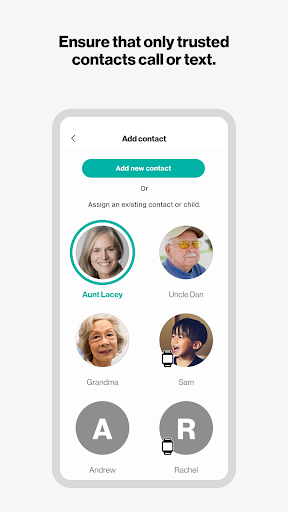
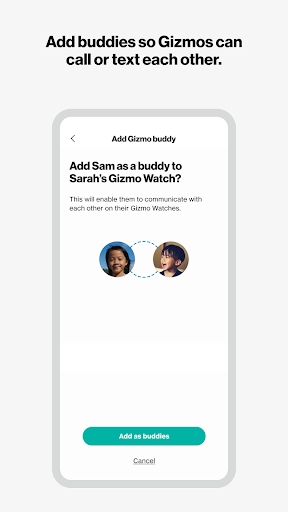
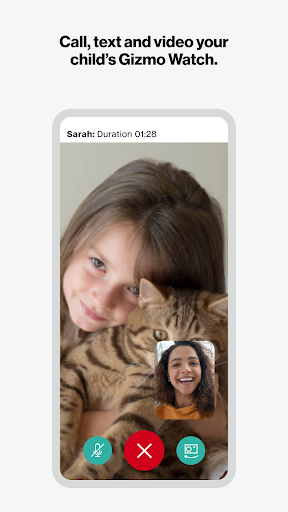
The app simplifies calling, texting, and even video chatting with your child's GizmoWatch. You can quickly get in touch with your child, fostering safe and reliable communication. Additionally, GizmoHub allows parents to manage trusted contacts who can also communicate with the child, ensuring that only familiar and safe connections are made.
Safety and Security Features
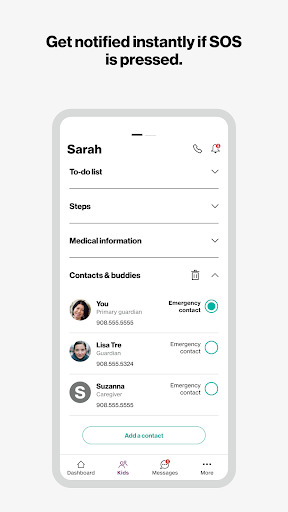
Ensuring your child's safety is at the core of GizmoHub. The app enables you to assign a contact for SOS notifications—meaning, if your child presses the emergency button on their device, you get an immediate alert. You can also set up geo-fencing—virtual boundaries around specific locations—and receive alerts if your child steps outside these zones. This proactive approach provides an added layer of security and peace of mind.
Activity Tracking and Reminders
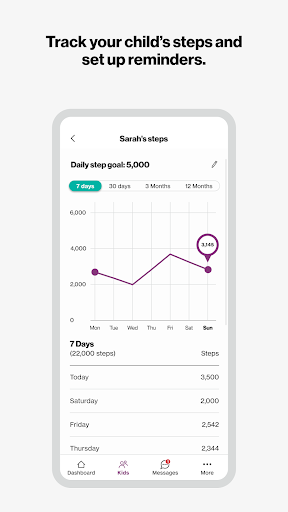
Beyond safety, GizmoHub offers tools to promote a healthy routine. You can monitor your child's steps and set up daily exercise reminders to encourage physical activity and healthy habits.
User-Friendly Setup and Interface
One of the standout features of GizmoHub is its intuitive and accessible design. Setting up the app is straightforward: simply download the app on your smartphone, create an account, and pair it with your child's GizmoWatch. The clear, organized dashboard allows you to view all connected devices and configure settings effortlessly, making it suitable even for those who aren't tech-savvy.
Why Choose GizmoHub?
If you're wondering whether GizmoHub is the right tool for your family, consider its advantages. It strikes a perfect balance between monitoring and independence, giving parents the tools to keep their children safe while allowing them the freedom to explore. Its comprehensive features, ease of use, and focus on privacy make it stand out among child monitoring apps. Whether you're concerned about location, communication, or safety zones, GizmoHub provides an all-in-one solution tailored for the modern family.
Final Thoughts
In today’s digital age, managing your child's safety requires a trusted, versatile tool. GizmoHub offers parents an effective way to stay connected and protected, all while respecting their child's growing independence. From real-time location updates and messaging to geo-fencing and emergency alerts, this app covers all aspects of child safety management. Download GizmoHub today and experience greater peace of mind, knowing that your child's safety is always within reach.
Pros
- User-friendly interface for simple navigation.
- Real-time location updates for added peace of mind.
- Customizable alerts and notifications.
- Supports multiple devices and users.
- Robust privacy controls and data security.
Cons
- High battery usage possible.
- Limited features in the free version.
- Occasional inaccuracies in location tracking.
- Requires a stable internet connection.
- Interface may appear outdated to some users.











