

Introducing GIF Maker Pro: Your Ultimate GIF Creation Tool
Whether you're eager to craft a perfectly sliced movie GIF or design your exclusive emoji, GIF Maker Pro is the indispensable app to turn your ideas into animated reality. With its user-friendly interface and powerful features, it simplifies the process of creating, customizing, and sharing GIFs, making it a must-have for social media enthusiasts, humor lovers, or anyone wanting to communicate with more flair.
Versatile GIF Creation and Conversion
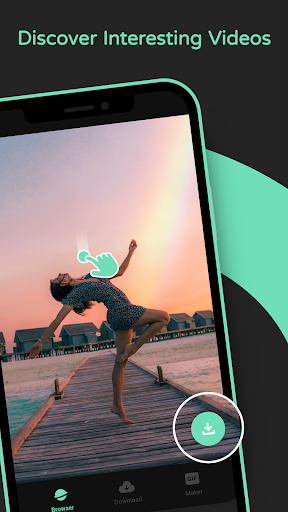
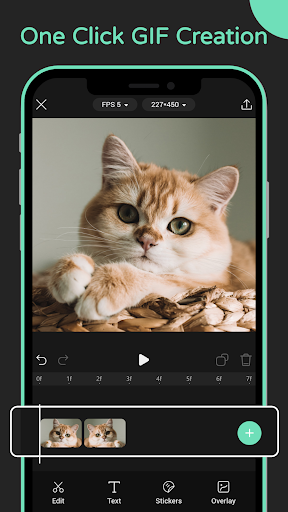
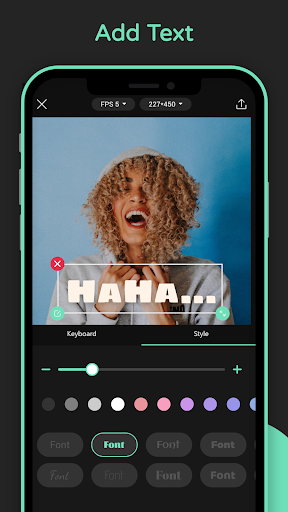
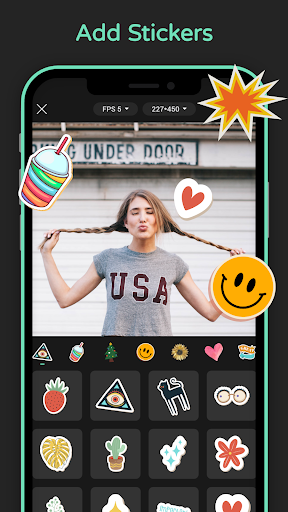
• Browsing videos online allows users to effortlessly search for ideal GIF materials across the web. Once you find your desired video, a simple one-click download feature makes saving online videos quick and convenient. With just a tap, you can convert your downloaded videos into high-quality GIFs—streamlining the entire process from discovery to creation. Besides videos, GIF Maker Pro also supports converting images into animated GIFs, giving you maximum flexibility to bring your visual ideas to life. Want to add some text or stickers? The app offers options to embellish your GIFs with creative elements, making each one truly unique. Plus, you can set the resolution and frame rate of your GIFs to ensure they look perfect on any platform or device, whether for social media, messaging, or personal archiving.
Crafting Personalized GIFs Effortlessly
Are you tired of searching endlessly for the perfect reaction GIF? GIF Maker Pro eliminates that frustration by enabling you to create your own GIFs from scratch. Whether capturing moments from videos or compiling a series of photos, the app provides an intuitive interface that makes editing accessible even for beginners. Simply select your media, trim unwanted parts, add effects, and you’re ready to share your custom creation. The ease of use ensures everyone can participate in making lively, expressive GIFs that reflect their personality or mood.
Endless Customization for Unique Creations
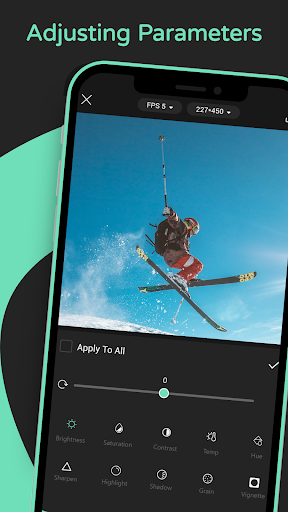
One of the standout features of GIF Maker Pro is its extensive customization options. You can add text overlays, fun stickers, and a variety of filters to elevate your GIFs. Want to make a playful dance video of your pet even more engaging with a splash of sparkle? The app’s diverse effects make that possible. The option to adjust the speed of your GIFs adds another layer of creativity—slow down a funny moment for emphasis or speed up for comedic timing. These features empower you to craft GIFs that match your exact vision, giving your digital communication a personal touch.
Sharing and Connecting with Your Audience
Sharing your masterpieces is seamless with GIF Maker Pro. It integrates effortlessly with popular social media platforms like Instagram, Facebook, and Twitter, enabling you to post directly from the app. You can also save your GIFs locally to your gallery or send them via messaging apps. The joy of creating personalized GIFs is amplified when you see friends and followers react with laughter, surprise, or appreciation. Additionally, the app features a community sharing function, allowing you to explore other users’ GIFs for inspiration or showcase your own work to a broader audience. This social element helps foster creativity and keeps you up-to-date with trending visual expressions.
Final Verdict: A Must-Have for Creative Communicators
In summary, GIF Maker Pro is a comprehensive and easy-to-use tool designed for anyone who seeks to add fun, personality, and flair to their digital conversations. Its rich set of features—from online video browsing, one-click GIF creation, detailed customization, to effortless sharing—makes it stand out as an essential app for social media enthusiasts, content creators, and casual users alike. Whether for enhancing your messages or showcasing your creativity, GIF Maker Pro unlocks endless possibilities for entertaining and expressive GIF production. Why wait? Dive into the world of animated storytelling and let your imagination run wild with this versatile app.
Pros
- User-friendly interface
- Supports various file formats
- Produces high-quality GIFs
- Offers fast processing speed
- Allows customizable editing options
Cons
- May include advertisements
- Features are limited in the free version
- Free version adds a watermark
- Occasional application crashes
- Some features require internet connectivity











