




Genius Scan - PDF Scanner icon

Genius Scan - PDF Scanner

575.08K
4.9
Installs
0.01B
Version
7.38.0
Advertisement
Genius Scan - PDF Scanner screenshot
Advertisement

Genius Scan - PDF Scanner: The Ultimate Mobile Document Scanner

Genius Scan is a powerful scanner app that transforms your device into a portable scanning solution. Whether you're in the office, on the road, or at home, this app allows you to quickly digitize your paper documents and save them as multi-page PDF files. With over 20 million users and thousands of small businesses relying on its capabilities, Genius Scan has established itself as a preferred alternative to traditional desktop scanners. Its user-friendly interface and robust features make document management simple, efficient, and secure—perfect for anyone seeking a reliable document scanning app on their mobile device.

Key Features of Genius Scan - PDF Scanner

Smart Scanning for Flawless Results

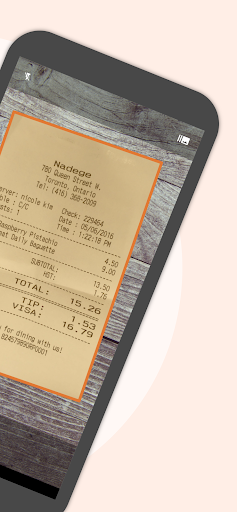
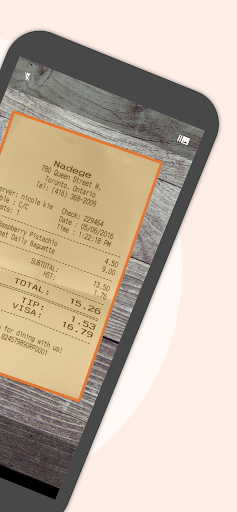
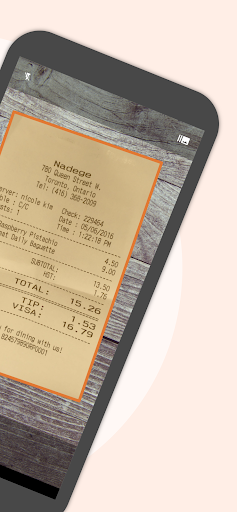
The core strength of Genius Scan lies in its smart scanning technology. The app offers comprehensive features such as document detection, which recognizes and isolates your documents from the background. It also provides background removal and distortion correction to ensure your scans look professional. Whether you're capturing a receipt or a multi-page report, Genius Scan automatically adjusts the perspective to produce clear and straightened images, even when scanning on an uneven surface or in less-than-ideal lighting conditions. Shadow removal and defect cleanup further enhance the quality of your scans, making them suitable for sharing or archiving.

Batch PDF Creation and Editing

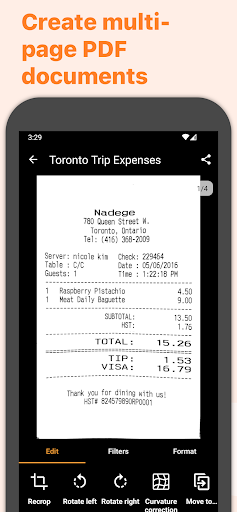
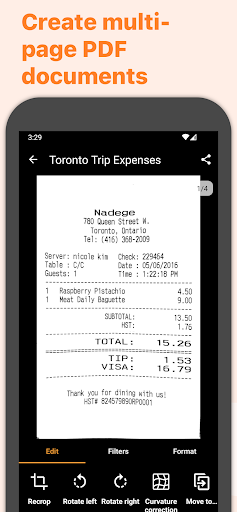
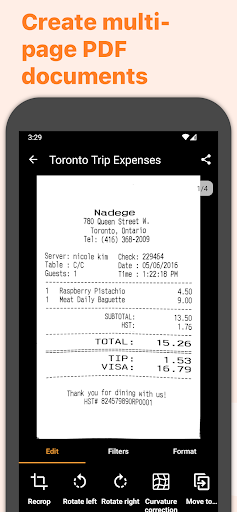
Beyond single-page scans, Genius Scan excels at creating versatile PDF documents. You can easily combine scans into a single PDF, merge, or split documents to organize your files efficiently. The app supports multi-page PDF creation, allowing you to compile all related pages into one accessible document, which is perfect for contracts, reports, or photo albums.

Advanced Security & Privacy Controls

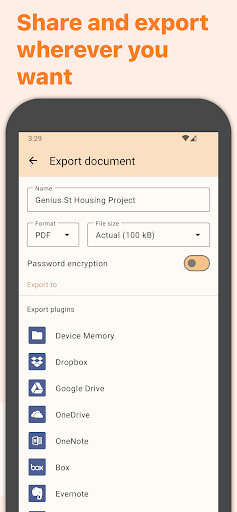
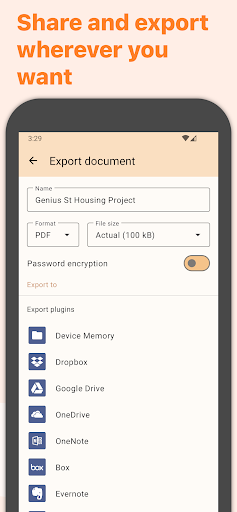
Security is paramount in document management, and Genius Scan prioritizes this through on-device document processing and features like biometric unlock. You can also encrypt your PDFs with passwords and apply various security settings to safeguard sensitive information. This ensures your private documents remain protected from unauthorized access.

Organize and Search Your Scans Effortlessly

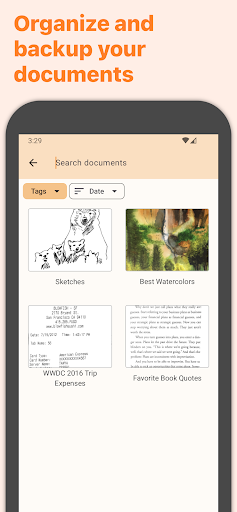
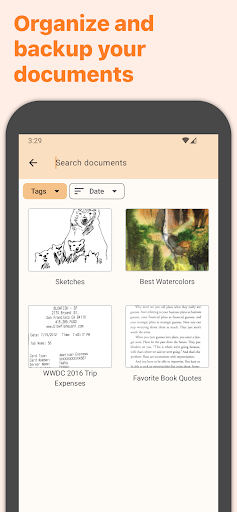
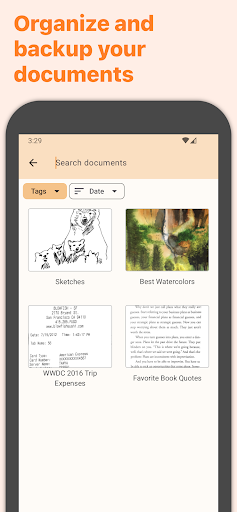
This app doesn’t just scan—it helps you stay organized. You can tag your documents, add metadata, and utilize content search to quickly locate files. The smart document renaming feature allows for custom naming with templates, streamlining your workflow. Additionally, the backup and multi-device sync capabilities ensure your documents are accessible across your devices, making it easy to retrieve and manage files anytime, anywhere.

Easy Export and Sharing

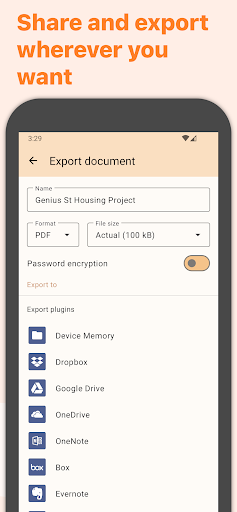
Once your documents are digitized, you can export them seamlessly to various services and applications. Genius Scan supports emailing your PDFs, uploading to cloud storage platforms like Dropbox, Google Drive, OneDrive, and other WebDAV-compatible services. The app also allows exporting in different formats, including JPEG and PDF, providing flexibility for different use cases.

OCR and Text Recognition

For enhanced document management, Genius Scan offers Optical Character Recognition (OCR). This feature enables you to extract text from your scans and create searchable PDFs. Quickly finding specific information within your digitized documents has never been easier, making this app ideal for business professionals, students, and anyone needing to digitize and organize paperwork efficiently.

About the Developers

Nestled in the heart of Paris, France, The Grizzly Labs develops Genius Scan with a commitment to quality and user privacy. Their dedication ensures the app not only provides excellent scanning features but also adheres to strict privacy standards, making it a safe choice for sensitive documents.

Conclusion

In summary, Genius Scan - PDF Scanner is more than just a mobile scanning app—it’s a comprehensive solution for digital document management. Its combination of intelligent scanning technology, robust security, organizational tools, and seamless sharing options make it a must-have for anyone looking to replace traditional scanners with their smartphone. Whether you’re managing personal paperwork or professional documents, Genius Scan enhances productivity and streamlines your workflow. Experience the convenience of portable scanning with this versatile app and see how it transforms the way you handle and organize your documents.

Pros

  • User-friendly interface.
  • High-quality scan results.
  • Fast processing speed.
  • Functionality available offline.
  • Scans are free of watermarks.

Cons

  • Limited features in the free version.
  • Occasional app crashes.
  • Contains advertisements in the free version.
  • Consumes significant battery power.
  • Does not offer advanced editing tools.

Download From Google Play Download From App Store
Advertisement

Frequently Asked Questions

What is Genius Scan and how does it work?

Genius Scan is a mobile app that enables users to scan documents using their smartphone camera. It converts physical documents into high-quality PDFs or JPEGs, which can be easily shared or stored. The app employs advanced image processing to automatically detect document edges, enhance scan quality, and eliminate background clutter, making it efficient for both personal and professional use.

Is Genius Scan available for both Android and iOS devices?

Yes, Genius Scan is accessible on both Android and iOS platforms. Users can download it from the Google Play Store for Android devices and the Apple App Store for iOS devices. Its availability across platforms ensures a seamless user experience regardless of device, broadening accessibility.

Does Genius Scan offer cloud integration for document storage?

Genius Scan supports integration with multiple cloud storage services, such as Google Drive, Dropbox, and OneDrive. This allows users to save, synchronize, and access their scanned documents from any device, ensuring their files are securely backed up and easily accessible.

Are there any in-app purchases or subscription fees for Genius Scan?

While a free version with basic features is available, Genius Scan also offers a premium subscription called Genius Scan+. This paid version unlocks additional functionalities like automatic document detection, higher-quality scans, and advanced export options. Users can opt for a one-time purchase or a subscription, based on their preferences.

How secure are my documents when using Genius Scan?

Genius Scan emphasizes user privacy and document security. It does not require creating an account to operate, and scans are stored locally on the device unless uploaded to a cloud service. The app also supports password protection for PDFs, ensuring that sensitive information remains secure and is accessible only to authorized users.

You May Like










