

Introduction to FolderSync Pro
Have you ever found yourself tangled in the web of file management across multiple devices? Introducing FolderSync Pro, the ultimate app designed to simplify your file synchronization needs. Whether you're managing work documents, personal photos, or important files, FolderSync Pro offers a reliable and user-friendly solution for syncing files between your Android device and a variety of cloud storage providers. With its comprehensive features and intuitive interface, this app transforms complex file management tasks into effortless actions, boosting your productivity and ensuring your data is always up-to-date and secure.
Key Features of FolderSync Pro
Seamless Synchronization
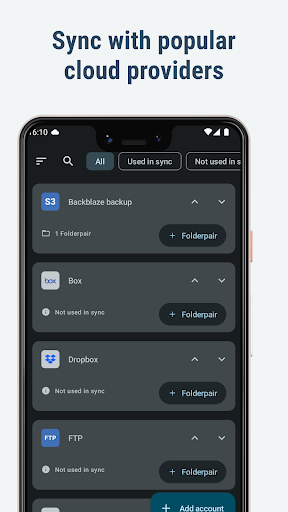
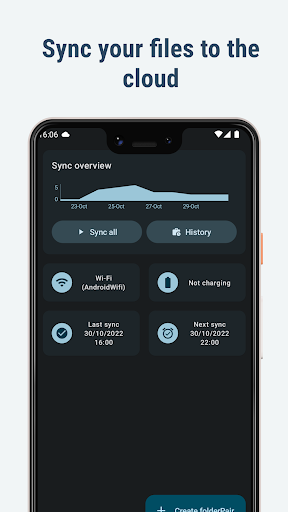
Imagine a tool that automatically keeps your files in sync across local folders on your device and cloud storage services — that’s precisely what FolderSync Pro offers. It supports synchronization with popular cloud providers like Google Drive, Dropbox, OneDrive, Box, and many more. Whether you're backing up your music, photographs, or important documents, the app ensures your files are consistently current across all platforms. This level of automation reduces manual uploads or downloads, saving you time and eliminating the risk of forgetting to back up critical data.
Supported Cloud Providers and Protocols
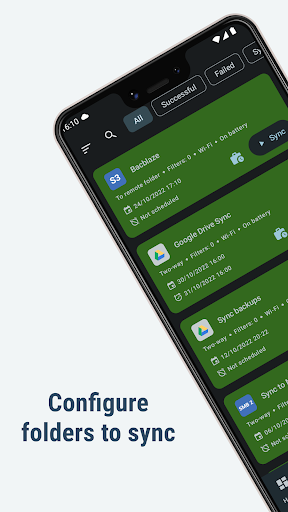
FolderSync Pro boasts compatibility with an extensive list of cloud services, including Amazon S3, Google Cloud Storage, MEGA, pCloud, NextCloud, and many others. It also supports robust file transfer protocols such as SFTP, FTP, FTPS, WebDAV, and SMB/Samba. This broad support ensures your data can be securely and efficiently transferred in various network environments, whether over HTTPS, SSL/TLS, or SSH.
Advanced Automation and File Management
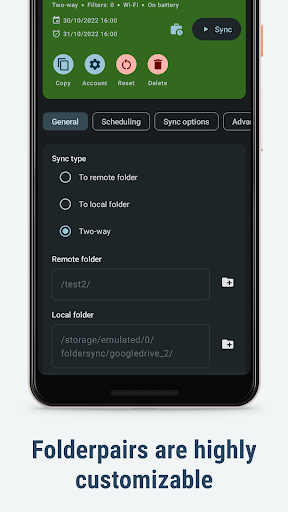
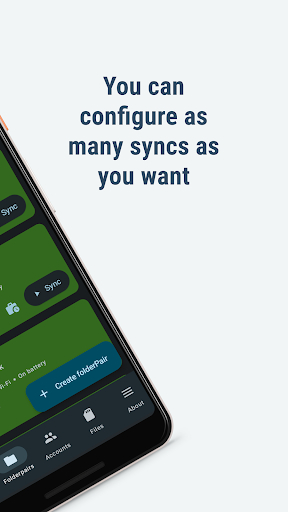
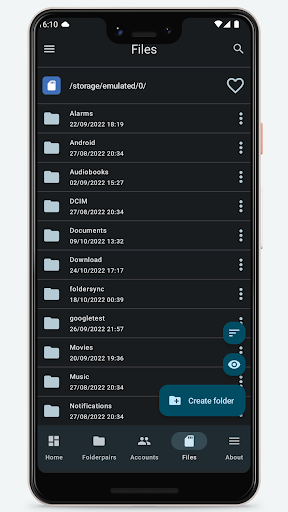
For power users, FolderSync Pro offers automatic scheduling of synchronization tasks, extensive filter options, and the ability to manage multiple accounts. It integrates seamlessly with automation tools like Tasker to enable fine-grained control over sync processes. Additionally, the built-in file manager allows you to copy, move, or delete your files directly within the app, both locally and in the cloud. You can even create or delete buckets in Amazon S3, giving you greater control over your storage environments.
Device Compatibility and Root Access
FolderSync Pro supports devices with root access, enabling advanced file operations that are otherwise restricted. Additionally, optional permissions like ACCESS_FINE_LOCATION facilitate features such as SSID detection on Android 9 and newer, making connections and server discovery more efficient. Permissions for network status, WiFi control, and storage access ensure smooth operation across various device configurations and network conditions.
User-Friendly Interface and Ease of Use
Setting up FolderSync Pro is straightforward, thanks to its clean and organized user interface. Even users without technical expertise can easily configure synchronization jobs, select cloud providers, and manage files. The intuitive design anticipates common user needs, providing a hassle-free experience for managing multiple cloud accounts and local folders alike.
Why Choose FolderSync Pro
If you're someone who relies heavily on multiple cloud services or needs to ensure your files are backed up across devices, FolderSync Pro is an essential tool. Its robust features, secure data transfer protocols, and customizable automation options make it stand out. The app eliminates the chaos of manual file management, reduces the risk of data loss, and provides peace of mind knowing your files are synchronized and protected. Whether you're a casual user or a tech enthusiast, this powerful app simplifies your digital life and enhances your productivity.
Supporting Resources and Updates
For the latest updates, detailed change logs, and support options, visit the FolderSync changelog and support page. Additionally, the FAQ provides answers to common questions, helping you get the most out of FolderSync Pro.
Pros
- User-friendly interface
- Supports multiple cloud storage services
- Automatic synchronization of files
- Customizable synchronization settings
- Ad-free experience
Cons
- Paid application
- No free version available
- Initial configuration may be complicated
- Limited advanced features
- Occasional synchronization errors
- Requires setup of a cloud account











