

Figma: view. comment. mirror.
Discover a streamlined way to collaborate on design projects from anywhere. The Figma mobile app brings your desktop workflow to your pocket, letting you view, review, and share work on the go. It’s built for teams that move fast—giving you real-time access to files, prototypes, slides, and more, all in an intuitive, touch-friendly interface. Whether you’re in a meeting, traveling, or grabbing a coffee between sessions, you can stay in sync with your team and keep ideas flowing.
Review files, search, and navigate with ease
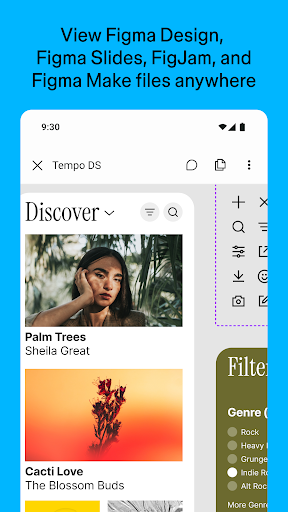
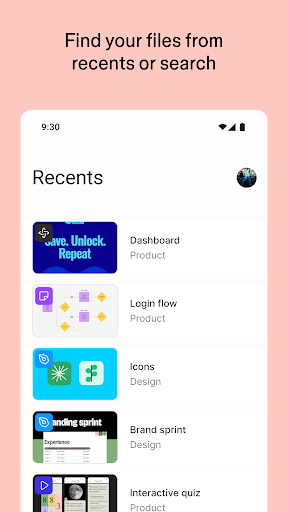
Access your projects directly from the mobile app, including Figma files, FigJam boards, prototypes, and slides. Quickly search by name or browse recently viewed items, and switch between pages and flows within a file to keep context as you discuss or review. The mobile view mirrors the desktop experience so you can follow the latest iterations without missing a beat.
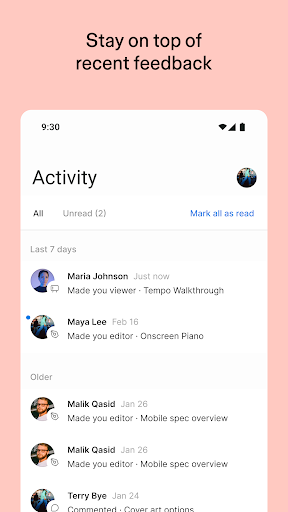
Comment, mention, and resolve on the move
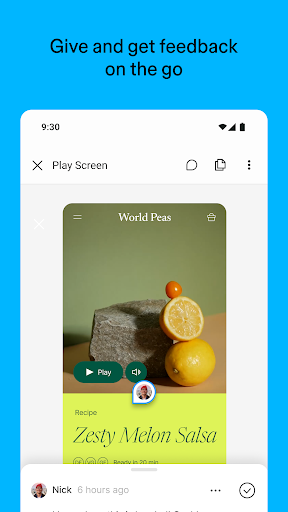
Collaborate through in-file comments, with the ability to mention teammates to pull folks into the conversation. Stay notified about new comments and replies, and resolve or respond to threads straight from your device. You’ll always have a clear view of all comment threads in a file, which makes it easier to track feedback and keep momentum.
Share, invite, and prototype
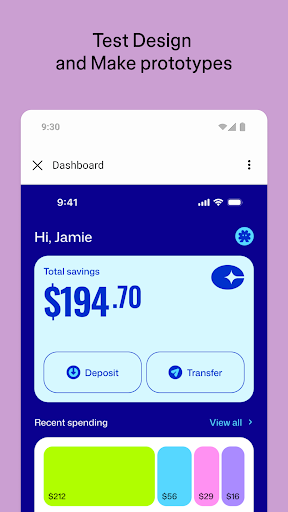
Share work with your team by inviting collaborators or sending links to files. The app supports playing prototypes in full screen, adjusting prototype scaling, and toggling hotspot hints, so you can demonstrate interactions and flows clearly during reviews or client demos, no matter where you are.
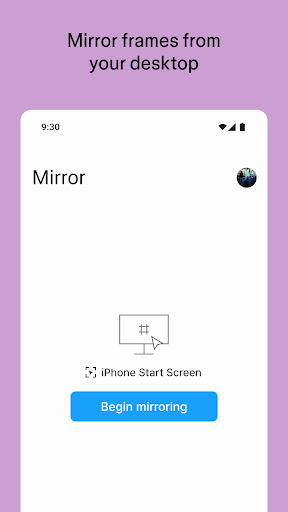
Mirror designs in real time
Sync selected frames from your desktop to your mobile device to watch real-time edits as they happen. Preview how assets look scaled to a device screen and ensure your latest changes are ready for feedback, directly from your phone or tablet. This real-time mirroring is a game-changer for on-the-spot design discussions and quick stakeholder updates.
Explore slides and manage access
View and comment on decks in both landscape and portrait modes, making it easy to review presentations or design sequences in any orientation. On-the-fly permissions management lets you control who can view or edit files, helping maintain security while keeping collaboration smooth across teams.
On iPad: FigJam and mobile creativity
The iPad experience extends your collaborative toolkit with FigJam features designed for touch and pen input:
- Sketch with the Apple Pencil to explore and iterate ideas more fluidly
- Share and riff on early concepts with your team
- Annotate designs to surface feedback quickly
- Jot down ideas anytime inspiration strikes
Why it matters for modern teams
Figma: view. comment. mirror. bridges the gap between desktop density and mobile flexibility, empowering freelancers, freelancers-as-teams, and distributed groups to stay in lockstep. The app’s clean, intuitive design minimizes friction, while its seamless desktop-to-mobile integration ensures a smooth transition between devices. If you value quick feedback loops, real-time updates, and portable design reviews, this mobile companion is a worthwhile addition to your design toolkit.
Pros
- User-friendly interface for easy navigation
- Real-time collaboration enhances teamwork
- Cross-platform availability boosts accessibility
- Supports a wide range of design formats
- Frequent updates with new features
Cons
- Requires a stable internet connection
- Limited offline functionality
- Can be resource-intensive on older devices
- Some advanced features require a subscription
- Learning curve for beginners











