

Discover the Power of EPIK - AI Photo & Video Editor
Get ready to transform your creative editing experience with EPIK - AI Photo & Video Editor. Designed for both amateurs and professionals, this versatile app combines advanced AI-powered tools with an intuitive interface, making photo and video editing easier, faster, and more fun. Whether you want to enhance your images, create stunning videos, or craft trendy content, EPIK offers a comprehensive suite of features to elevate your posts and projects.
Intuitive User Interface for Seamless Editing
Upon launching EPIK, users are welcomed with a clean, organized dashboard that prioritizes user-friendliness. The well-structured layout categorizes editing tools into sections like Photo, Video, Creative Tools, and Content, ensuring quick access without clutter. Beginners can easily navigate through features with guided tutorials, while seasoned editors will appreciate the advanced options available for detailed customization. This thoughtful design ensures a smooth experience, whether you're making quick adjustments or diving into complex edits.
Advanced Photo Editing Features
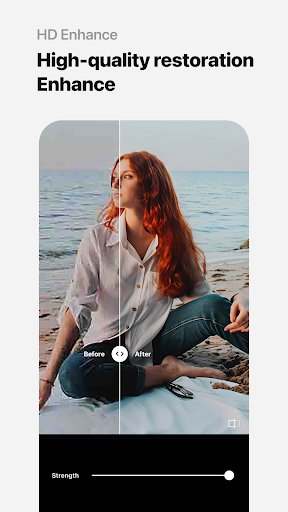
The centerpiece of EPIK is its powerful photo editing suite. Equipped with intelligent AI tools, it allows users to enhance their images effortlessly. You can improve clarity and resolution with the Enhance feature, perfect for creating high-quality photos from RAW files. Skin retouching is simplified with the AI Skin tool, which smooths imperfections while maintaining a natural look. For more precision, operators can utilize professional tools like HSL, Curves, Split Tone, and Selective adjustments to control color and tone with accuracy. The app also offers creative effects—such as Lux, Texture, Grain, Brilliance, and Vignette—to craft different moods or artistic styles.
Other handy features include cropping, rotating, mirroring, adjusting perspective, and resolution, allowing you to perfect your composition. Need to edit multiple photos simultaneously? The Batch processing feature makes edits efficient and consistent. For natural edits or retouching specific areas, tools like Patch and Clone come in handy, giving subtle, seamless results.
Perfect Portrait and Body Editing
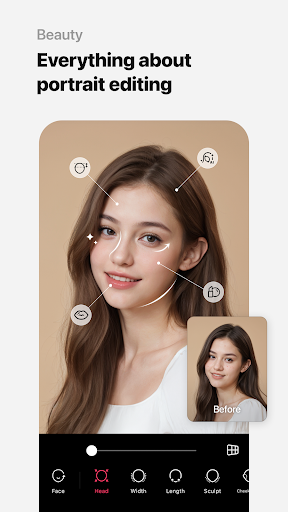
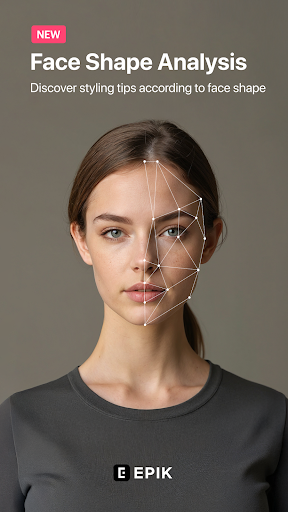
EPIK excels at portrait editing with tools designed to enhance facial features. The Looks feature offers one-tap beautification, combining skin retouch, makeup, face tuning, and filters—all in a single click. For detailed facial corrections, features like Reshape, 3D Face, and Perspective adjustments help achieve a natural, polished look. You can also customize your style with Paint and Fine Tune options or transform your full-body photos with features like Body Length and Hair Color adjustments, enabling users to create their ideal appearance effortlessly.
Creating Trendy and Unique Content
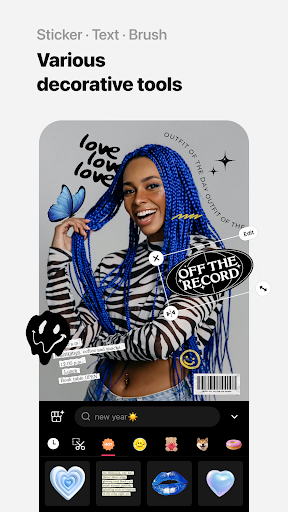
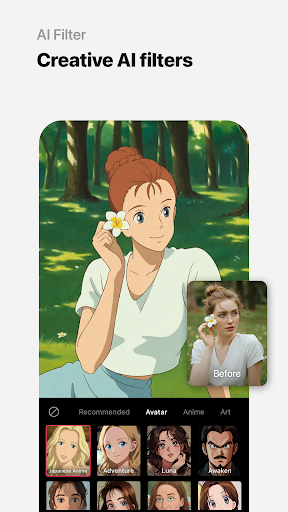
Stay ahead of social media trends with EPIK's creative editing tools. Use trendy Filters, Effects, and Relight to give your photos a modern vibe. Enhance your content further with stickers, text, paint, and shape drawing tools. Add unique timing stamps to commemorate special moments and utilize thousands of customizable templates to create eye-catching visuals quickly. These features make your content stand out and resonate with audiences.
Creative Tools for Artistic Expression
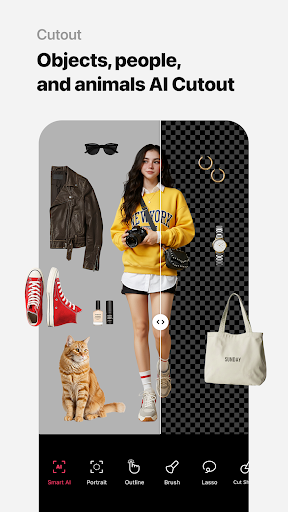
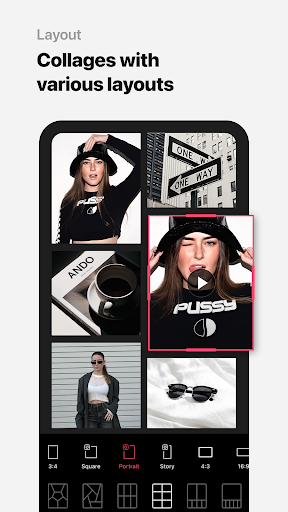
Unleash your creativity with a broad range of artistic tools. Design one-of-a-kind collages using AI Collage or emphasize specific colors with Spot Color. Apply various mosaic or blur effects with intuitive controls. Use Cutout and Separate for smart cropping, and arrange multiple photos in appealing layouts with the Layout feature. Personalize backgrounds and patterns or create custom stickers and filters, making each project uniquely yours.
Video Editing Capabilities
Beyond photos, EPIK offers comprehensive video editing features. Create captivating video projects with easy-to-use tools like trimming, splicing, and adding transition effects. The app’s Video Mosaic feature allows for automatic figure tracking, making it simple to create professional-looking mosaics. Want to add a vintage touch? The Retro Clip feature helps produce nostalgic-style videos effortlessly. For natural face retouching within videos, the Video Face Edit tool ensures realistic results, perfect for content creators aiming for polished visuals.
AI-Driven Enhancements for Professional Results
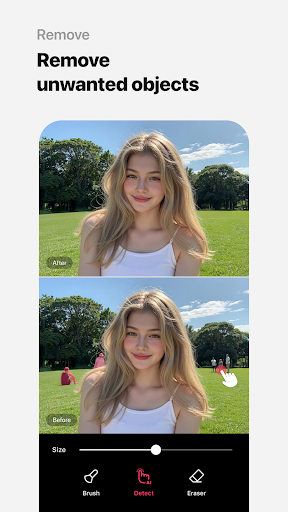
Thanks to cutting-edge AI technology, EPIK elevates the editing process. It intelligently detects objects and backgrounds, enabling precise cutouts, background replacements, and style transfers. The app's AI filters and smart editing tools help create stunning visuals that look professionally crafted, whether for social media, portfolios, or personal projects.
In Summary
EPIK - AI Photo & Video Editor is an all-in-one creative suite perfect for anyone looking to craft stunning visual content. Its blend of advanced AI features with easy-to-navigate tools makes it suitable for users of all skill levels. Whether enhancing portraits, creating trendy content, or producing polished videos, EPIK equips you with everything needed to bring your ideas to life. Download now and unlock the potential of your photos and videos with this innovative editing app designed to inspire your creativity.
Pros
- User-friendly interface for easy editing
- Wide range of filters and effects
- High-quality output for photos and videos
- Supports various file formats
- Regular updates with new features
Cons
- Requires in-app purchases for premium features
- Occasional ads might disrupt workflow
- Large app size consumes significant storage
- Some features need a strong internet connection
- Limited capabilities in the free version











