

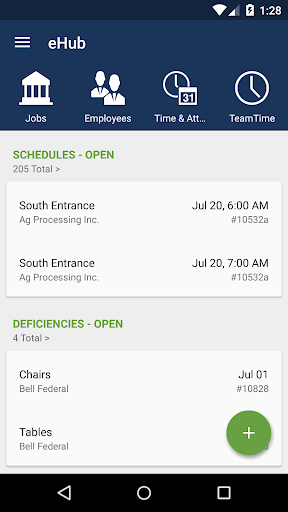
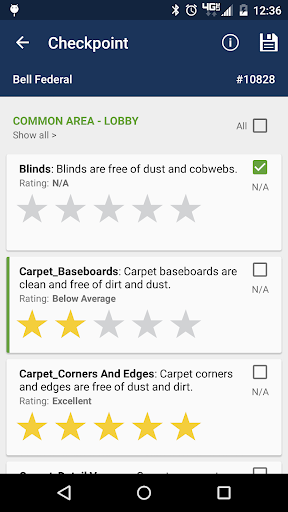
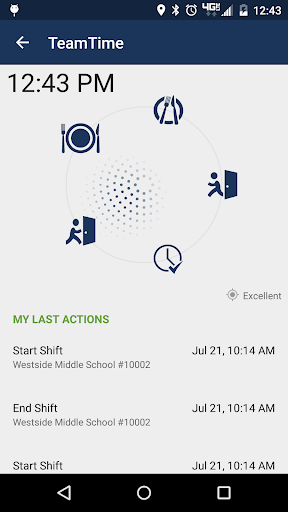
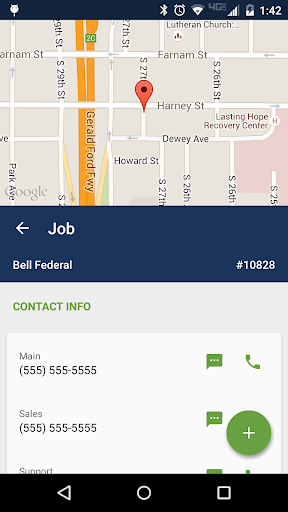
Introduction to eHub
eHub by TEAM Software is a comprehensive employee and customer self-service application tailored for the building service and security sectors. Designed to streamline workforce management and enhance client engagement, eHub Mobile provides instant access to vital information directly on your mobile device, ensuring users stay connected and informed whether on-site or in the office.
This innovative app is available for both employees/supervisors and customers of TEAM Software clients holding a licensed eHub account. Access permissions are granted by the employer or contractor, controlling the features available to each user.
Core Features of eHub
Employee Self-Service
With eHub, employees can manage their work-related information efficiently. Key features include:
- Manage jobs: View job details and locations, sign and complete work tickets, submit work requests, review them, and perform inspections or surveys with sign-off capabilities.
- Monitor budgets: Access customer invoices, track job budgets, and gauge overall profitability in real-time.
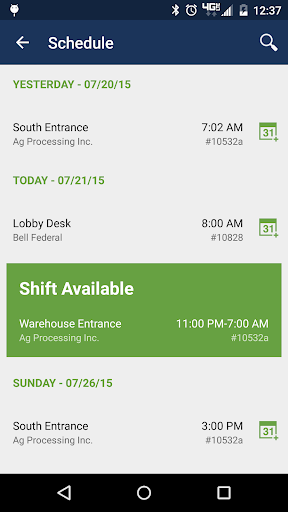
- Time and attendance: View current attendance records, clock in/out seamlessly, and find schedule replacements if needed.
- Work creation: Generate billable work tickets spontaneously to keep workflows uninterrupted.
- Manage personnel: Modify schedules, oversee timekeeping, review compliance details, and utilize targeted communication tools to stay connected with team members.
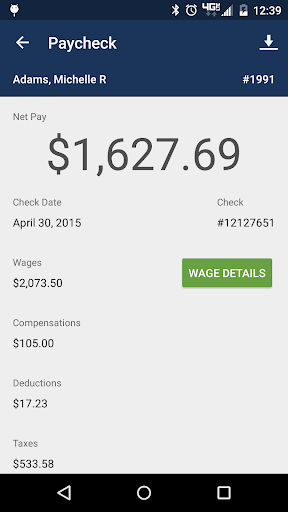
- Personal information management: Access pay stubs, W-2 forms, PTO/sick leave balances, and update contact details effortlessly.
Customer Self-Service
Customers using eHub can also benefit from a suite of features designed to enhance transparency and communication:
- View electronic invoices, job information, and time data
- Access schedules, upcoming job site tasks, and targeted updates
- Request additional work, coverage, or other services, with real-time status updates
- Perform inspections or complete surveys, then review results and deficiency statuses
- Sign off on inspections and work tickets directly through the app
Overall, eHub simplifies the management of the building service and security projects, making communication clearer and workflows more efficient for both employees and clients.
Why eHub Stands Out: A User-Centric Approach to Productivity
In today's fast-paced world, managing multiple priorities can feel overwhelming. That's where eHub steps in as a productivity game-changer. Whether you’re coordinating work tasks, tracking personal schedules, or managing client requests, eHub is designed to keep everything organized in one convenient app.
Getting started with eHub is effortless. Compatible with Android and iOS devices, it can be downloaded swiftly from your respective app store. Its clean and intuitive interface minimizes clutter, allowing users to navigate with ease. The dashboard provides quick access to core functions—task management, scheduling, work tickets, and more—making daily operations smoother and more efficient.
One of the key features that users love is the robust task management system. You can create tasks, assign priorities, set reminders, and organize them into various projects. This capability is invaluable for balancing work commitments and personal responsibilities. Additionally, seamless calendar integration syncs all your appointments and deadlines, with reminder notifications that help ensure you never miss an important event.
Personalization options further enhance user experience. Customize themes to match your mood, add widgets for quick task and calendar access from your home screen, and enjoy a smooth, responsive app performance. Such thoughtful design makes eHub a versatile tool suited for students, professionals, and anyone keen on boosting their productivity.
Ultimately, eHub is more than just a planner—it's a customizable productivity assistant that adapts to your lifestyle, helping you stay organized and efficient every day. If you’re looking for a reliable app that consolidates your tasks, schedules, and communications in one place, eHub is definitely worth exploring. Give it a try and experience how it can transform your daily routine into a more manageable and productive lifestyle.
Pros
- User-friendly interface for easy navigation.
- Comprehensive features for project management.
- Real-time collaboration with team members.
- Customizable notifications for updates.
- Integrates seamlessly with other tools.
Cons
- Occasional lag in the mobile app version.
- Limited offline functionality.
- Complex setup process for first-time users.
- Some features require a premium subscription.
- Lack of detailed user guides or tutorials.











