
Introduction to EasyTether Pro
In today's connected world, having reliable internet access on your various devices is essential. EasyTether Pro emerges as a powerful solution for those who need to share their smartphone's internet connection with laptops, tablets, or gaming consoles seamlessly. Whether you're on the go or facing an unexpected network outage, this app ensures you stay connected without the hassle of finding public Wi-Fi hotspots.
Features and Functionality
Easy Setup and Compatibility
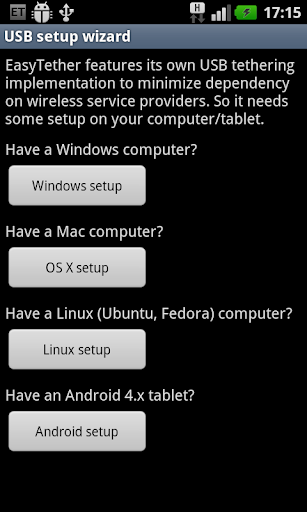
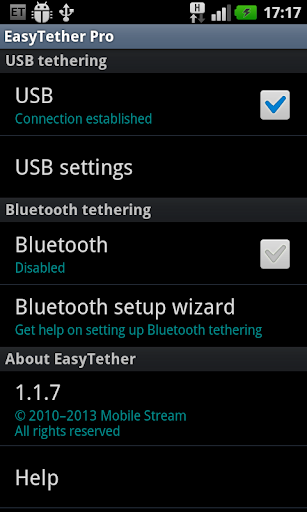
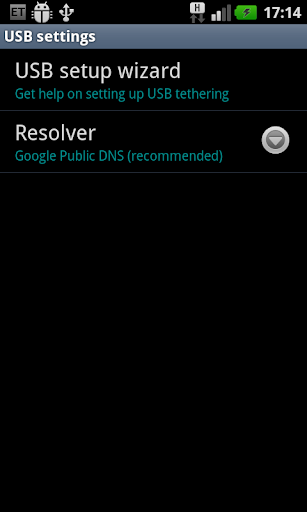
Getting started with EasyTether Pro is straightforward. After installing the app on your smartphone, you follow a simple setup wizard that guides you through the process. The app supports USB tethering for Windows, Mac OS X, and Linux computers, as well as Bluetooth tethering for Windows and Android 4.0.3+ tablets. It also offers versatile connectivity options, including Wi-Fi tethering, depending on your device and preference.
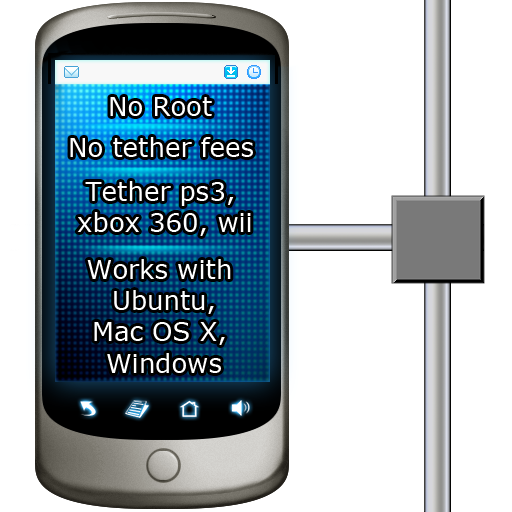
One appealing aspect is that EasyTether Pro does not require root access or special tethering plans from your carrier, making it accessible to most users. Additionally, the app supports connection sharing with gaming consoles like PS3, Xbox, and Wii, through the Internet connection sharing feature on Windows or Mac computers.
Usage and Performance
Once set up, connecting your computer or tablet is as simple as plugging in a USB cable, turning on Bluetooth, or connecting via Wi-Fi. The performance of EasyTether Pro is impressive—delivering stable, quick internet connections for browsing, streaming, and video calls. Although speed may vary depending on your mobile network and data plan, the app maintains a reliable connection with minimal lag or disruptions.
Pricing and Restrictions
The app requires a one-time fee, and all paid versions of EasyTether function identically, so there’s no difference in capabilities. Some carriers may hide the original EasyTether app, but due to FCC tethering rules, they cannot block the app officially. Users are advised to remove any other EasyTether versions before installing the paid version to prevent conflicts.
Security and Privacy
Security is a top priority for EasyTether Pro. It ensures that your data transmitted over the tethered connection remains encrypted and protected from potential threats. This makes it a safer alternative compared to some free tethering solutions that might lack robust security measures.
Why Choose EasyTether Pro?
Choosing EasyTether Pro means opting for a reliable and versatile tethering solution. Its wide device compatibility, absence of root requirements, and support for multiple connection types make it suitable for a variety of users. This app is especially beneficial for those who want to bypass carrier restrictions without the need for complex configurations.
Furthermore, EasyTether Pro offers peace of mind by providing secure data transmission, which is crucial for protecting sensitive information when using public or unsecured networks. Its straightforward interface and minimal setup time enhance user experience, making it a popular choice among professionals and casual users alike.
Final Thoughts
In summary, EasyTether Pro is a compelling app for anyone needing a dependable method to tether their smartphone's internet to other devices. Its ease of use, compatibility, and strong security features make it stand out in the realm of tethering solutions. Although it comes with a one-time cost, the convenience, stability, and assurance it provides justify the investment. If you're seeking a robust alternative to free tethering options, EasyTether Pro is undoubtedly worth considering to keep your devices connected anywhere, anytime.
Pros
- Reliable connectivity across most devices.
- Supports multiple tethering methods.
- Simple setup process and intuitive interface.
- Does not require root access.
- Works across various platforms.
Cons
- The initial purchase cost might be a barrier for some users.
- Limited options for customer support.
- Occasional disconnections may occur.
- Not compatible with all carrier plans.
- Setup may require technical expertise.











