
Easy Pose - 3D Pose Making App
Easy Pose is a human body pose application designed for artists, animators, and anyone learning to draw. If you've ever wished for a customizable model to display various poses for illustration, animation, or sketching, this app is perfect for you. It offers the ability to inspect models from different angles, removing the need for traditional wooden joint dolls or figures as models. Whether you're practicing yoga or sports poses, Easy Pose enables you to view models from multiple perspectives for more accurate and dynamic referencing.
Key Features of Easy Pose
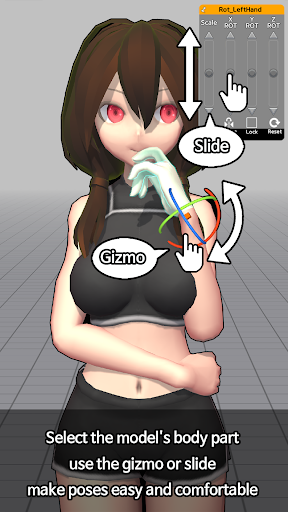
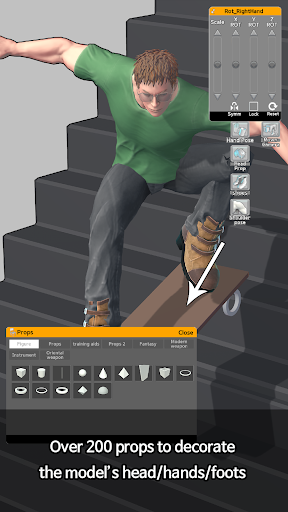
1. Sensitive Operation – Easy Pose provides exceptionally smooth control over the main joints, allowing precise manipulation. It includes unique functions like highlighting movable parts, initializing joints, and mirroring to create symmetrical poses. The control experience surpasses traditional mouse-based manipulation, making pose adjustments more intuitive and responsive.
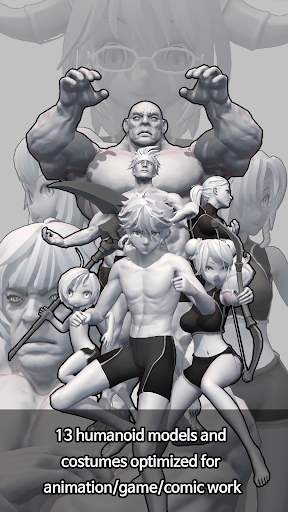
2. Comic Style Models – Unlike many pose apps that feature realistic human figures with an eight-head ratio, Easy Pose offers models with diverse body types suited for animation, webtoon, or game illustration. This variety makes it a versatile tool for artists working on stylized or comic art.
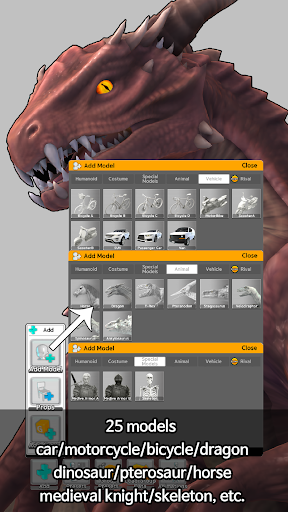
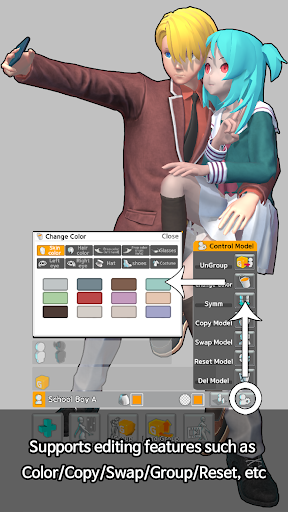
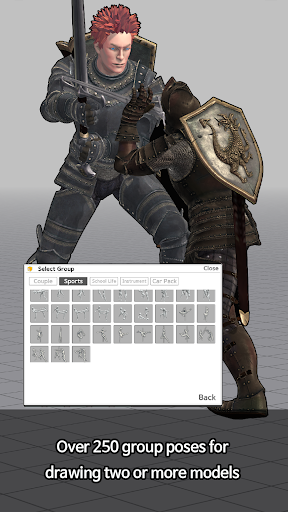
3. Multi-Model Control – The app supports scenes with up to 6 characters at once. This feature helps artists craft complex scenes, such as posing a soccer player avoiding a tackle or a couple holding hands and dancing, adding depth and realism to their work.
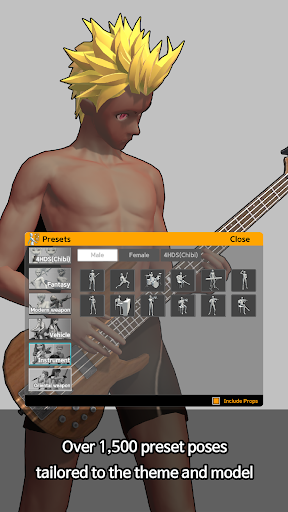
4. Pre-Loaded Poses – Easy Pose includes around 60 ready-made poses that are frequently used by artists. These poses are regularly updated, providing a solid library of reference positions to speed up the creative process.
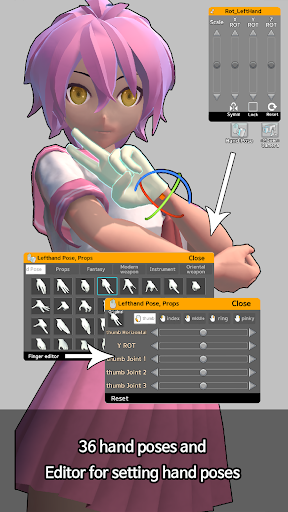
5. Additional Capabilities – The app allows for direct and backlight adjustments for sensitive lighting expressions, observations from various angles, and realistic shadows. Users can change viewpoints, including exaggerated vanishing points like panoramas, and toggle wireframe mode for drawing lines over models. It also supports downloadable models with transparent backgrounds in PNG format, with an auto-save feature to protect your data against device errors. Fine control over hand movements is also available.
Free Version Features
In the free version, users can freely manipulate models and control lighting angles to set moods. You can also save images as PNG files and modify camera distances to create varied perspectives, making it a handy tool for referencing while working with other drawing software.
Advantages of Upgrading to the Paid Version
The paid version unlocks additional value, including the ability to save and load completed poses for future use. It introduces new models like woman (small) and man (small), as well as multiple models on screen simultaneously, enabling more intricate scene creation. Importantly, it provides an ad-free experience and grants access to all completed poses.
Important Notes and Permissions
Since data isn't stored on servers, deleting the app will erase saved data. The Google Play and Apple App Store versions are incompatible, so purchases are specific to each platform. If user certification fails, ensure app permissions are correctly set: check access to contacts and storage. Permissions are necessary for Google account integration and saving images to the device's gallery. If unsupported purchases occur, contact support with your User ID and receipt for resolution.
Personal Review: Easy Pose - 3D Pose Making App
Hey there! I’ve been experimenting with Easy Pose - 3D pose making app, and I must say, it’s a game-changer for anyone interested in drawing, animation, or 3D modeling. Let me share my thoughts based on my experience.
Getting started with Easy Pose was a breeze. The intuitive and clean user interface made navigation simple, even for first-time users. Unlike many complicated apps, it didn’t overwhelm me with buttons or options, which made the workflow enjoyable right from the start.
The main attraction is the 3D posing capability. You can manipulate models into virtually any pose you need, which is invaluable for artists facing challenges in sketching complex poses from imagination. The library of preset poses provides quick reference options, perfect for when you’re short on time or need inspiration. Whether you need a dynamic action pose or a relaxed stance, these ready-made models serve as excellent references.
What impressed me most was the precision control. Every aspect, from head tilt to finger bend, can be fine-tuned, allowing for highly detailed poses—ideal for creating realistic or stylized figures. The feature to pose multiple models simultaneously further enhances its utility, enabling scene creation involving interactions between different characters without any noticeable lag.
Of course, no app is perfect. The free version is somewhat limited, encouraging users to upgrade to the paid version for access to additional models and features like saving multiple poses and scene setups. I also hope to see greater diversity in body types and features to ensure inclusive representation across various art projects.
Overall, Easy Pose proves to be a powerful and versatile tool for artists and animators. It streamlines the creation of accurate poses and scenes, making it easier to turn ideas into visual art. Whether you’re a seasoned artist or a hobbyist, I’d highly recommend giving Easy Pose a try for enhancing your drawing workflow and reference sourcing. The combination of detailed control, flexible scene setup, and easy-to-understand interface makes it an essential addition to your creative toolkit.
Pros
- User-friendly interface for easy navigation.
- Wide variety of poses and models available.
- Customizable features for detailed posing.
- High-quality graphics and smooth performance.
- Regular updates with new content and features.
Cons
- Limited free content without purchase.
- In-app purchases can be costly.
- Requires internet for some features.
- Advertisements may interrupt the user experience.
- Complex poses may require adjustments.











