

Introducing the Cross Stitch Thread Organizer
Are you tired of tangled embroidery floss and wasting precious time searching for the right thread color? The Cross Stitch Thread Organizer is here to revolutionize your embroidery experience. Designed specifically for cross-stitch enthusiasts and embroidery lovers, this intuitive app streamlines your entire thread management process. Whether you’re a hobbyist or a seasoned crafter, this tool helps you stay organized, save time, and focus more on creating stunning needlework.
Smart Thread Cataloging and Inventory Management
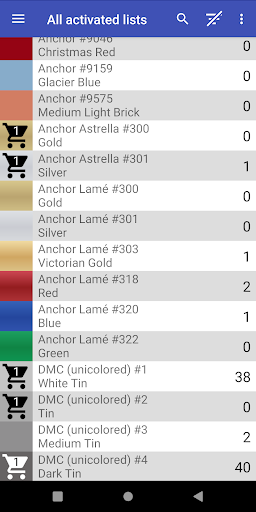
The core feature of the Cross Stitch Thread Organizer is its ability to let you effortlessly keep track of your entire thread collection. You can easily add threads by • vendor such as DMC, Anchor, Candamar Designs, The Caron Collection, and many others—currently supporting about ~160 individual lists. These lists display full color samples and accommodate various thread types, including cotton, silk, variegated colors, metallic effects, and effects. If your favorite vendor isn’t listed, you can easily add custom lists with the built-in feature.
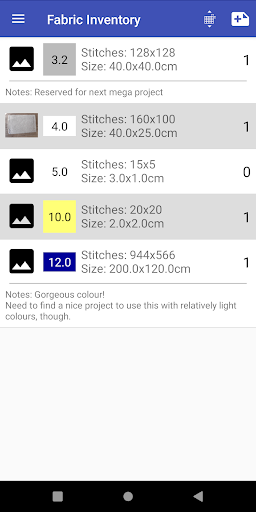
This organized approach helps you quickly assess your inventory, prepare for upcoming projects, or add items to your shopping cart with ease. The app’s simple interface ensures you can keep tabs on the total number of threads in your collection, which makes choosing the right color or substitution straightforward and stress-free.
Enhanced Color Matching and Substitutions
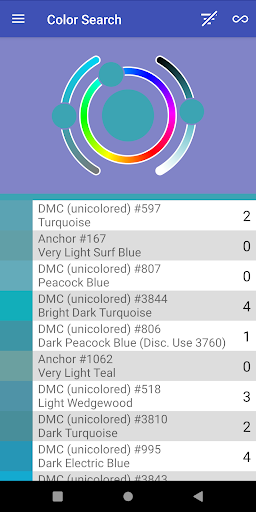
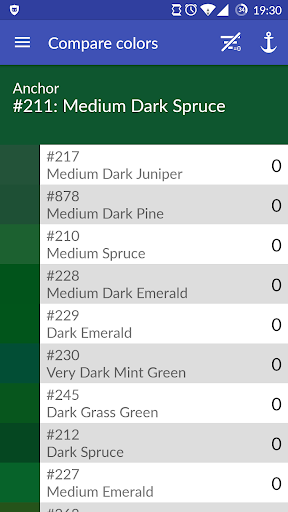
One of the standout features of the Cross Stitch Thread Organizer is its powerful • color matching tool. Sometimes, you might run out of a specific shade, but finding an exact replacement locally isn’t always possible. The app allows you to search for threads based on color, shade numbers, and even find • substitutions that closely match your needs. This digital color wheel simplifies decision-making, enabling you to continue stitching without delay.
Visualizing your colors and their variations helps in planning your projects and ensures color harmony. It’s like having a personal color expert right at your fingertips, making color choices more precise and satisfying.
Project Management and Progress Tracking
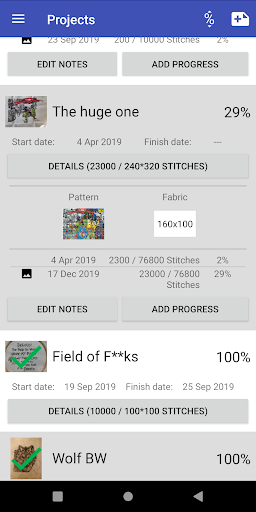
Managing multiple projects is made easy with the Cross Stitch Thread Organizer. You can link specific threads to individual projects, track your progress daily, or decide to abandon a project if needed. This feature keeps your workflow organized and prevents confusion about which threads are assigned where.
Additionally, you can create a wishlist of threads for future projects and receive notifications about deals or sales on your favorite products. This helps you stay ahead of your crafting plans and get the best value for your purchases.
User-Friendly Interface and Compatibility
The app boasts a user-friendly and intuitive interface, making it accessible even for those who aren’t highly tech-savvy. Whether you use an Android or an iOS device, the app runs smoothly and provides seamless navigation. Everything is designed to be easy to access, so setting up your catalogs, managing projects, and searching for threads are simple tasks that don’t require a steep learning curve.
Why Choose the Cross Stitch Thread Organizer?
If you’re passionate about cross-stitch or embroidery, this app is a must-have. It eliminates the chaos of tangled threads and scattered notes, replacing it with an organized, digital system that enhances your creativity. Spend less time searching and more time stitching, painting beautiful needlework with the confidence that your thread collection is in order.
Take control of your embroidery hobby today and experience the convenience and efficiency that the Cross Stitch Thread Organizer provides. It’s your perfect partner for a more organized and enjoyable stitching journey.
Pros
- Facilitates easy organization of threads.
- Intuitive and user-friendly interface.
- Allows support for multiple categories.
- Enables synchronization with cloud storage.
- Includes regular updates for improvements.
Cons
- Lacks barcode scanning capability.
- Offers limited options for exporting data.
- Requires internet connection for synchronization.
- Contains advertisements in the free version.
- May experience occasional application crashes.











