
Introduction to Cheogram (Jabber, Call, Text)
Cheogram offers a comprehensive communication solution that integrates messaging, calling, and texting functionalities into a single, user-friendly Android app. Designed for users seeking seamless connectivity across different networks, Cheogram harnesses the power of the Jabber protocol to provide a versatile platform capable of connecting with various contacts worldwide. Whether you need to communicate with friends, colleagues, or clients, Cheogram simplifies your digital conversations by combining multiple features in one intuitive application.
Key Features of Cheogram
Multi-Platform Messaging
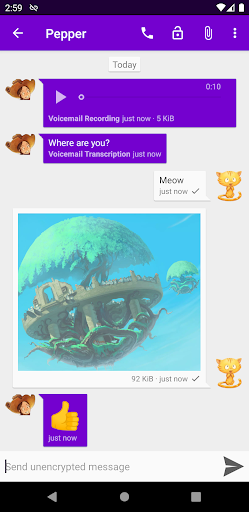
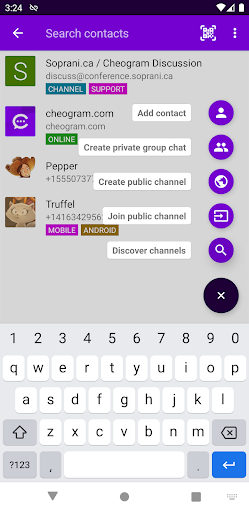
Cheogram supports <*>Messages with both media and text, including animated media, making your conversations more engaging and expressive. Its unobtrusive display of subject lines ensures that your chat view remains clean and organized, while links to known contacts are conveniently shown with their name. The app also offers integration with gateways' add contact flows, allowing you to effortlessly expand your contacts list.
Integration and Compatibility
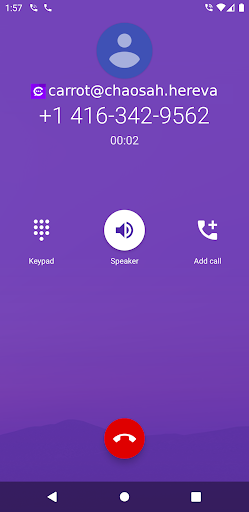
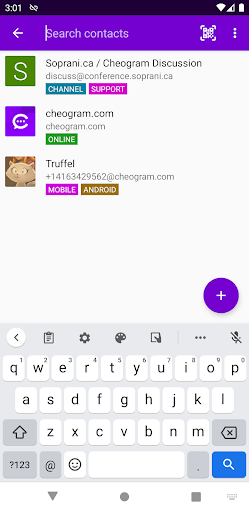
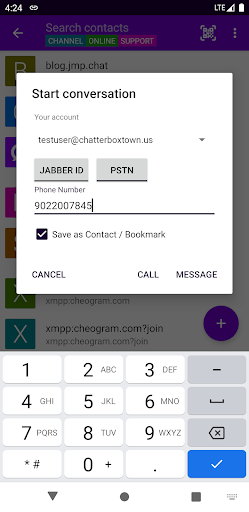
One of Cheogram's standout features is its ability to seamlessly connect with the native Android Phone app when using a gateway to the phone network. The address book integration enables you to manage your contacts efficiently, and the app allows tagging contacts and channels for better browsing and organization. This ensures your communication ecosystem remains smooth and structured.
Enhanced User Experience
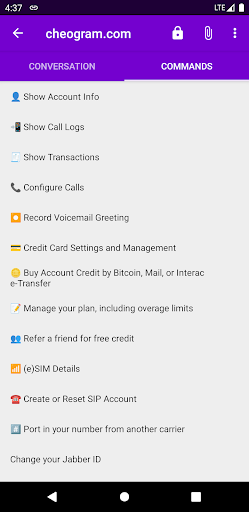
The Command UI provides an intuitive interface, simplifying interactions even for less tech-savvy users. The lightweight threaded conversations format keeps your chats organized and easy to follow. Additionally, Cheogram offers sticker packs to add a fun and expressive touch to your messaging experience. All these features combine to deliver a lightweight, efficient, and enjoyable user experience.
Additional Capabilities
Cheogram also focuses on minor yet impactful features like links to contacts with their names, integration with gateways, and support for animated media in messages. The app's versatile design ensures that users can customize their experience according to their communication needs, whether for personal chats or professional interactions.
Getting Started with Cheogram
To access Cheogram, you'll need an account with a Jabber service. You have the option to run your own server or use a hosted service, such as Snikket. This flexibility allows for greater control over your privacy and server management. The app's artwork and interface may feature content inspired by works like Pepper & Carrot by David Revoy, with modifications for clarity and transparency.
Why Choose Cheogram?
Cheogram is an ideal choice for users wanting a unified communication app that combines Jabber messaging, voice calls, and text messaging without the need to switch between multiple platforms. Its clean design, robust security features like end-to-end encryption, and integration with native Android functions make it a dependable companion in your digital communication toolkit. Whether you're coordinating with colleagues, maintaining personal contacts, or managing multiple communication channels, Cheogram delivers reliability and versatility in a streamlined package.
And the best part? It includes a free one-month trial of the JMP.chat service, allowing new users to experience its full capabilities risk-free.
Pros
- Supports multiple messaging protocols.
- Open-source with active community support.
- Lightweight design for fast performance.
- Easy integration with other apps.
- Secure with end-to-end encryption.
Cons
- Limited advanced customization options.
- Less user-friendly compared to mainstream apps.
- Occasional connectivity issues.
- Limited media sharing capabilities.
- No official customer support.











