

Discover the Power of Car Gauge Pro (OBD2 + Enhance)
If you're passionate about understanding your vehicle's health or want to become more confident in diagnosing car issues, Car Gauge Pro (OBD2 + Enhance) is the ultimate mobile diagnostic tool. Designed for all OBD2 compliant vehicles, this app transforms your smartphone into a professional scan tool, providing comprehensive data and real-time insights that are perfect for car enthusiasts and everyday drivers alike.
Seamless Setup and Compatibility
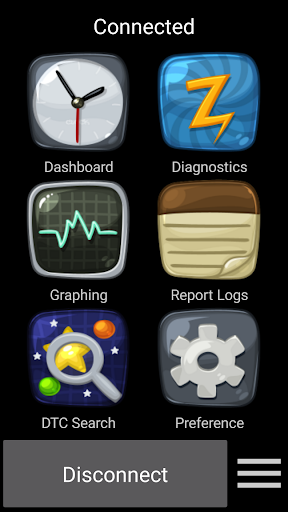
Getting started with Car Gauge Pro is as easy as a smooth ride. Simply download the app and connect it to your vehicle using an OBD2 adapter—most cars manufactured after 1996 feature the required port. Compatibility requires an Elm 327 or STN Bluetooth device, and the app has been tested successfully with vendors like CHX, OBDII, BAFX, and OBDLink MX. Once paired, you’re all set to monitor your car’s vital data, perform diagnostics, and more—right from your phone.
Rich Features for All Vehicles
OBD2 Functions in Car Gauge Pro cover a broad spectrum of diagnostic capabilities:
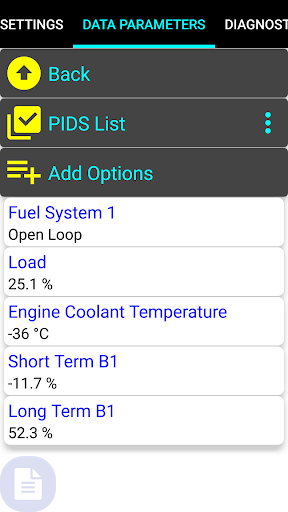
- Mode 1 - Data Parameters with 220 PIDS
- Mode 2 - Freeze Frame Data
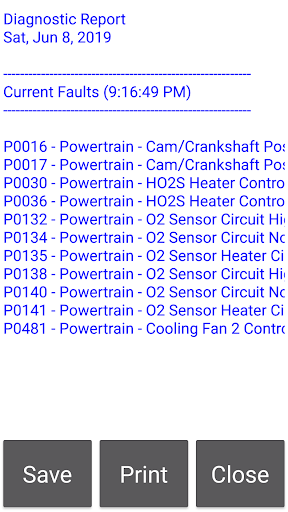
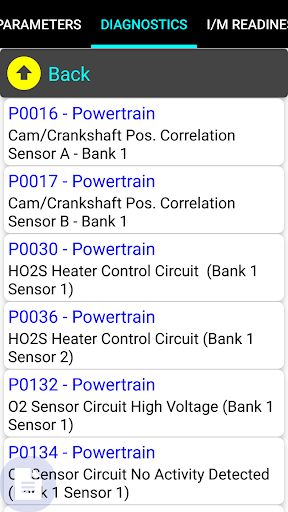
- Mode 3 - Check Current Faults
- Mode 4 - Clear Faults
- Mode 5 - O2 Sensor Test Results
- Mode 6 - Emission On-board Test Results
- Mode 7 - Check Pending Faults
- Mode 8 - Enable Evap Test
- Mode 9 - VIN, ECU Name, Performance Data, CALID & more
- Mode A - Check Stored Faults
Enhanced Diagnostic Features for Popular Brands
Beyond basic OBD2 functions, Car Gauge Pro offers **enhanced diagnostics** for specific makes, including:
- Ford (1996-2013) - Check/clear faults, self-test, KOEO, KOER, and access to up to 2200 PIDS with ISO, PWM, CAN protocols.
- Nissan (2001-2007) - Faults, self-test, ignition and idle adjustments, active testing, with 634 PIDS across KWP2000 interfaces.
- GM (1996-2007) - Fault management, active testing, and data with 189 PIDS (VPW powertrain).
- Toyota (2000-2006) - Enhanced data with 150 PIDS (ISO Powertrain) plus fault reading and clearing for airbags.
- KIA (1996-TBD) - ISO powertrain data access and diagnostics.
Why Choose Car Gauge Pro? Features and Practicality
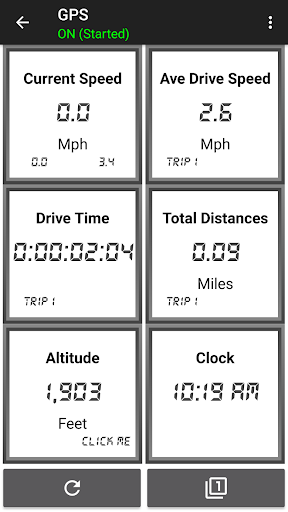
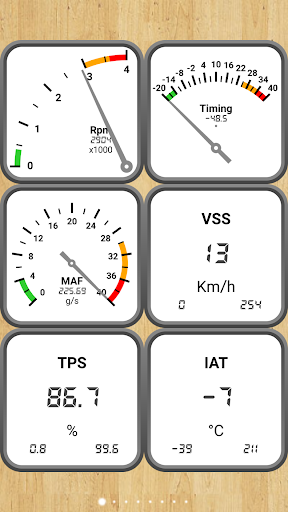
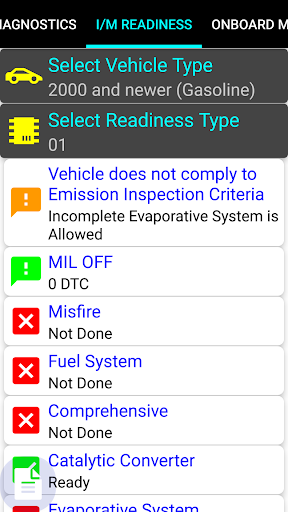
This app is not just about diagnostics; it's about empowering you with information. Whether you’re checking why your check engine light is on or assessing your vehicle’s readiness for a smog test, Car Gauge Pro gives you clear, detailed feedback. It supports monitoring sensor data such as RPM, airflow, fuel trims, and more, turning your smartphone into a professional-grade scan tool with intuitive dashboards and charts.
User-Friendly Interface
Designed for ease of use, Car Gauge Pro presents data in a straightforward manner. Even if you're not an automotive expert, you’ll find it easy to interpret the graphs and gauges. The app supports enhanced diagnostics with manufacturer-specific data, allowing for deeper insights than generic scanners provide.
Considerations and Tips
While Car Gauge Pro is a powerful diagnostic tool, a few things to keep in mind include ensuring your Bluetooth adapter is compatible and of good quality. Cheaper adapters may cause connectivity issues. Additionally, this app is excellent for routine diagnostics and monitoring, but it isn’t intended to replace professional mechanics for complex repairs.
Final Thoughts: Your Pocket-Sized Auto Expert
In summary, Car Gauge Pro (OBD2 + Enhance) is an outstanding app that puts comprehensive vehicle diagnostics right at your fingertips. Whether you're a DIY car enthusiast, a professional mechanic seeking a portable solution, or someone eager to prevent costly repairs, this app offers a range of features to help you understand your vehicle better. It’s like having a mini, professional scan tool stored in your pocket—accessible anytime you want to diagnose, reset, or analyze your car’s performance. Take control of your automotive care with Car Gauge Pro and enjoy the peace of mind that comes with knowing your vehicle's health.
Pros
- Comprehensive diagnostic capabilities
- Supports multiple car models
- User-friendly interface
- Real-time data monitoring
- Customizable dashboard
Cons
- May require an OBD2 adapter
- Limited free features
- Occasional connectivity issues
- Complex setup for beginners
- Interface may seem outdated











