



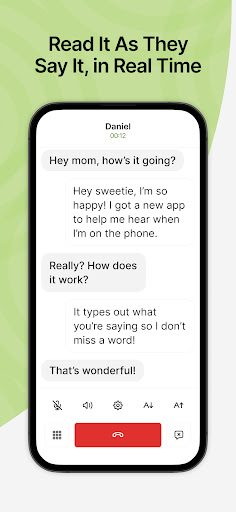

CaptionCall Mobile: Real-time Captioned Calls on the Go
CaptionCall Mobile empowers deaf and hard-of-hearing individuals to make and receive phone calls with instant live captions. It offers real-time captioned calls at no cost to qualified users in a simple mobile app that fits into daily life and work. No landlines are needed—CaptionCall goes wherever you go, letting you make and receive captioned calls from your mobile device anywhere with WiFi or mobile data. Using advanced voice-to-text technology, it transcribes both sides of the conversation quickly and accurately in an easy-to-read format. All captions are private and secure, designed to protect your information.
As an FCC-approved captioned call service, CaptionCall provides 100% no-cost call captioning to those with qualifying hearing loss, funded by a federally administered fund. Real-time captions appear as you talk, enabling a natural, free-flowing conversation.
Getting Started with CaptionCall Mobile
- Install the CaptionCall Mobile app.
- Create an account with accurate information to meet federal requirements.
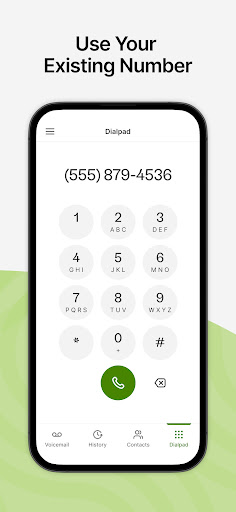
- Receive a new CaptionCall Mobile phone number for making and receiving captioned calls, or continue using your existing number and forward it to CaptionCall Mobile on your device or tablet for captioning.
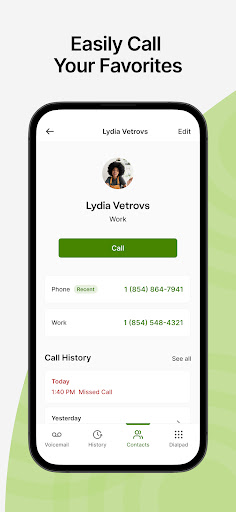
- Tap "Allow" when asked to grant permissions to CaptionCall Mobile. You'll have quick access to saved contacts, captioned voicemail, and voicemail alerts, and you can dial and receive calls from any phone number, just like your regular phone.
- Use CaptionCall Mobile to start making calls with instant live captions.
Availability and Legal Notes
CaptionCall Mobile is exclusively for people with hearing loss who need captions to use the phone effectively and is available in the United States only.
IP captioned telephone service may involve a live operator who generates captions of what the other party says, which is then sent to your phone. There is a cost for captions in some setups, funded by a federal program; however, qualified users incur no costs.
The CaptionCall phone and app remain the property of the provider to ensure ongoing support, service, and upgrades.
Real-World Experience
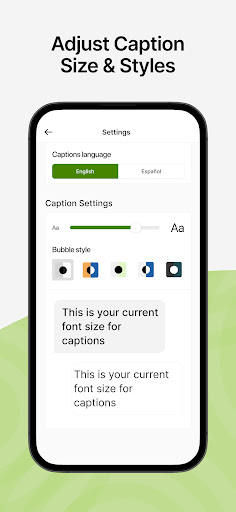
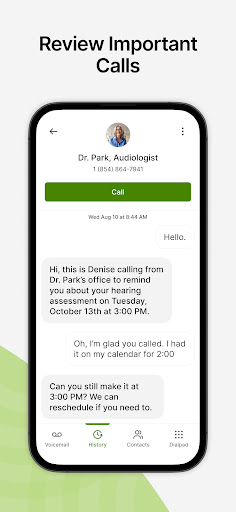
If you've ever struggled to hear on the phone, CaptionCall can feel like a lifeline. The app delivers real-time captions during calls, with large, easy-to-read text and the option to adjust font size. You can save transcripts of calls for future reference, ensuring you don't miss important details. Call quality remains clear, and the app is lightweight, so it won't drain your device's resources. Accessibility and convenience are at the heart of CaptionCall, making it a practical tool for everyday communication. Best of all, it’s free for eligible users, a meaningful benefit that supports inclusive communication.
CaptionCall: A Blog-Style Feature Description
CaptionCall Mobile is a groundbreaking solution that brings real-time captioning to your phone calls, designed to help deaf and hard-of-hearing individuals participate fully in everyday conversations. Available for both Android and iOS, the app provides live captions that appear instantly during calls, turning spoken language into accessible text on screen. Setup is straightforward: download the app, create an account, and you’re ready to go, with the option to use your existing number by forwarding it to the app if you prefer continuity. The captions are built for readability, with large font options and adjustable text sizes so you can tailor the experience to your needs. The transcripts feature adds durability to conversations, letting you search and reference past discussions, which is especially helpful for students and professionals. Privacy is a priority; captions are generated securely to protect user information, and the service is free for eligible users thanks to federal support. The FCC-approved captioned telephone service ensures that users can rely on a legitimate, regulated approach to accessibility. In practice, CaptionCall integrates a thoughtful user experience: quick setup, reliable performance, and a focus on keeping conversations natural and uninterrupted. If you or someone you know relies on captions to communicate, CaptionCall offers a practical, inclusive alternative to traditional phone calls. It’s more than just an app—it’s a bridge to consistent connectivity, empowering people to stay engaged with loved ones, teams, and communities.
Pros
- User-friendly interface for all age groups.
- Accurate and quick transcription service.
- Free to use for eligible individuals.
- Compatible with most smartphones.
- Enhances accessibility for the hearing impaired.
Cons
- Limited to US residents only.
- Requires a stable internet connection.
- Not available in offline mode.
- Registration process can be lengthy.
- Limited customer support options.











