


Introducing the Camera Remote Watch App
The Camera Remote Watch app is a innovative tool designed to enhance your mobile photography experience by transforming your smartwatch into a remote shutter control for your phone's camera. Imagine capturing stunning moments, candid shots, or group photos effortlessly without touching your phone—just a tap on your smartwatch, and your photo is taken instantly.
How It Works
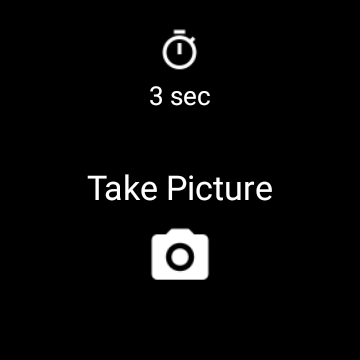
This smart app allows you to remotely control your phone's camera shutter through your smartwatch. After installing the companion app on both your phone and smartwatch, a simple Bluetooth connection enables seamless communication between the devices. Once connected, you can open the Camera Remote Watch app on your smartwatch, and with a tap of the Camera button, trigger the camera shutter on your phone. The photo will automatically be stored in your phone’s gallery, typically accessible via the standard Android Gallery app.
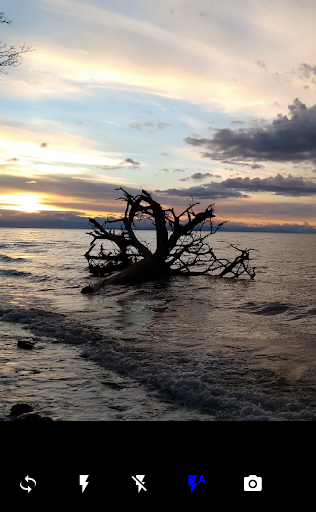
Additionally, a preview of the captured image is shown on your smartwatch, allowing you to quickly review the shot to decide if you want to retake it. This feature is especially useful for capturing moments discreetly or when positioning yourself for the perfect shot. Prior to shooting, ensure that your smartwatch and phone are properly connected for optimal operation.
When downloading new photos, patience may be required as the watch's display might go black temporarily. Simply tap the screen to refresh. While the app generally works well, it is important to note that compatibility may vary depending on your phone's operating system, especially if it’s not running an official Android version. The Camera Remote Watch app is also compatible with Wear OS smartwatches, broadening its utility.
Watch the video tutorial and learn more on the FAQ page Why Choose Camera Remote Watch?
Have you ever wished to capture those perfect candid moments without alerting your subjects? This app is the perfect solution. It turns your smartwatch into a discreet remote control, enabling you to take photos with just a tap, making it ideal for group shots, selfies, or for capturing spontaneous street photography. No longer do you need to rely on timers or second shooters—your wrist becomes your photography assistant.
Key Features that Boost Your Photography
Seamless Camera Switching
Easily toggle between the front and rear cameras directly from your smartwatch, ensuring you can switch perspectives on the fly.
Built-in Timer
The app includes a timer function, allowing you a few seconds to prepare for the shot—perfect for group photos or self-portraits.
Zoom Control
Intuitively zoom in and out from your wrist, helping you frame your shots more creatively without scrambling for your phone.
Photo Review
Review your latest shot directly on your smartwatch, so you can confirm the quality without touching your phone—convenience at your fingertips!
Practical Usage Tips
The Camera Remote Watch app is tailored for travelers, social media enthusiasts, and anyone eager to capture moments effortlessly. Whether you're at a concert, exploring scenic locations, or hanging out with friends, this app simplifies the process of capturing memories.
Battery performance is optimized, so your devices won’t drain excessively during use. Just remember to keep your devices connected and patiently wait during photo downloads, which might take a moment, especially on slower smartwatches.
Learn more in the FAQ section Final Thoughts
In summary, Camera Remote Watch is a fantastic addition to your photography toolkit. Its simplicity, portability, and powerful features make it ideal for capturing spontaneous, candid, or group photos without hassle. Whether you're a hobbyist, a travel lover, or someone who enjoys social media, this app offers a practical way to extend your smartphone's photography capabilities with just a smartwatch.
Embrace the convenience of remote camera control, and take your photography to new heights with this innovative application. It’s a small investment that delivers significant fun and functional benefits—try Camera Remote Watch today and redefine the way you capture life's precious moments.
Pros
- Easy-to-use interface
- Fast setup with smartwatch
- Smooth photo synchronization
- Works with various devices
- Consumes minimal battery power
Cons
- Limited features in the free version
- Occasional connectivity problems
- Needs smartwatch compatibility
- Lacks video recording capability
- Displays ads in the free version











