

BuildCalc: The Essential Construction Calculator for Professionals and DIY Enthusiasts
Imagine a construction calculator so advanced yet so user-friendly that it transforms your project planning and execution. BuildCalc is this innovative tool, designed to streamline complex calculations and provide accurate answers with minimal hassle. Whether you're a seasoned builder or a passionate DIYer, this app is crafted to make your construction tasks easier, more precise, and incredibly efficient.
Why Choose BuildCalc?
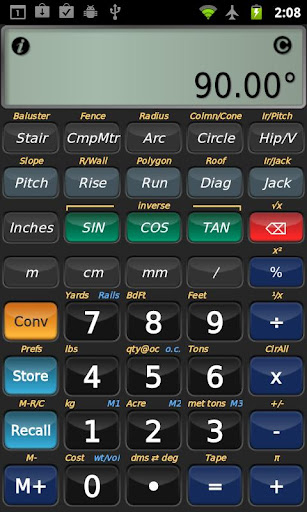
If you've spent hours on construction sites or tinkering with traditional calculators and pen-and-paper notes, you know how vital reliable tools are. BuildCalc stands out because of its intuitive interface and powerful features that cater to the needs of both professionals and hobbyists. Its user-centric design means you don’t need extensive technical knowledge to operate it effectively. The app’s ability to handle complex calculations—like stair layouts, baluster configurations, roofing angles, and masonry work—makes it an indispensable companion on any project.
Advanced Features for Construction Excellence
• Advanced Baluster & Stair Functions
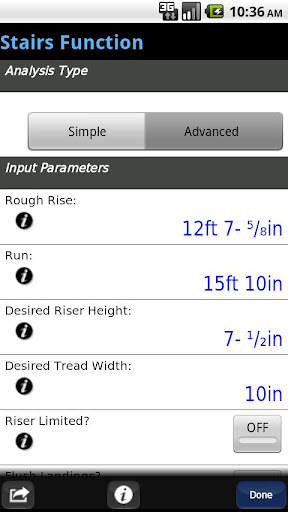
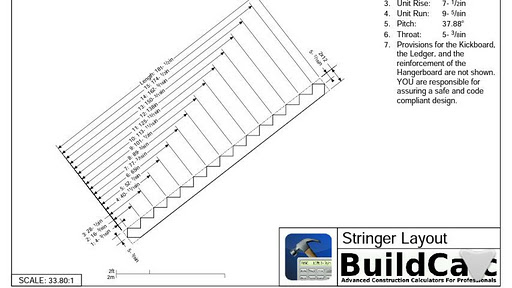
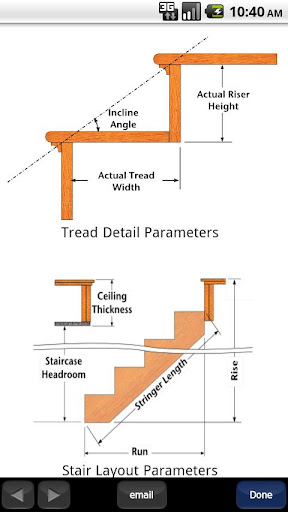
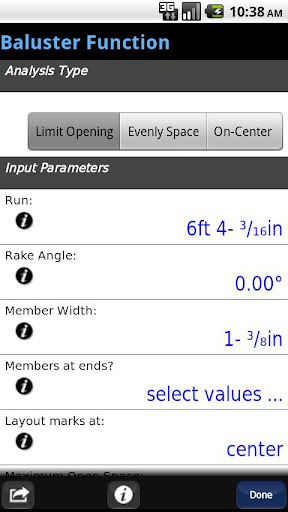
BuildCalc provides precise tools for designing railing balusters and staircase layouts. With its comprehensive baluster function, you can easily layout railing systems with full flexibility, reducing guesswork. The stair calculator generates detailed, dimensioned drawings of your stringers, installation plans, and finished staircases. You can even email PDFs of these drawings directly from the app, simplifying your sharing and printing needs.
• Fence & Post Calculations
Need to calculate the number of posts, rails, pickets, or panels required for a fence? Simply input your fence row length, and BuildCalc calculates everything down to the last detail. This saves hours of manual measurement and estimation, ensuring accuracy and efficiency.
• Interactive Tools
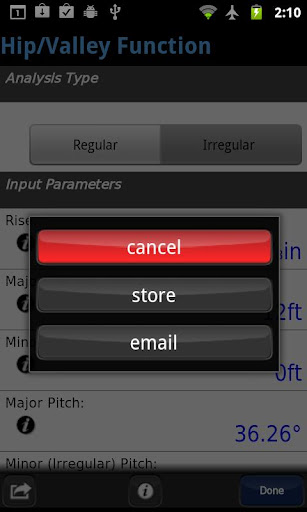
Many of BuildCalc’s functions—like the Stair, Baluster, Compound Miter, Diagonal, and Hip/Valley calculations—are now fully interactive. You can quickly modify input values or switch between different analysis modes, such as regular or irregular hip roof configurations. The results update instantly, keeping your workflow smooth and clutter-free.
• Full Daylight Visibility Mode
This new mode ensures clear visibility of your calculations in any lighting condition, making it easier to review your results on-site or in bright environments.
• Custom Size and Material Flexibility
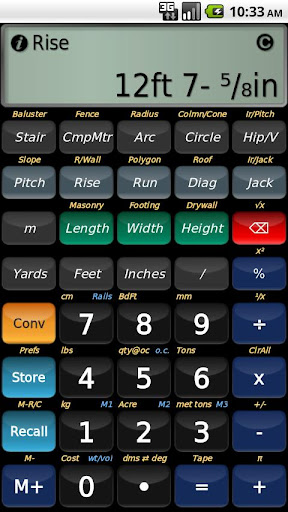
BuildCalc allows you to add multiple sizes for bricks, blocks, tiles, drywall sheets, shingles, and sheathing. Store your preferred dimensions in the Length x Width format, eliminating mental gymnastics and simplifying your material estimations for each project phase.
• Switchable Measurement Modes
Calculating angles with a miter saw or a handheld protractor? With just a tap, switch between Miter Saw and Protractor results, even for complex compound miters. This flexibility enhances your precision and saves valuable time.
• Comprehensive Construction Calculations
From sheathing angles, purlin angles, gable area, to backing angles and stringer installation dimensions, BuildCalc covers a wide array of measurements beyond typical construction calculators. Its depth ensures you won't need multiple apps for different tasks.
Ease of Use and Hassle Reduction
Using complex construction tools shouldn't be tedious. BuildCalc eliminates unnecessary steps by providing all results in list format with just a few taps. You can save your calculations for quick retrieval later, making on-the-fly adjustments during project planning seamless. The app also simplifies input procedures by generating checklists and offering contextual help, ensuring accuracy and reducing errors.
For drywall and masonry projects, BuildCalc’s "Room Mode" allows you to store room dimensions and instantly see the required materials—ceiling/wall drywall, mortar, or brick quantities—with a single tap. This feature streamlines what used to be a tedious mental or manual calculation process.
While inspired by classic tools like the Construction Master® Pro, BuildCalc is a modern, emulation-focused calculator that offers unparalleled flexibility and depth — all without the need for external devices or complex computations.
Final Thoughts
BuildCalc is more than just a construction calculator; it's a comprehensive project management tool that consolidates an array of vital calculations into one easy-to-use app. Its seamless blend of advanced features, user-friendly design, and customizable options make it ideal for professionals seeking accuracy and efficiency, as well as DIY enthusiasts eager to enhance their craftsmanship. With constant updates driven by user feedback, BuildCalc promises to continually evolve, providing even better functionality for all your construction needs.
If you want to enhance your construction productivity, accuracy, and confidence—from framing to finishing—BuildCalc is the smart choice. Experience the convenience of powerful, precise, and adaptive construction calculations in your pocket today.
Pros
- Provides highly accurate construction calculations.
- Features an intuitive interface for easy navigation.
- Supports both metric and imperial measurement units.
- Includes advanced functionalities like date calculations.
- Receives regular updates to enhance performance.
Cons
- Steep learning curve for new users.
- Features in the free version are limited.
- Does not offer cloud backup for projects.
- May experience occasional bugs after updates.
- Full access requires in-app purchases.











