

Blackmagic Camera App: Cinematic Power in Your Pocket
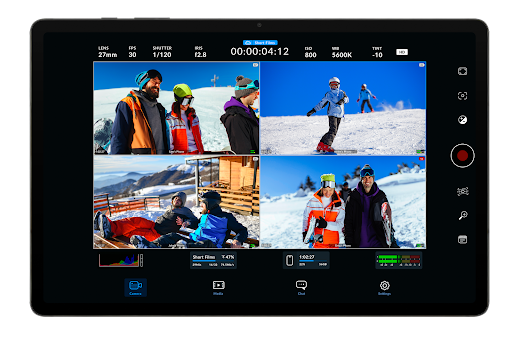
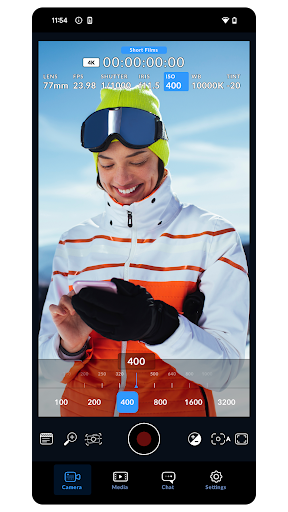
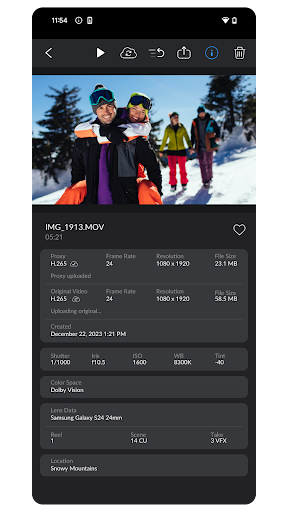
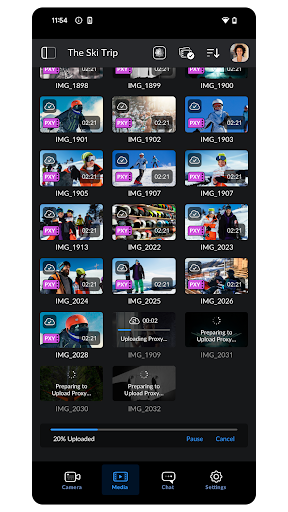
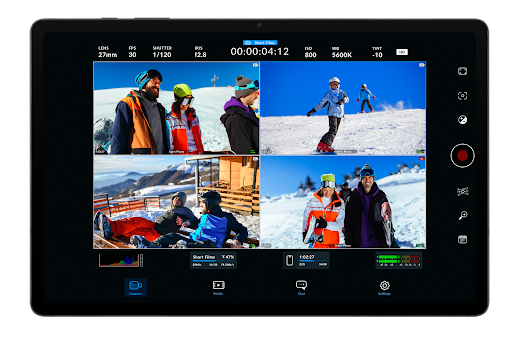
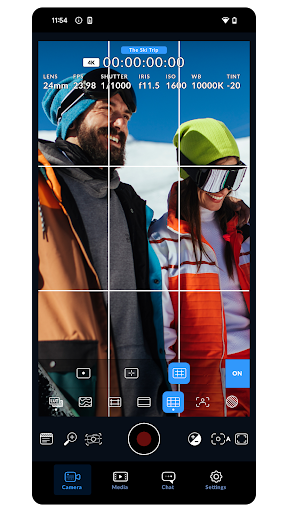
Blackmagic Camera brings the power of Blackmagic’s digital film cameras to your smartphone, unlocking a true cinematic workflow in your pocket. It lets you capture the same high-end look you see in Hollywood features, thanks to a film-grade image pipeline and processing. The app mirrors the intuitive, professional-grade interface of Blackmagic Design’s award-winning cameras, so your phone behaves like a compact digital cinema camera. With a single tap you can dial in frame rate, shutter angle, white balance and ISO, and you can even record directly to Blackmagic Cloud in industry-standard formats up to 8K. For teams, recording to Blackmagic Cloud Storage enables real-time collaboration on DaVinci Resolve projects with editors across the globe, all at once. Keep in mind that some features depend on the device you’re using and may not be available everywhere.
Unleashing the Magic
When you first explore the Blackmagic Camera app, the magic is immediate. If you’re drawn to filming or simply love creating video content, this mobile tool delivers a cinematic feel without overwhelming you with complexity. It brings the spirit of Blackmagic Design and DaVinci Resolve to your pocket, offering a clean, approachable interface that still packs professional-grade capabilities. The result is a mobile experience that feels like you’re wielding a mini professional camera—perfect for travel diaries, social storytelling, or small-scale productions—with a workflow that respects your time and creative intent.
Features That Stand Out
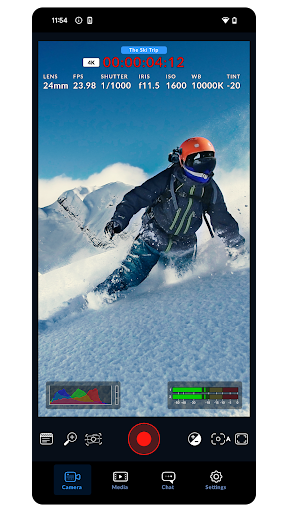
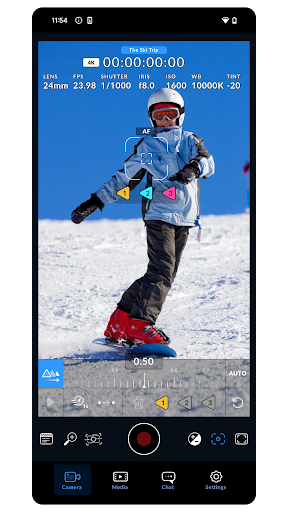
One standout is the ability to shoot in 4K, along with a range of frame rates that let you capture smooth slow-motion or precise timing for fast cuts. In addition to resolution, you’ll enjoy full manual control over focus, exposure and white balance, enabling you to tailor the image to any lighting condition for crisp, cinematic footage. Real-time feedback and responsive performance mean you can see the impact of your adjustments instantly, reducing guesswork in the moment. The app also supports external microphones, a crucial benefit for credible sound that matches your visuals—it’s a win for mobile filmmaking where quality audio matters as much as visuals.
The User Experience and Workflow
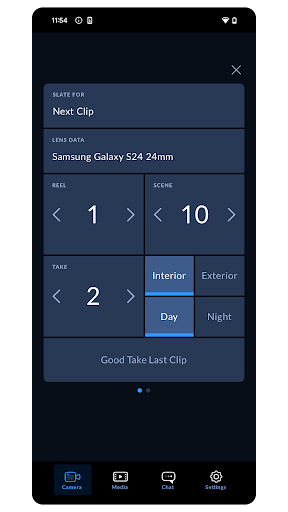
The design prioritizes usability, with logically arranged menus and a workflow that feels natural whether you’re a seasoned filmmaker or just starting out. The interface is responsive, with smooth transitions between modes and immediate updates when you tweak settings, so you stay in the creative flow. It’s built for on-the-go creativity, letting you shoot, review, and adjust without lag or heavy setup. For creators aiming for a consistent, polished look, the app helps you maintain color and exposure across different scenes, making it a reliable companion for both personal projects and more ambitious shoots.
Cloud Collaboration and Professional Finish
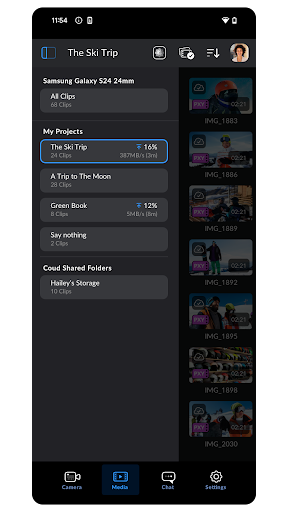
Recording to Blackmagic Cloud Storage and syncing with DaVinci Resolve opens a world of remote collaboration. Whether you’re editing with a remote team or working solo on a multi-device project, the workflow mirrors a studio-grade pipeline: capture on location, upload to the cloud, and invite editors to review, adjust, and finalize in real time. The option to work with up to 8K capture formats ensures future-proofing and ample headroom for cinematic grading. For mobile filmmakers seeking a complete, portable production solution, the Blackmagic Camera app combines powerful tools with an approachable interface, supporting both creative experimentation and professional-grade workflows.
Pros
- Intuitive user interface for easy navigation.
- Wide range of professional features.
- High-quality video output.
- Seamless integration with editing software.
- Regular updates enhance functionality.
Cons
- Requires a powerful device for best performance.
- Some features need a learning curve.
- Higher battery consumption.
- Limited support for older devices.
- Occasional minor bugs reported.











