

Introduction to AT&T Visual Voicemail
Have you ever missed an important voicemail because you didn't have the time to listen to all the messages? AT&T Visual Voicemail is a powerful app designed to transform your voicemail experience. Instead of dialing into your mailbox and listening to messages sequentially, this app allows you to review and manage your voicemails directly from your smartphone with ease. Think of it like an email inbox—but for your voicemails! Whether you're a busy professional, a student, or just someone who prefers reading over listening, AT&T Visual Voicemail is engineered to simplify communication and save you valuable time.
Key Features of AT&T Visual Voicemail
The app offers several features that make managing voicemails more convenient:
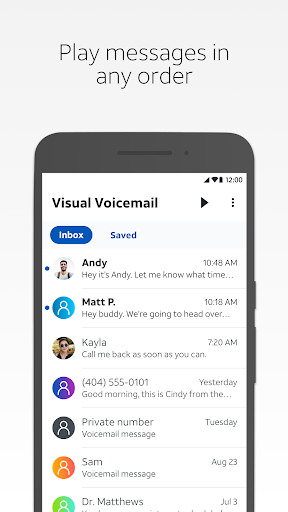
- Play messages in any order you choose: No more listening in sequence—select and listen to important messages first.
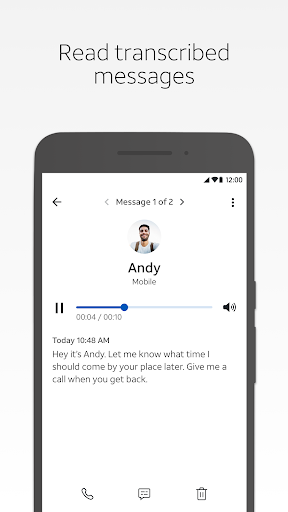
- Read text transcriptions: Voicemail transcripts convert speech into readable text, making it easy to scan messages quickly.
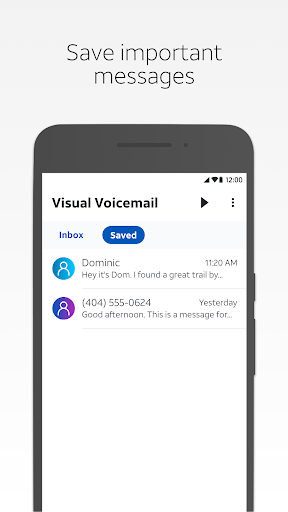
- Save messages: Keep important voicemails within the app for future reference.
- Share messages: Easily share voicemails via email, text message, or upload to a cloud drive.
Requirements and Compatibility
To enjoy the benefits of AT&T Visual Voicemail, you need:
- A supported Android smartphone; note that non-AT&T variant smartphones may not be compatible.
- An AT&T data plan that includes Visual Voicemail service.
Enhanced Voicemail Management Experience
Imagine receiving a voicemail and being able to read it as a text message—this is the magic of AT&T Visual Voicemail. The app transcribes voicemails into clear, readable text, which is particularly handy in settings where listening isn’t practical, like meetings or noisy environments. With just a few taps, you can delete, save, or organize your messages efficiently.
User Interface and Usability
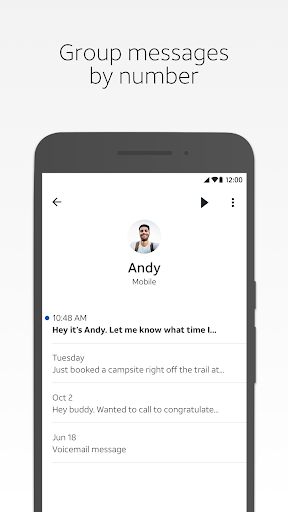
The design of AT&T Visual Voicemail emphasizes simplicity and ease of use. The interface is clean and intuitive—think of it like your email inbox, with each voicemail displaying the caller's name, call time, and a brief message snippet. This layout enables quick browsing and effortless management of your voicemails. Additionally, the app allows you to respond directly to voicemails through calls, texts, or emails, streamlining your communication process. Such features highlight the user-centric approach of this app, making it accessible even for those less tech-savvy.
Performance and Reliability
When it comes to performance, AT&T Visual Voicemail runs smoothly without noticeable glitches. The transcription service is generally accurate, capturing most messages clearly—even if callers speak fast or in noisy conditions. Notifications are timely, ensuring you stay updated on new voicemails. Reliability is a key strength; the app has been tested to prevent crashes or bugs, providing a seamless experience. This dependability makes it a trusted tool for managing your voicemail efficiently.
Is AT&T Visual Voicemail Right for You?
If you're an AT&T user overwhelmed by voicemails or prefer reading messages over listening to them, AT&T Visual Voicemail is highly recommended. It offers a modern, streamlined approach to voicemail management, saving time and reducing hassle. The app is especially beneficial for busy professionals, students, or anyone who values quick access to their messages without the need to dial into their mailbox.
Conclusion: Modernize Your Voicemail Experience
In summary, AT&T Visual Voicemail is a user-friendly, efficient, and reliable application that enhances your communication workflow. Its features—such as message transcription, easy management, and sharing options—make it a valuable tool for anyone seeking to modernize their voicemail experience. If you want to stay organized and responsive, give AT&T Visual Voicemail a try and discover how it can fit seamlessly into your daily routine.
Pros
- Intuitive user interface
- Simple voicemail management
- Supports voicemail transcription
- Compatible with multiple devices
- Ensures data security through encryption
Cons
- Requires AT&T service
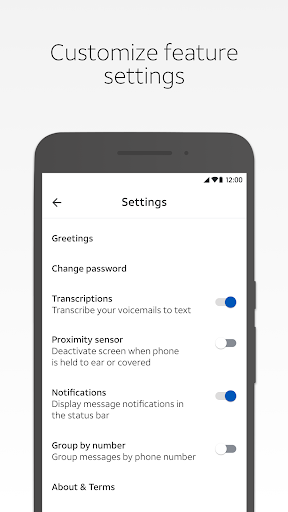
- Limited options for customization
- May not work with older devices
- Relies on internet connectivity
- Possible transcription inaccuracies











