

AR Trace Sketch: Enhance Your Drawing Skills with Augmented Reality
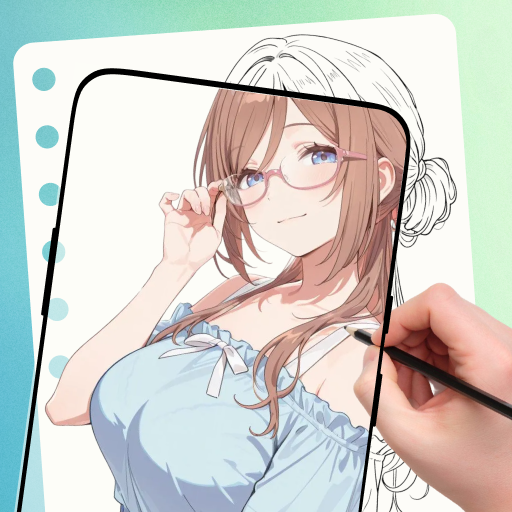
The AR Trace Sketch app offers an innovative approach to practicing drawing by leveraging augmented reality (AR) overlays. Designed for artists and sketch enthusiasts of all skill levels, this application provides an interactive platform that simplifies the process of learning proportions, shapes, and line work through guided tracing. Whether you're a beginner aiming to improve your sketches or a seasoned artist seeking structured practice, AR Trace Sketch combines technology and art to foster consistent progress.
Revolutionary AR Tracing Mode for Precise Practice
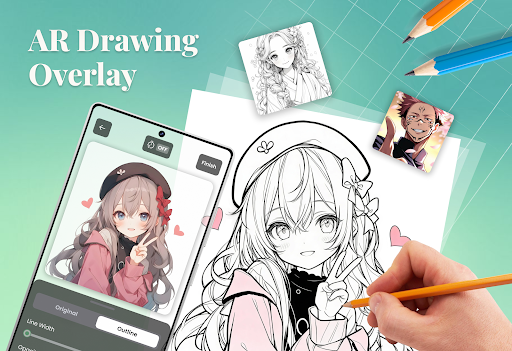
The core feature of AR Trace Sketch is its AR Tracing Mode. Users can select an existing image or capture a new photo directly within the app, which then automatically generates an outline overlay. This outline appears in the device's camera view, projected seamlessly onto your drawing surface. When positioned correctly, the overlay acts as a steady guide, helping you replicate the shapes, proportions, and details of the reference image with accuracy. This immersive AR experience makes it easier than ever to learn and refine your drawing skills at your own pace.
Customizable Overlay Controls to Enhance Your Drawing Experience
To suit different drawing environments and preferences, AR Trace Sketch provides versatile overlay controls, including:
- Switch between photo and outline modes for better visualization
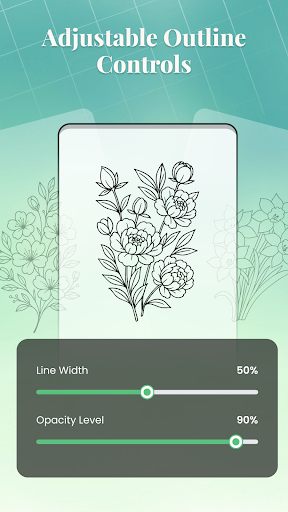
- Adjust opacity and line thickness for optimal clarity
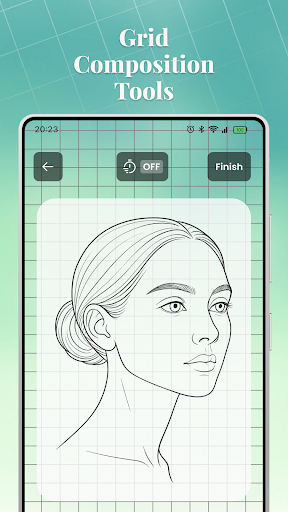
- Enable optional grid lines to maintain alignment and proportions
- Use flash to improve visibility in low-light conditions
These features enable artists to customize their practice sessions, ensuring maximum flexibility and effectiveness during sketching exercises.
Pre-Work Tools: Cropping and Composition Adjustment
Before generating an overlay, users can refine their selected images with the Crop Tools. Using preset aspect ratios, you can define the composition of your reference image, ensuring that the outline overlay aligns perfectly with your drawing surface. This step helps you focus on specific areas of interest and prepares your workspace for a more targeted and productive sketching session.
Structured Learning with Guided Lessons
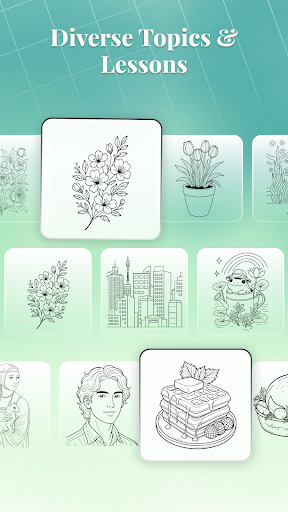
For those seeking organized instruction, AR Trace Sketch offers a variety of Guided Lessons. These lessons are categorized by theme and difficulty level, providing tailored practice opportunities. Each lesson includes a preview and clear description, making it easy to choose based on your skill level or artistic goals. Completed lessons are saved within the app, allowing users to review their progress and revisit favorite exercises at any time.
Flexible Image Selection and Customization
The app supports image selection options that allow you to either upload your own artwork or take a new photo within the app. A preview is displayed before generating the outline overlay, giving you full control over your references. This feature encourages personalization and helps you work on subjects that matter most to your artistic journey.
Structured Drawing Challenges for Goal-Oriented Practice
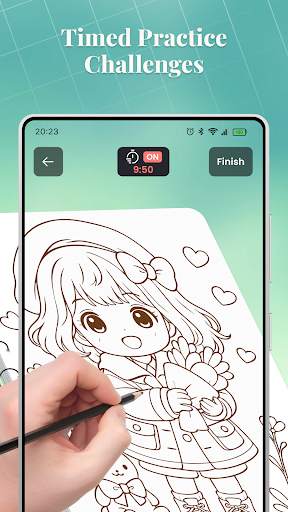
To keep your practice engaging and goal-driven, AR Trace Sketch includes Drawing Challenges. You can set timed sessions of 10, 30, or 60 minutes, creating a routine that fits your schedule. These sessions can be paused and resumed at any point, offering flexibility and encouraging consistent progress without feeling overwhelmed.
Home Interface for Easy Navigation
The Home Overview provides quick access to recent sketches, featured lessons, and a categorized content library. This intuitive interface helps users track their practice history, discover new tutorials, and manage their art portfolio efficiently, making the app not just a learning tool but also a personal art companion.
Conclusion
AR Trace Sketch is more than just a drawing app—it's a comprehensive platform that combines augmented reality technology with organized lessons and customizable tools. Whether you're practicing anatomy, landscapes, or character sketches, this app offers a flexible and immersive environment to hone your skills. Its user-friendly workflow and variety of features make it a valuable resource for artists striving to improve through consistent, guided tracing exercises. Embrace the future of digital sketching with AR Trace Sketch and watch your artistic abilities grow with each session!
Pros
- User-friendly interface that simplifies navigation and operation.
- Provides fast and reliable performance under various conditions.
- Offers a wide range of features to enhance user experience.
- Regular updates improve functionality and security.
- Excellent customer support and comprehensive documentation.
Cons
- High initial cost may be a barrier for some users.
- Complex setup process could be challenging for beginners.
- Limited customization options in certain areas.
- Occasional software bugs that require updates to fix.
- Dependency on internet connectivity for optimal performance.











