

Introducing All Email Connect
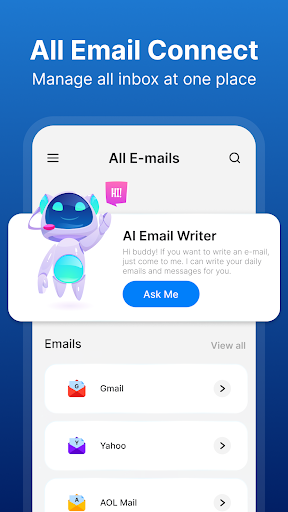
All Email Connect is a revolutionary mail application designed with integrated AI email writing features. It provides users with the capability to connect multiple email accounts through a single, intuitive platform. Whether you're managing personal, work, or webmail accounts, this app consolidates all your emails into one convenient location, making email management more efficient than ever before.
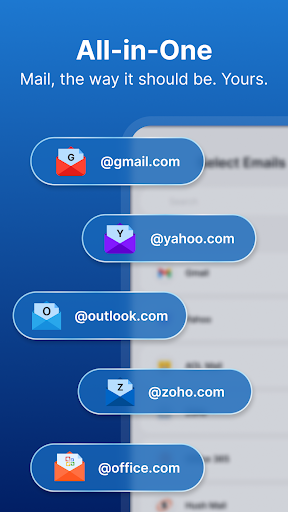
By connecting your accounts from major providers like Gmail, Yahoo, Outlook, and others, you can access your entire inboxes without the hassle of switching between different apps. The app offers fast login access and a streamlined interface, simplifying how you check, send, and organize emails. It's not just a mail app—it’s a comprehensive communication tool powered by advanced AI technology to enhance your productivity and email experience.
Key Features of All Email Connect
Unified Email Access
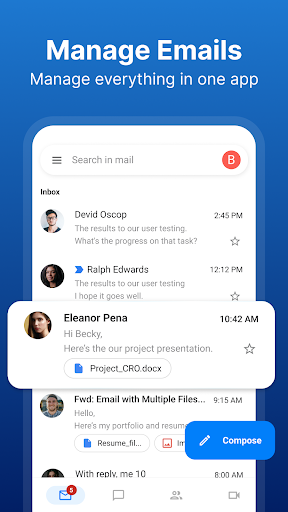
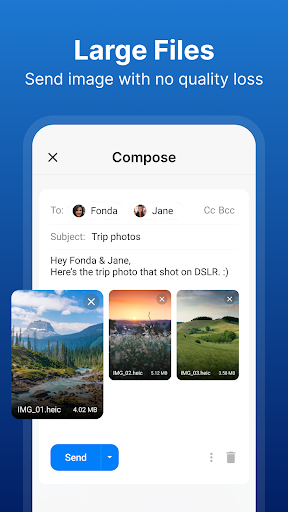
All Email Connect allows you to access all emails and email accounts in one place, eliminating the need to open multiple apps. You can easily check all your mail inboxes, reply, send attachments, and organize emails from a single, unified mailbox interface.
Seamless Multi-Account Switching
Switching between different email providers is effortless—no need to sign out or log back in. Simply toggle between accounts within the app for a smooth email management experience.
AI-Enhanced Email Writing
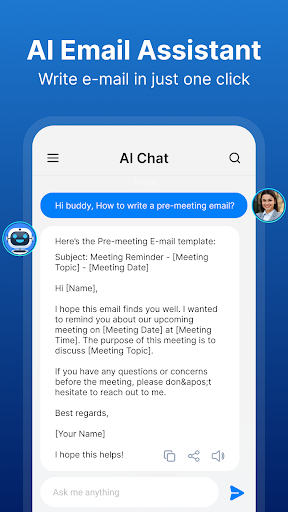
The built-in AI mail writing feature assists in composing better emails. It offers AI-generated email templates and suggestions that streamline your communication process, saving you time and reducing writer's block.
On-Call Access & Immediate Follow-up
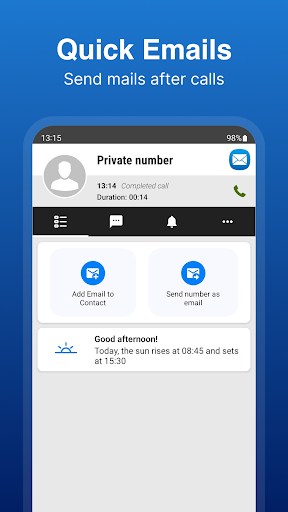
During calls, you'll find an after-call overlay screen that provides quick access to your emails. This feature makes it easy to send emails immediately after important conversations—ideal for professionals who need swift follow-up actions.
Multilingual Support
The app supports language switching, allowing users to navigate the email interface in their preferred language, enhancing usability across diverse user groups.
Smart Notification & Priority Management
Customize notifications to receive alerts for important emails only, helping you stay focused without being overwhelmed by every message.
Enhanced Security & Privacy
All Email Connect employs encryption and security layers to protect your email data from cyber threats, ensuring your information remains private and secure.
Efficiency & Storage Optimization
The app is designed to optimize performance and consume up to 1GB of memory less by managing all emails within a single platform, streamlining your workflow.
Why Choose All Email Connect?
This app stands out due to its user-friendly design, reliable performance, and innovative AI features. The sleek interface ensures easy navigation, even for users unfamiliar with advanced technology. The AI assistant helps you craft and send emails faster, offering personalized suggestions and templates that make communication more efficient.
It’s the perfect alternative for anyone tired of juggling multiple email apps. With seamless integration across major providers, managing multiple accounts becomes straightforward. Plus, the security features guarantee your data privacy, making it suitable for professional and personal use.
Whether you're a busy professional, student, or someone who simply wants a smarter way to handle emails, All Email Connect offers a comprehensive solution that simplifies your inbox management. Access all your emails effortlessly, write smarter mails with AI, and stay organized with minimal effort.
Personal Experience & Final Thoughts
Having personally tested All Email Connect, I found it to be an impressive tool that truly consolidates email management. The setup process is straightforward, and the app’s modern, intuitive interface makes navigation a breeze. I particularly appreciated the ability to receive notifications selectively and the quick access to emails post-call, which significantly boosts productivity.
Performance-wise, the app runs smoothly without lag or crashes. Its security features add an extra layer of confidence, especially in today’s cyber environment. The AI-based email writing feature is a game-changer—helping craft professional, effective emails swiftly and effortlessly.
In summary, All Email Connect is an excellent choice for anyone looking to streamline their email management, enhance productivity, and stay connected across multiple platforms. Combining ease of use, powerful AI tools, and comprehensive features, it’s poised to become your go-to email app. Give it a try and transform how you handle your emails!
Pros
- Supports multiple email providers easily.
- User-friendly interface with intuitive navigation.
- Quick setup with minimal configuration required.
- Efficient email management and organization.
- Regular updates introducing new features.
Cons
- Some features require a premium subscription.
- Occasional synchronization issues with certain providers.
- Limited customization options for themes.
- Ads can be intrusive in the free version.
- No offline access to emails.











