

AI Video Generator: Livensa icon

AI Video Generator: Livensa

171.53K
4.1
Installs
1.00M
Version
5.9.9
Advertisement
AI Video Generator: Livensa screenshot
Advertisement

Livensa: AI Video Maker

Overview

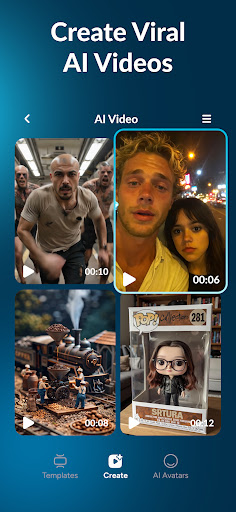
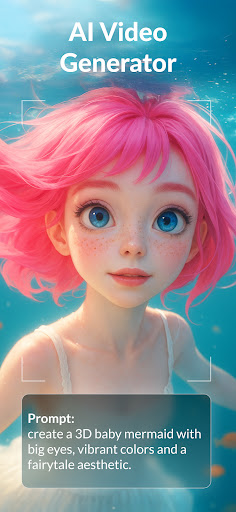
Get ready to meet the most intelligent ai app AI Video Generator: Livensa, amazing ai text to video generator app and image to video ai cartoon maker! Generate ai photo to video easily with in video ai video maker, aivideo anime video maker and anime ai generator! Create ai video with text to video ai generator and image to video ai prompt generator! Transform text prompts or photos into dynamic short films by using ai text to video generator easily. With ai video generator: Livensa app, use cutting‑edge ai powered by veo3 and more to generate everything from anime style animations to hyper-realistic video clips in seconds!

Why Livensa AI Video Generator

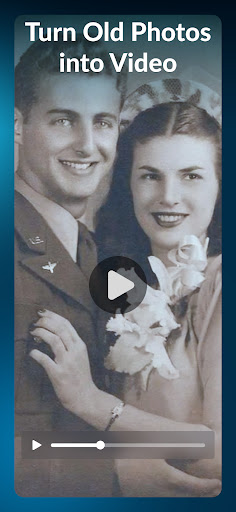
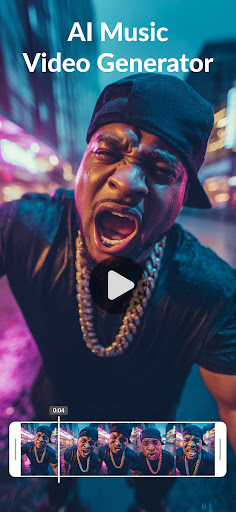
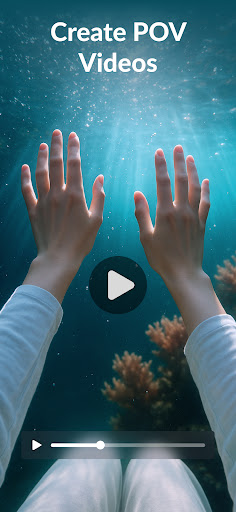
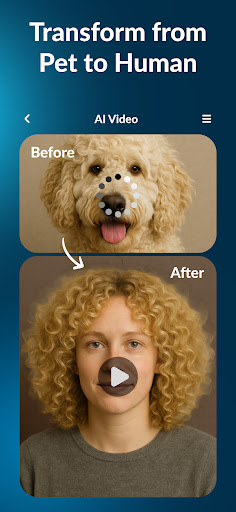
Why choose ai video generator: Livensa ai? With just a tap, you can turn old photos into ai videos, create anime videos and ai cartoon video, turn pet to human ai and human to animal, create pov video and toybox action figure maker and more! The only thing you need to do is try ai video generator: livensa ai text to video app, image to video ai app and ai text to video generator to create ai generated videos! Make your TikTok go viral with Trending ai videos! With just a photo, your can transform yourself into whatever you want! From pet to human ai to toybox action figure maker, cutting- edge ai app technology of ai video generator: livensa ai video creator, anime video maker works its magic to deliver hyper-realistic AI generated videos! text to video ai generator Transform your selfie into magical ai generated videos in seconds! Stand our on your socials with extraordinary ai videos created by text to video ai video maker and create ai video with prompt generator! Add an artistic touch with pov videos by just entering a prompt! image to video ai app Say goodbye to simple videos for your socials! With this wonderful photo to video ai generator and pet to human ai video maker welcome to a brand new experience! Just uploading your selfie you can create whatever you want! From human to animal videos to ai cartoon video, from toybox action figure maker to ai music video, the whole world under your fingertips right now!

Anime Video Maker

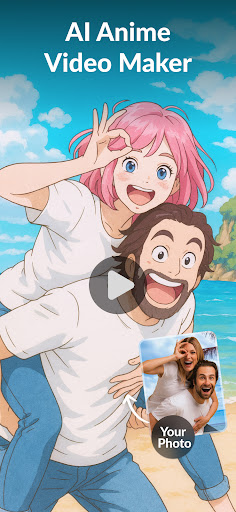
Anime Video Maker Try aı video generator and make sure you keep up with viral trends! Upload a photo and turn yourself into anime with ai picture to video generator and anime video maker!

Cartoon Video Maker

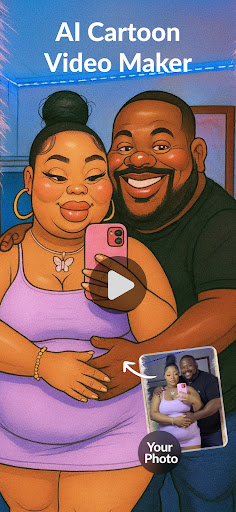
Cartoon Video Maker Creating your cartoon has never been easier! Cartoon yourself easily with this amazing ai cartoon video maker, text to video ai movie generator and ai picture to video generator! Create different cartoon versions of you and your friends! This aı video generator app offers you hundreds of ai generated videos with just a tap. Create a toybox starter pack with action figure maker, turn yourself into a cartoon with ai cartoon video creator app, make miniature figures and pov videos easily. Try who is guilty and dust me away filters and see your pets’ human version now!

AI Effect Video Maker - Livensa

Overview

Have you ever wished to add some magic to your videos without spending hours on editing software? Well, let me introduce you to the AI Effect Video Maker - Livensa. This app is like having a pocket-sized video wizard that can transform your ordinary clips into something extraordinary with just a few taps.

Unleashing Creativity with Ease

First off, let's talk about how insanely easy it is to use the AI Effect Video Maker - Livensa. You don't need to be a tech whiz to navigate through this app. It’s designed with a user-friendly interface that even your grandma could figure out. Once you fire up the app, you’re greeted with a clean, intuitive layout that guides you through the video editing process seamlessly.

Features That Stand Out

Livensa is packed with a plethora of effects that can make your videos pop. From AI-driven filters that adjust to the mood of your video to animated stickers that add a dash of fun, the options are seemingly endless. One of the highlights is the app’s ability to intelligently apply effects that match the content of your video. Whether it’s a sunny day at the beach or a night out in the city, Livensa adjusts its filters to complement the scene perfectly. Moreover, Livensa includes a selection of music tracks and sound effects to elevate your videos. You can sync beats to your visuals effortlessly, creating a cohesive and engaging viewing experience. The app also supports a variety of video formats, so compatibility is never an issue.

Performance & Reliability

When it comes to performance, Livensa runs like a well-oiled machine. I’ve tested it on both Android and iOS devices, and it performs admirably on both platforms. The app processes videos quickly without compromising on quality, which is a huge plus for those of us who are always on the go. I encountered no crashes or bugs during my time with the app, which speaks volumes about its reliability. It’s refreshing to use an app that you can depend on to get the job done without any hiccups.

Final Thoughts

In a world where creating captivating content is key, AI Effect Video Maker - Livensa is a game-changer. It simplifies the video editing process while offering a rich set of features that cater to both novice and experienced editors. If you’re looking to spice up your video content with minimal effort, this app is definitely worth a try. So, what are you waiting for? Give Livensa a spin and let your creativity run wild!

Livensa: AI Video Maker — Blog-Style Feature Description

Livensa is a standout AI video maker that empowers creators to transform text, photos, and clips into engaging videos in seconds. As an AI video generator and AI-powered video editor, Livensa offers text-to-video and image-to-video pipelines that unlock endless storytelling possibilities, from selfie-to-anime transformations to pet-to-human adventures.

With cutting-edge technology like Veo3, Livensa can generate everything from anime-style animations to hyper-realistic video clips. The app makes it possible to produce viral TikTok-ready content with just a single image or prompt, turning ordinary moments into cinematic experiences. Whether you're aiming for quick social media reels or more polished video assets, Livensa streamlines the workflow with a user-friendly interface that welcomes beginners while still offering advanced controls for power users.

Key capabilities include text-to-video generation, image-to-video transformations, and a rich library of AI effects, filters, and motion graphics. You can even create pov videos or toybox action figures, making it easy to craft playful, stylized content. The app supports multiple formats for sharing on Instagram Reels, YouTube Shorts, and other platforms, ensuring compatibility across social networks. Livensa enables you to turn photos into AI-generated videos, animate yourself or others, and produce cartoon or toy-themed clips in seconds—perfect for creators who want to stay ahead of trends without heavy software.

Designed for versatility, Livensa balances creative control with automation. Its prompt-driven workflows guide output while still granting you room to experiment with different looks and moods. This AI video maker is ideal for creators seeking quick turnaround times and scalable production, from hobbyists to marketers. In short, Livensa delivers a practical, engaging, and capable AI-powered video creation experience that elevates your content game and helps your visuals stand out in a crowded feed.

Pros

  • Intuitive, user-friendly interface
  • High-quality video rendering
  • Wide range of AI effects
  • Fast processing
  • Regular updates

Cons

  • Limited free features
  • Occasional bugs
  • Requires a stable internet connection
  • High battery consumption
  • Full access requires a subscription

Download From Google Play Download From App Store
Advertisement

Frequently Asked Questions

What is AI Effect Video Maker - Livensa and what does it do?

AI Effect Video Maker - Livensa is an innovative app that uses artificial intelligence to enhance your video editing. It enables you to apply a wide range of AI-powered effects to your videos, creating stunning, professional-looking content. Whether you're a beginner or an expert, Livensa offers user-friendly tools to help your videos stand out with minimal effort.

Is AI Effect Video Maker - Livensa free to use, or are there any in-app purchases?

AI Effect Video Maker - Livensa offers a free version with basic features that allow you to explore the app and perform simple edits. However, to access advanced AI effects and additional functionalities, in-app purchases may be required, unlocking premium features for a more comprehensive editing experience.

What types of video effects can I apply using AI Effect Video Maker - Livensa?

With AI Effect Video Maker - Livensa, you can apply a diverse range of effects, including AI-driven filters, animations, and transitions. The app includes features to adjust lighting, enhance colors, and add effects like slow motion and time-lapse, transforming ordinary videos into captivating visual stories.

Is AI Effect Video Maker - Livensa suitable for beginners?

Yes. It is designed with user-friendliness in mind, making it suitable for both beginners and experienced video editors. The app provides an intuitive interface and easy-to-follow tutorials that guide users through the editing process, making it accessible to anyone looking to enhance their video content without extensive technical knowledge.

What are the system requirements for using AI Effect Video Maker - Livensa on Android and iOS devices?

The app requires Android 5.0 (Lollipop) or higher or iOS 11.0 or later. It is optimized for both smartphones and tablets to ensure smooth performance, and you should have adequate storage space to handle features and saved videos.

You May Like









