
AI Photo Editor - PhotoArt: Unleash Your Creativity with the Ultimate All-in-One Photo Editing App
Are you tired of dull, unremarkable photos? Want to elevate your images effortlessly without professional skills? Look no further than AI Photo Editor - PhotoArt. Designed for everyone, this powerful all-in-one AI photo editor combines advanced features with user-friendly controls, making it easier than ever to craft stunning visuals that stand out on social media platforms like Instagram and Facebook. Whether you're a casual photographer, social media enthusiast, or a seasoned digital artist, PhotoArt offers a comprehensive suite of tools to turn ordinary snapshots into extraordinary works of art.
Discover Innovative AI-Powered Features
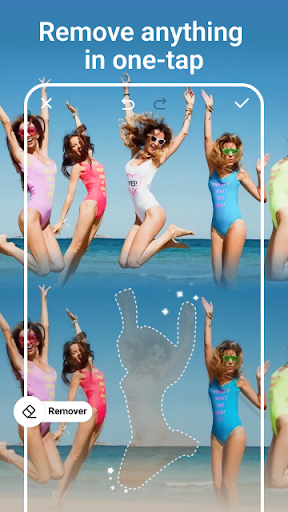
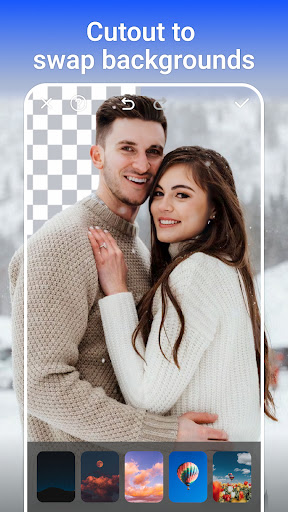
PhotoArt is packed with intelligent features that leverage artificial intelligence to simplify the editing process. The One-Tap Enhance feature quickly upgrades your photos to high-quality visuals with just a single tap—perfect for quick beautification. Want to remove unwanted objects or distractions? The Magic Eraser allows you to effortlessly tidy up your images, filling gaps seamlessly. With the AI Background Removal tool, you can isolate subjects and swap backgrounds with ease, transforming ordinary scenes into stunning landscapes or engaging environments.
Express Yourself with Artistic Filters and Effects
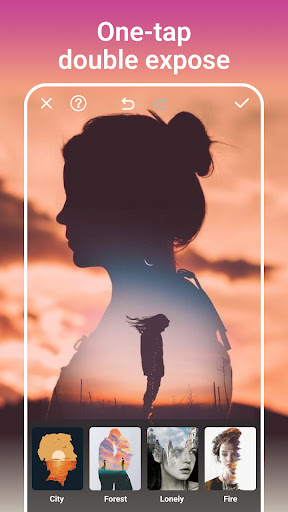
Transform your photos using over 100+ filters & effects. Explore styles such as texture, night, retro, film, monochrome (B&W), portrait, and more. Add mood with 70+ distinct light effects like rainbows, fog, and romantic glow to create captivating visuals. Double Exposure effects open up creative possibilities, merging multiple images into a single artistic masterpiece. Blur backgrounds with a simple tap to make your subjects pop, or apply creative effects to add flair and depth to your photos.
Enhance and Retouch Photos Easily
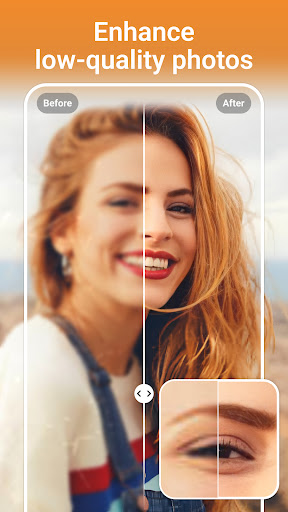
Achieve professional-quality results with advanced editing tools. Adjust colors precisely using tools like HSL, Curves, Highlights, and Split Tones to refine every hue. Boost resolution effortlessly to produce crisp, high-definition images or restore old, faded photos to their former glory. The user-friendly interface ensures that even beginners can master these features to create vibrant and memorable pictures.
Unleash Creativity with Unique Editing Options
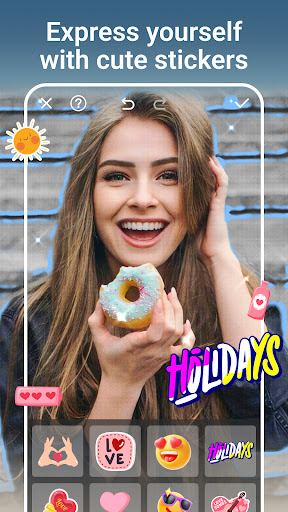
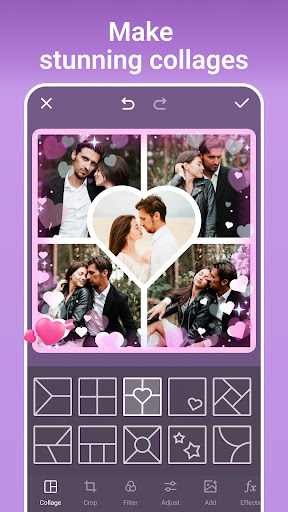
PhotoArt doesn't stop at basic edits. Create personalized stickers and customize your images with fun elements like tattoos, glasses, or animal ears. Easily change backgrounds—from ocean views to blooming gardens—perfect for creating themed images or professional-looking profile pictures. With adjustable layouts and borders, you can design beautiful collages, telling stories with your favorite photos. The app supports aspect ratio adjustments, ensuring your images are platform-ready for all social media.
Make Portraits Perfect and Fun
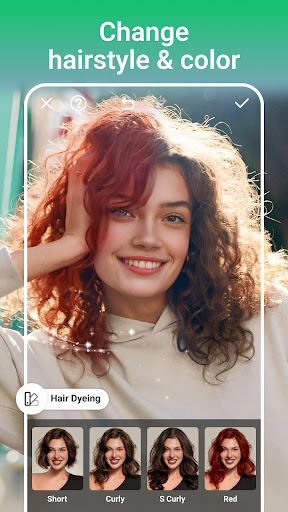
Enhance your portrait photography by refining facial features, smoothing skin, or experimenting with virtual makeup styles. Use the reshape tools to adjust body proportions naturally or increase height subtly with the built-in resizing features. Whether for personal keepsakes or social media posts, PhotoArt makes it simple to craft stunning portraits that reflect your style.
Bring Your Cartoon and Artistic Dreams to Life
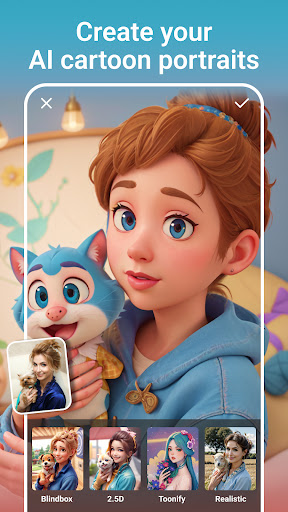
Transform photos into animated or cartoon styles with just a click. The AI Filter can turn normal images into whimsical cartoons or manga characters, transcending reality in delightful ways. For an added touch of fun, customize with graffiti decorations or creative stickers to make your photos truly one-of-a-kind.
Revolutionary AI Tools at Your Fingertips
PhotoArt introduces innovative AI features like Age Changer, which lets you see yourself as younger or older, and Sky Replacement to replace dull skies with vibrant sunsets or clear blue heavens. The Open Eyes feature ensures everyone has wide-open, captivating eyes. These tools allow you to experiment and relive moments in new, exciting ways—perfect for personalized projects or just having fun!
Performance, Usability, and Sharing Excellence
The app delivers quick, responsive performance with minimal battery drain, supporting both Android and iOS devices. Its intuitive interface means that you can navigate through features seamlessly, making editing an enjoyable experience. Once you've perfected your photos, share them instantly on your preferred social media platforms—no watermark, high-resolution exports included.
Final Verdict: Your Ultimate Photo Editing Companion
If you're passionate about enhancing your images effortlessly and creatively, AI Photo Editor - PhotoArt is an excellent choice. It combines powerful AI-driven features, artistic filters, and versatile editing tools into one easy-to-use app suitable for all skill levels. Whether you're restoring old memories, creating eye-catching social media content, or exploring artistic styles, PhotoArt provides everything you need to bring your vision to life. Download it for free today and start transforming your photos into stunning visual stories!
Pros
- User-friendly interface that allows for easy navigation.
- Offers a wide range of artistic filters.
- Ensures quick processing and export times.
- Outputs high-resolution images for better photo quality.
- Compatible with both Android and iOS devices.
Cons
- Limited free features; many options require payment.
- Occasional advertisements can interrupt the editing process.
- Requires internet access for full functionality.
- Does not support batch editing for multiple photos simultaneously.
- Some features may be overwhelming for beginners.











