
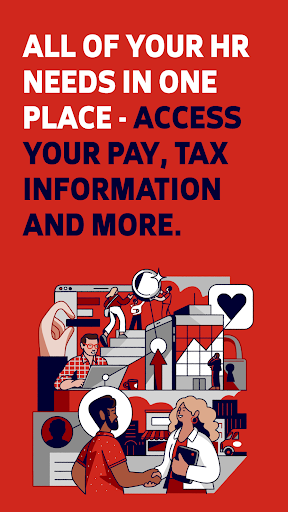
Overview of ADP Mobile Solutions
ADP Mobile Solutions is a user-friendly mobile application designed to provide employees and managers with quick and secure access to essential HR information. Whether you need to review your payroll, check your benefits, or manage time & attendance, this app serves as a convenient digital hub for all your personnel needs. Its seamless integration with various ADP products such as Workforce Now, Vantage, Portal Self Service, Run, TotalSource, and ALINE Card by ADP makes managing work-related information easier than ever. The app is compatible with Android 6.0+ and iOS devices, ensuring broad accessibility for users across different platforms.
Designed to enhance productivity and simplify HR management, the ADP Mobile Solutions app offers a wealth of features tailored to both employees and managers. From viewing pay statements to approving time off requests, the app streamlines routine HR tasks so you can focus on what matters most. Its emphasis on security — with encrypted data transmission, biometric login, and session timeouts — guarantees that your sensitive information remains protected, giving users peace of mind while using the service.
Investing in this mobile solution means embracing an efficient way to stay connected with your work and payroll details, anytime and anywhere. Whether checking your paycheck before heading to work or approving team leave requests remotely, ADP Mobile Solutions is your reliable partner in managing employment-related data with ease and confidence.
Key Features for Employees
Access & Manage Payroll Information
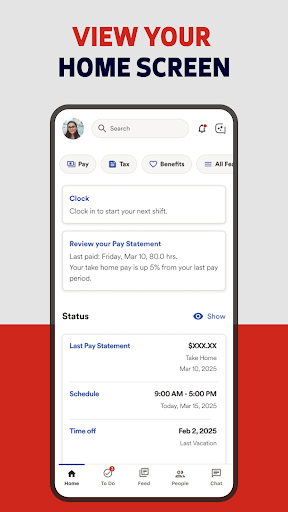
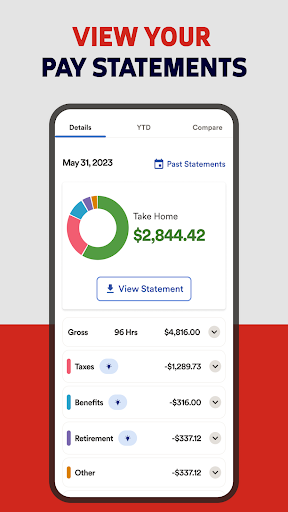
Employees can effortlessly view their pay statements and W-2 forms directly within the app, making tax season less stressful. The app also enables quick access to pay card accounts and other crucial payroll details, ensuring you’re always informed about your earnings.
Time & Attendance Tracking
With ADP Mobile Solutions, managing your work hours is straightforward. Features include punching in/out, creating and editing timesheets, and updating or approving your time cards. This transparency helps employees keep accurate records and simplifies payroll processing.
Manage Benefits & Requests
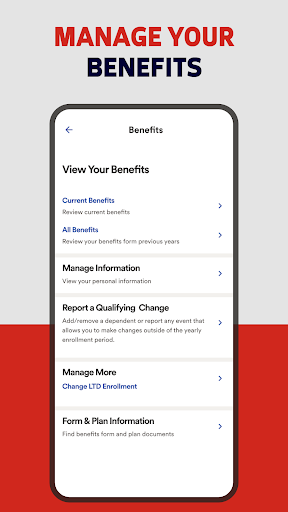
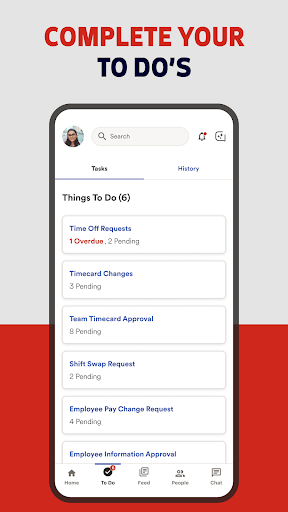
The app provides easy access to your benefit plans details, allowing you to review coverage options whenever you need. Additionally, you can submit and track time off requests, making it simple to request leave and receive approvals without hassle.
Team Collaboration & Communication
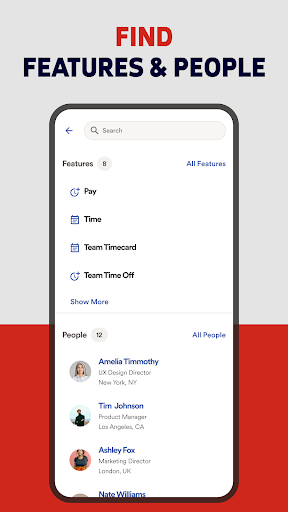
Stay connected with colleagues by viewing team calendars or reaching out directly through integrated contacts. This feature enhances internal communication, fostering better team coordination regardless of your location.
Features for Managers
Approve & Monitor Team Activities
Managers can streamline their workflow by approving time cards and time off requests directly from their mobile device. The app also offers access to team calendars and executive dashboards for real-time oversight of team performance.
Enhanced Team Management
With features like viewing team calendars and managing approvals, managers can keep track of employee schedules and ensure smooth operations, all while on the go. This flexibility helps optimize workforce management and reduces administrative delays.
Security and Privacy
Your data security is a top priority for ADP Mobile Solutions. All requests and transactions are processed through secure servers, with encrypted network traffic to protect your information during transmission. Employee data stored on your device is also encrypted, ensuring confidential details remain safe.
Additional security features include username and password protection, automatic session timeouts after inactivity, and account lockouts after multiple failed login attempts. Users can also enable biometric authentication such as fingerprint or facial recognition for quick and secure access. Password recovery options are available if needed, making the login process both safe and user-friendly.
Supported Operating Systems & Additional Information
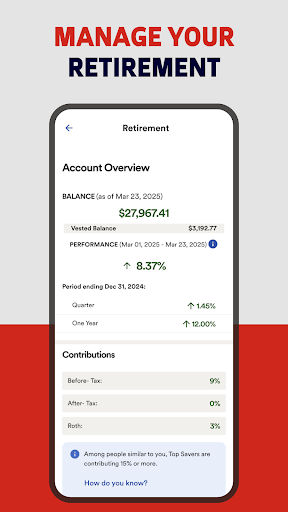
ADP Mobile Solutions is compatible with Android 6.0 or higher, as well as iOS devices. The app's versatility ensures that most users can leverage its features regardless of their device type. Please note that certain investment options and advisory services, such as those provided by Financial Engines™ Professional Management, may have specific eligibility and availability depending on your location and your company's retirement plan offerings.
Getting Started with ADP Mobile Solutions
Starting with ADP Mobile Solutions is quick and easy. Simply download the app from the Google Play Store or Apple App Store. If you already have an ADP account, entering your login credentials will access your data instantly. New users will need to register using their company's unique registration code, which is usually provided by your HR department. Once set up, you can enjoy secure, personalized access to your employment information anytime, anywhere.
The app's intuitive interface makes navigation a breeze. Whether checking your upcoming schedule or reviewing payroll details, ADP Mobile Solutions offers a seamless experience to help you stay organized and informed. Its robust security measures and convenient features ensure that your HR management on the go is both safe and efficient.
In conclusion, if you’re looking for a comprehensive, reliable, and secure mobile HR platform, ADP Mobile Solutions is an excellent choice. It empowers both employees and managers to handle critical HR tasks efficiently from their smartphones, making work life simpler and more manageable.
Pros
- User-friendly interface for quick navigation.
- Secure login with fingerprint authentication.
- Real-time access to pay and tax information.
- Easy management of time-off requests.
- Efficient tracking of work hours and schedules.
Cons
- Limited features compared to the desktop version.
- Some functions require a stable internet connection.
- Occasional glitches when updating data.
- In-app support may respond slowly.
- Customization options are limited.











