

Introduction to ABP for Samsung Internet
Are you tired of encountering intrusive ads while browsing the web on your Samsung device? AdblockPlus (ABP) is a powerful, user-friendly ad-blocking solution designed specifically for the Samsung Internet Browser. This application provides a seamless browsing experience by eliminating annoying advertisements, allowing users to enjoy faster, cleaner, and more private internet sessions.
ABP for Samsung Internet is completely free and dedicated to safeguarding your online privacy without compromising your data security. Whether you're a tech-savvy user or someone looking for a simple way to enhance your browsing experience, ABP delivers impressive features that cater to all needs.
Key Features and Benefits
Enhanced Browsing Speed and Performance
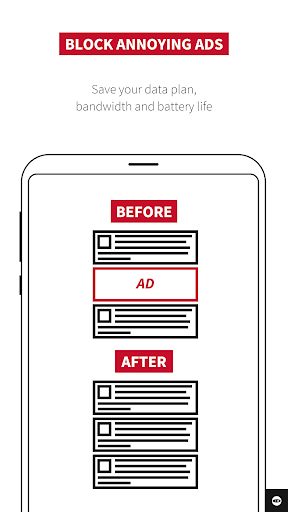
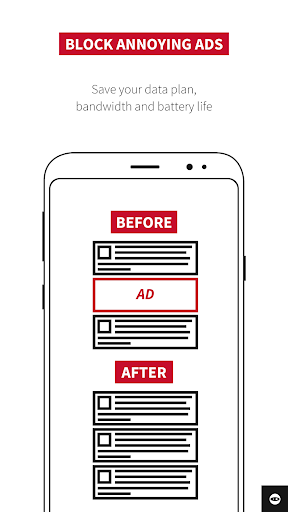
One of the standout advantages of using ABP for Samsung Internet is the significant reduction in webpage load times. By blocking •ads:, the app minimizes data consumption and accelerates page rendering, allowing you to enjoy your favorite sites without unnecessary lag.
Data Savings
Since ABP prevents the loading of unwanted advertisements, it also conserves your monthly data plan. This means you can browse longer without worries about exceeding your data limits.
Privacy and Anti-Tracking
Security is a top priority. ABP offers built-in privacy protection features that block trackers and prevent advertisers from collecting your browsing data, giving you peace of mind while exploring the internet.
Customization and Flexibility
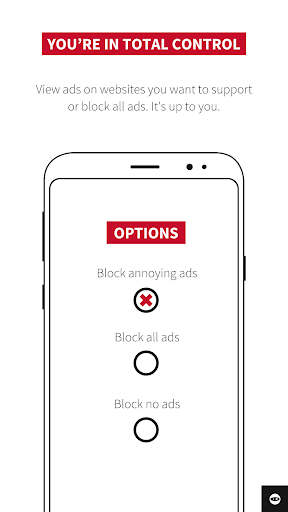
Tailor your browsing experience to your preferences by uploading •filter lists: or adjusting settings to block region-specific •ads:. You can also allow non-intrusive ads, supporting content creators while maintaining a cleaner web environment.
User Support and Updates
Enjoy free, responsive, and sophisticated support, ensuring that your ad-blocking experience remains optimal as websites evolve and new updates are released.
How to Install and Use ABP on Samsung Internet
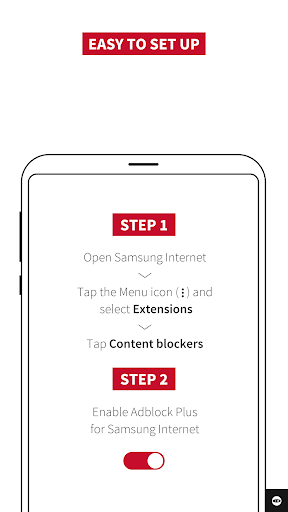
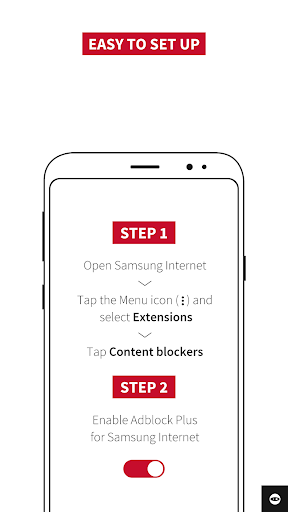
Getting started with ABP for Samsung Internet is straightforward. Simply navigate to the Samsung Galaxy Store or Google Play Store, download and install the app. After installation, enable the ad blocker within your browser settings, and you're all set to enjoy an ad-free browsing experience.
Easy Activation
Once installed, go to your Samsung Internet browser menu, find the extensions or add-ons section, and activate the Adblock Plus extension. No advanced technical skills required—just a few taps and you're ready to browse without distraction.
Frequently Asked Questions
Does ABP block all ads in all my apps?
No, ABP only blocks ads on websites visited through the Samsung Internet browser. To support content creators, you can choose to permit non-intrusive ads that meet the Acceptable Ads standards.
What are •Acceptable Ads:?
This standard defines non-intrusive, lightweight advertisements that adhere to specific guidelines about ad size, positioning, and labeling. These ads aim to provide a balance between revenue for publishers and a pleasant user experience.
Is ABP compatible with other Android browsers?
Currently, ABP is optimized for the Samsung Internet browser. However, versions for Chrome, Safari, or Opera are available on desktop platforms. Visit adblockplus.org for more information.
Conclusion
If you're seeking a way to have a smoother, faster, and private browsing experience on your Samsung device, ABP for Samsung Internet is an excellent choice. It effectively blocks unwanted ads, reduces data consumption, and enhances your overall online privacy without any cost or complicated setup.
Embrace a cleaner web with less distraction—install ABP today and enjoy the internet the way it was meant to be: fast, private, and ad-free!
Pros
- Effectively blocks ads on most websites.
- Significantly reduces page load times.
- Saves mobile data by blocking unnecessary advertisements.
- Improves battery life with fewer ads loading.
- Easy to install and set up.
Cons
- May block harmless, non-intrusive ads.
- Sometimes causes compatibility issues with websites.
- Does not block all ads on every site.
- Offers limited options for customization.
- Uses some background resources.











