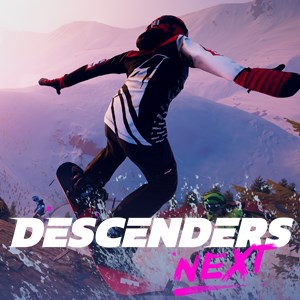
- Name Shredders
- Category Sports
Shredders for Windows: An Exciting Snowboarding Experience for the Digital Age
Shredders for Windows, developed by FoamPunch, presents a captivating snowboarding simulation designed to bring the thrill of snowboarding right into your living room. With cutting-edge graphics and realistic physics, this game aims to appeal to both casual players and snowboarding enthusiasts alike.
Bright Beginnings: What's in the Box?
Shredders is a snowboarding game that combines vibrant visuals with detailed trick mechanics. FoamPunch, a dedicated gaming studio known for their engaging sports titles, developed this game to offer an immersive experience grounded in realism. Major highlights include:
- Realistic snowboarding physics, enabling authentic tricks and jumps
- Varied terrains and dynamic weather conditions that enhance replayability
- Customizable snowboards and rider gear for personalized gameplay
- Multiplayer features fostering community engagement and competition
The game targets players aged 12 and above who enjoy sports simulations, outdoor adventure themes, or competitive gaming with friends and online communities.
Engaging Ride: First Impressions and Gameplay Depth
From the moment you launch Shredders, you're greeted by stunning mountain vistas that look almost tangible – snow dusting the peaks, the sunlight glinting off icy slopes, all meticulously crafted to evoke the awe of real-world snowboarding adventures. The initial learning curve is smooth; intuitive controls let newcomers hop in without feeling overwhelmed, yet the game offers enough depth to challenge seasoned players involved in mastering complex tricks and perfecting runs.
Diving into Core Features: Tricks, Terrain, and Tech
The trick system in Shredders is a highlight, offering a rich array of moves that mirror actual snowboarding maneuvers. Whether you're grabbing spins or executing intricate rail slides, the physics engine ensures these actions feel satisfying and legitimate. The game's terrain variety navigates from icy slopes to powder-filled bowls, each with unique qualities that influence gameplay. Dynamic weather effects, such as snowfall or fog, not only increase visual appeal but also introduce strategic considerations—timing your jumps or tricks to adapt to changing conditions adds a layer of realism and challenge.
User Experience: Smooth Sailing on the Snow
The interface strikes a good balance between aesthetic appeal and usability: menus are clean and easily navigable, resembling a well-organized ski resort map. Controls respond promptly, ensuring a fluid ride from start to finish. The game's learning curve is gentle for beginners, while advanced players can quickly find depth through customization options and trick combinations, making replay value high. The design focus on clarity and responsiveness significantly elevates the overall user experience.
A Different Path in the Snow: What Sets Shredders Apart?
Compared to other sports games, Shredders shines in its commitment to realistic physics and the authenticity of tricks, akin to the difference between a well-tuned racing car and a basic go-kart. Its real-time data handling ensures low latency during gameplay, providing a seamless sense of immediacy that mimics actual snowboarding. The game also fosters community by integrating leaderboards and multiplayer events, encouraging players to compete and share their stunt videos—turning solitary rides into social gatherings. These community mechanics, paired with the game's focus on real-world physics, give Shredders a distinctive edge in the sports simulation genre.
Should You Take the Plunge? Recommendations and Tips
Overall, I recommend Shredders for anyone interested in snowboarding, sports simulations, or just seeking an adrenaline rush in a digital form. Its realistic physics, coupled with engaging terrains and community features, make it a compelling choice. Beginners will find a gentle introduction that can be gradually mastered, while experienced players will appreciate the depth and precision. For the best experience, consider customizing your gear early on and participating in online challenges to stay motivated and connected with the community.
Pros
- Intuitive Gameplay
- Stunning Visuals
- Variety of Tricks
- Engaging Career Mode
- Responsive Controls
Cons
- Limited Content Variety
- Occasional Frame Drops
- Lack of Multiplayer Mode
- Audio Quality Could Be Better
- Tutorials Are Basic