
- Name Print Checks
- Category Personal Finance
- Developer WWW.JUSTAPPS.COM
- Available on PC
- OS Windows 10 version 14257.0 or higher
- languages English (United States)
Streamlined Check Management for Windows: An In-Depth Look at Print Checks for Windows
In an era where efficiency meets precision, Print Checks for Windows emerges as a specialized tool designed to simplify the often tedious process of printing checks. Whether you're a small business owner or an accounting professional, this app promises to turn what once felt like a chore into a seamless, automated task—making your financial workflows smoother and more reliable.
About the Developer and Core Features
Developed and published by WWW.JUSTAPPS.COM, Print Checks for Windows positions itself as a dedicated check printing solution tailored for Windows users. The developers, experienced in creating practical productivity tools, aim to streamline financial documentation processes.
- Key Features:
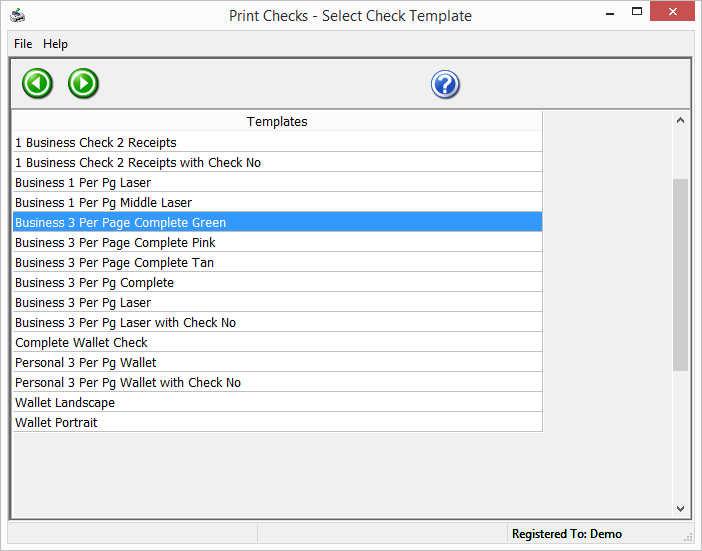
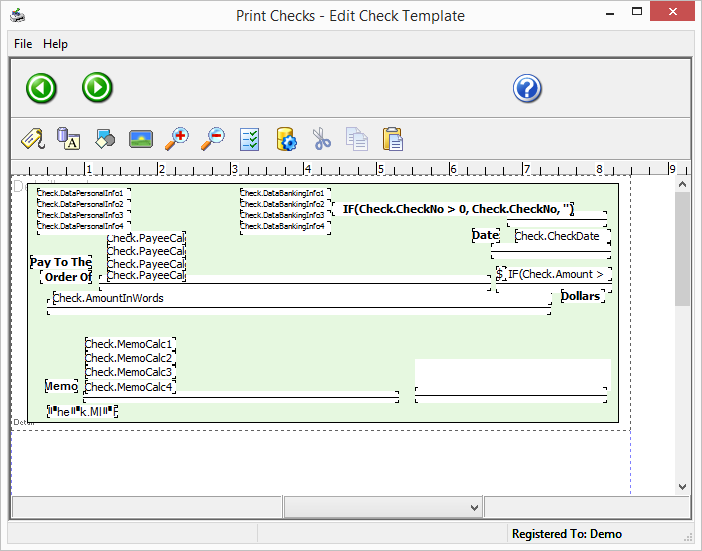
- Intuitive check formatting options tailored for various check layouts and banking standards.
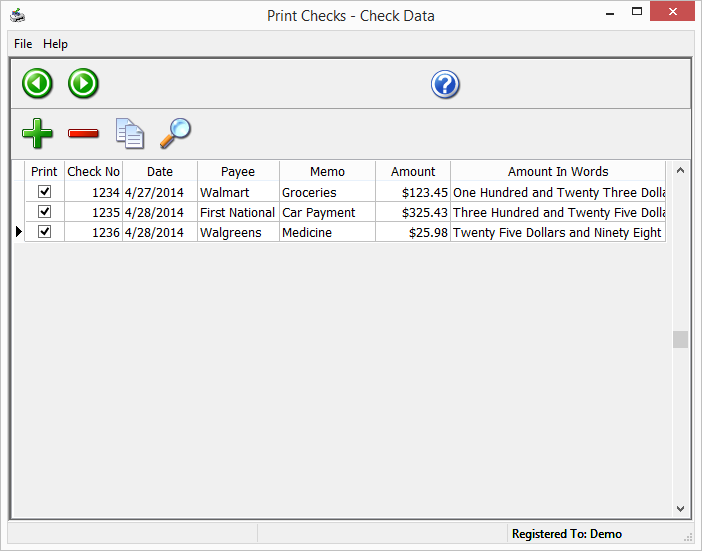
- Automatic data import capabilities to input payee, amount, date, and memo fields directly from CSV or Excel files—saving time and reducing manual entry errors.
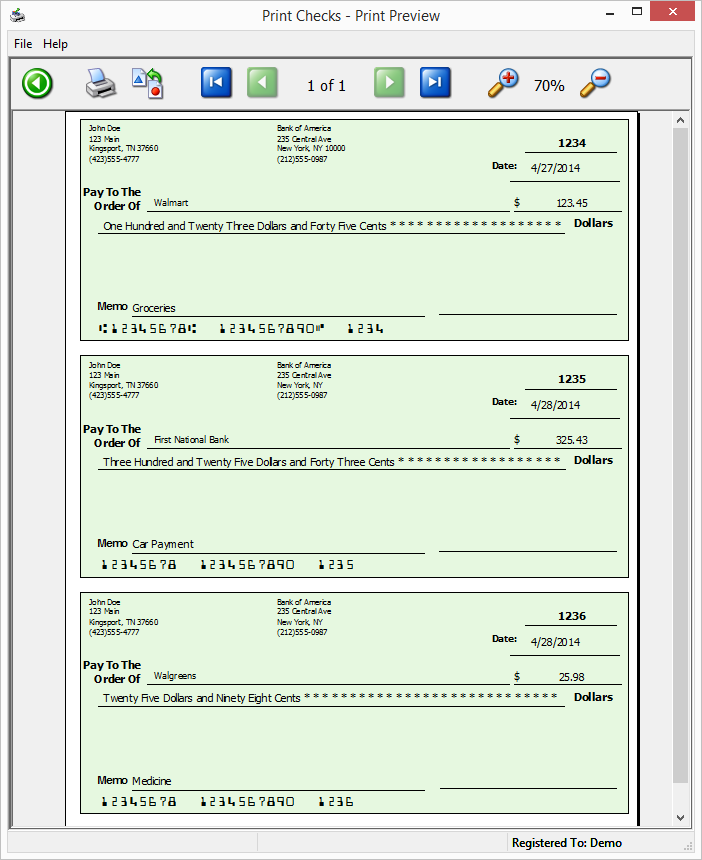
- Preview functions that allow users to verify check details before printing, ensuring accuracy and avoiding costly mistakes.
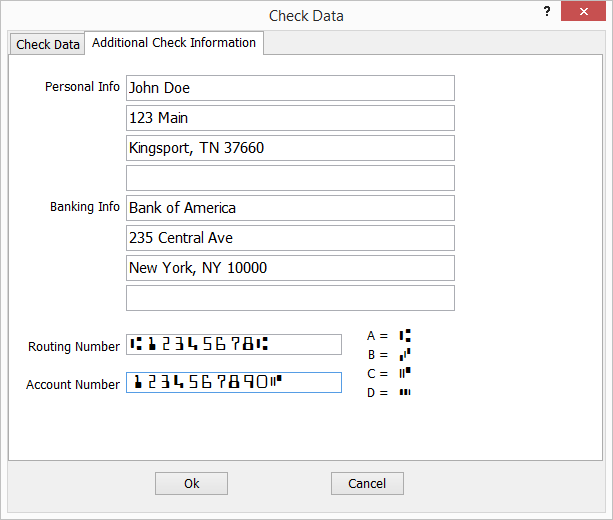
- Support for multiple bank and check styles, catering to diverse organizational needs.
The app clearly targets small business owners, accountants, and administrative staff who require a straightforward, reliable check printing tool without complicated learning curves.
Vivid Evaluation: Bringing Checks to Life
Imagine this: you're sitting at your desk, ready to send out payroll or vendor payments. The last thing you want is to wrestle with complicated software or worry about check inaccuracies. That's where Print Checks for Windows steps in—like your digital check-writing assistant, quietly working behind the scenes so you can focus on your business.
Design and User Interface: Simple, Elegant, and Practical
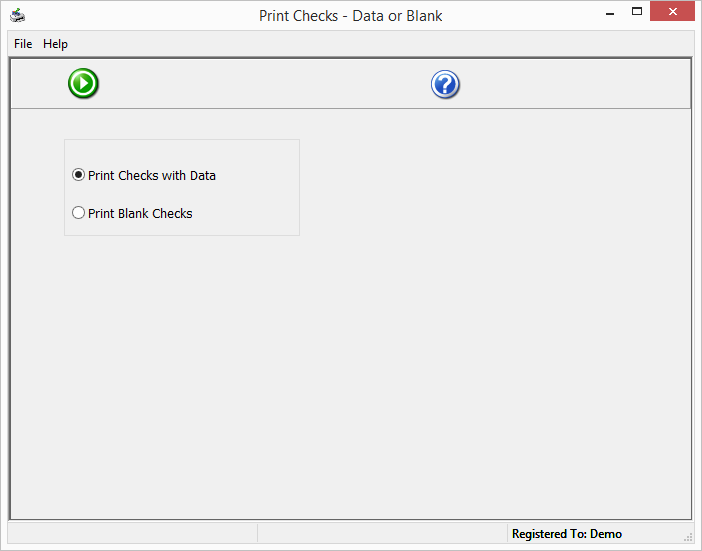
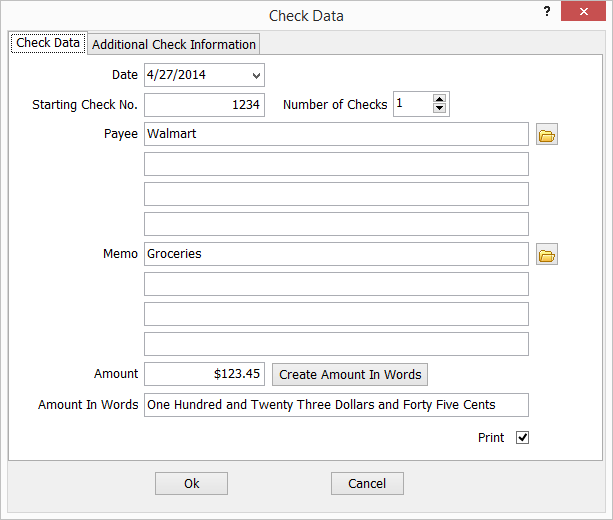
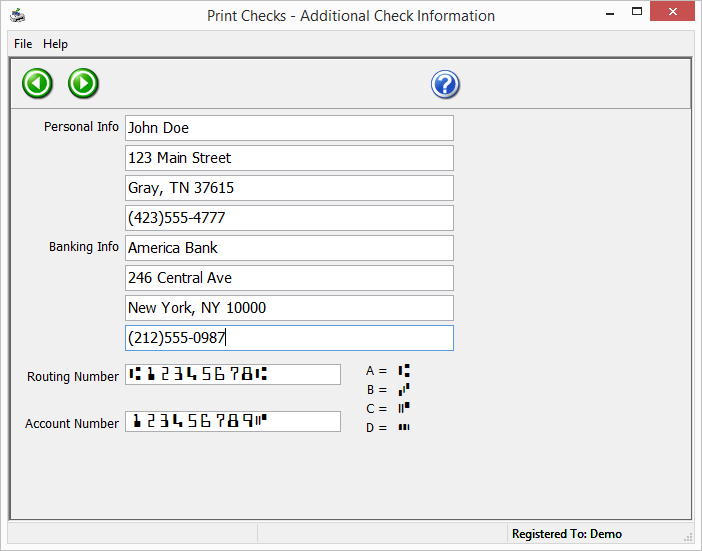
The interface of Print Checks for Windows exudes clarity—think of it as the dashboard of a well-organized cockpit, where every control is within easy reach. The layout is straightforward, with clearly labeled sections for entering payee info, amounts, and check styling options. The design philosophy prioritizes ease of use, reducing the typical learning curve associated with financial software. Colors are muted and professional, allowing users to focus on tasks rather than being distracted by flashy visuals. This simplicity ensures that even first-time users can navigate the app with confidence.
Performance and Workflow: Swift and Reliable
In terms of operation, Print Checks for Windows impresses with its smooth performance. Data entry is responsive, and the process of previewing checks before printing builds confidence that everything is correct. The app handles bulk operations efficiently—ideal for businesses processing multiple checks per cycle. The process flow is intuitive: import data, customize check layout as needed, preview, then print. Users report minimal lag or crashes, affirming the app's stability and polish.
Learning Curve and User Experience: Friendly and Accessible
For newcomers, the app offers a gentle onboarding experience. From the moment you launch it, the step-by-step guidance and logical menu structures lower barriers to quick adoption. Advanced users can leverage features like custom templates and batch check processing for more sophisticated workflows, while beginners can stick to basic functionalities with ease. The overall user experience is akin to having a trusted, well-organized assistant—reliable but never overwhelming.
What Sets It Apart: Unique Strengths in a Crowded Market
Compared to other personal finance or check printing applications, Print Checks for Windows shines most brightly with its focus on customization and accuracy. Its dual strengths—intelligent data import and comprehensive preview options—set it apart. The app's ability to import data directly from spreadsheets minimizes manual entry errors, often a pain point in check printing tasks. Additionally, the variety of check styles and formats supported ensures compatibility with banking standards across regions, offering unparalleled flexibility.
This specificity makes it a go-to solution for users who value precision and efficiency without the complexity of larger, bloated financial software suites. Unlike generic finance apps that lump check printing as a minor feature, this app elevates it to a core strength, making it truly specialized.
Final Thoughts and Recommendations
Print Checks for Windows is a practical, thoughtfully designed tool that fills a niche need with professionalism. Its core strengths—data import automation, customizable check layouts, and reliable previewing—make it especially valuable for small businesses and professionals seeking accuracy and speed. While it may not sport extensive accounting features, it excels in its task, providing a focused solution that gets the job done with clarity and ease.
If you regularly print checks and want a straightforward, dependable app that minimizes errors and streamlines your workflow, this tool deserves serious consideration. For those looking for a dedicated check printing solution that combines simplicity with advanced features, Print Checks for Windows is worth trying out.
Pros
- User-Friendly Interface
- Supports Multiple Check Formats
- Easy Integration
- High-Quality Print Output
- Comprehensive Customer Support
Cons
- Limited Check Design Options
- Slow Processing Speed on Larger Files
- Occasional Printing Misalignments
- Limited Export Options
- Requires Updated Printer Drivers