
- Name Money Pro: Personal Finance
- Category Personal Finance
- Developer iBear LLC
- Available on PC
- OS Windows 10 version 17763.0 or higher
- Keyboard Not specified
- Mouse Not specified
- languages Arabic, Armenian, Chinese (Simplified), Chinese (Traditional Chinese), Chinese (Traditional), Danish, Dutch, English, English (United States), French, German, Hindi, Hungarian, Indonesian, Italian, Japanese, Korean, Korean , Malay, Polish, Portuguese, Portuguese (Brazil), Russian, Slovak, Spanish, Spanish (Spain), Swedish, Thai, Turkish, Ukrainian, Vietnamese
Introducing Money Pro: Personal Finance for Windows – Your Digital Wallet Companion
Money Pro is a thoughtfully designed personal finance application aimed at helping users manage their budgets, track expenses, and plan for future financial goals with ease and confidence on Windows devices. It positions itself as a reliable digital wallet that simplifies complex financial tasks into clear, manageable insights.
Who's Behind the App?
The app is developed by iBear LLC, a software team with a focus on creating user-friendly financial tools that empower individuals to take control of their money. With a focus on intuitive design and practical features, iBear LLC aims to deliver a seamless budgeting experience for everyday users.
Key Features That Make Money Pro Stand Out
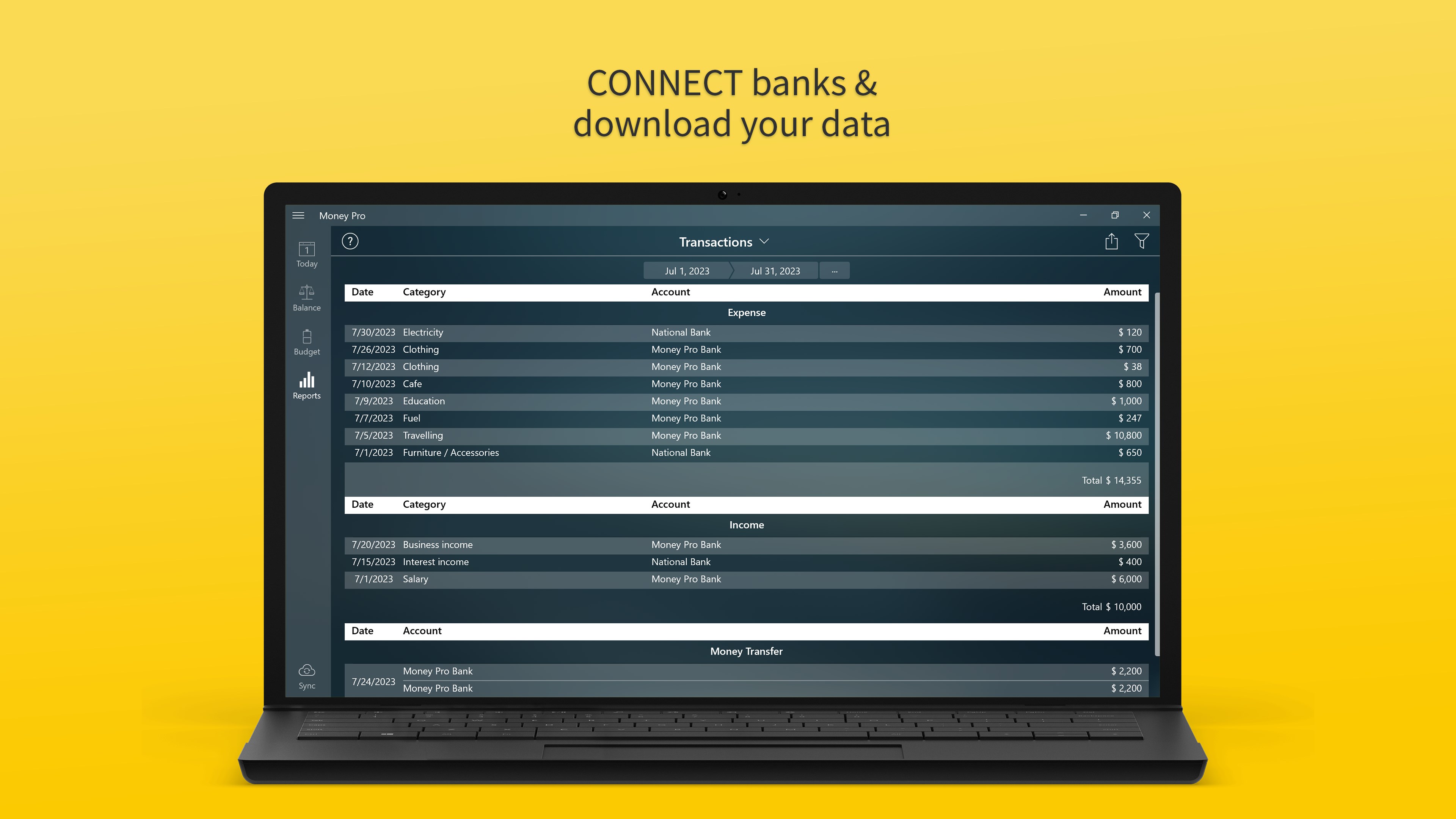
- Comprehensive Expense and Income Tracking: Easily record daily transactions and categorize them for detailed insights into your spending habits.
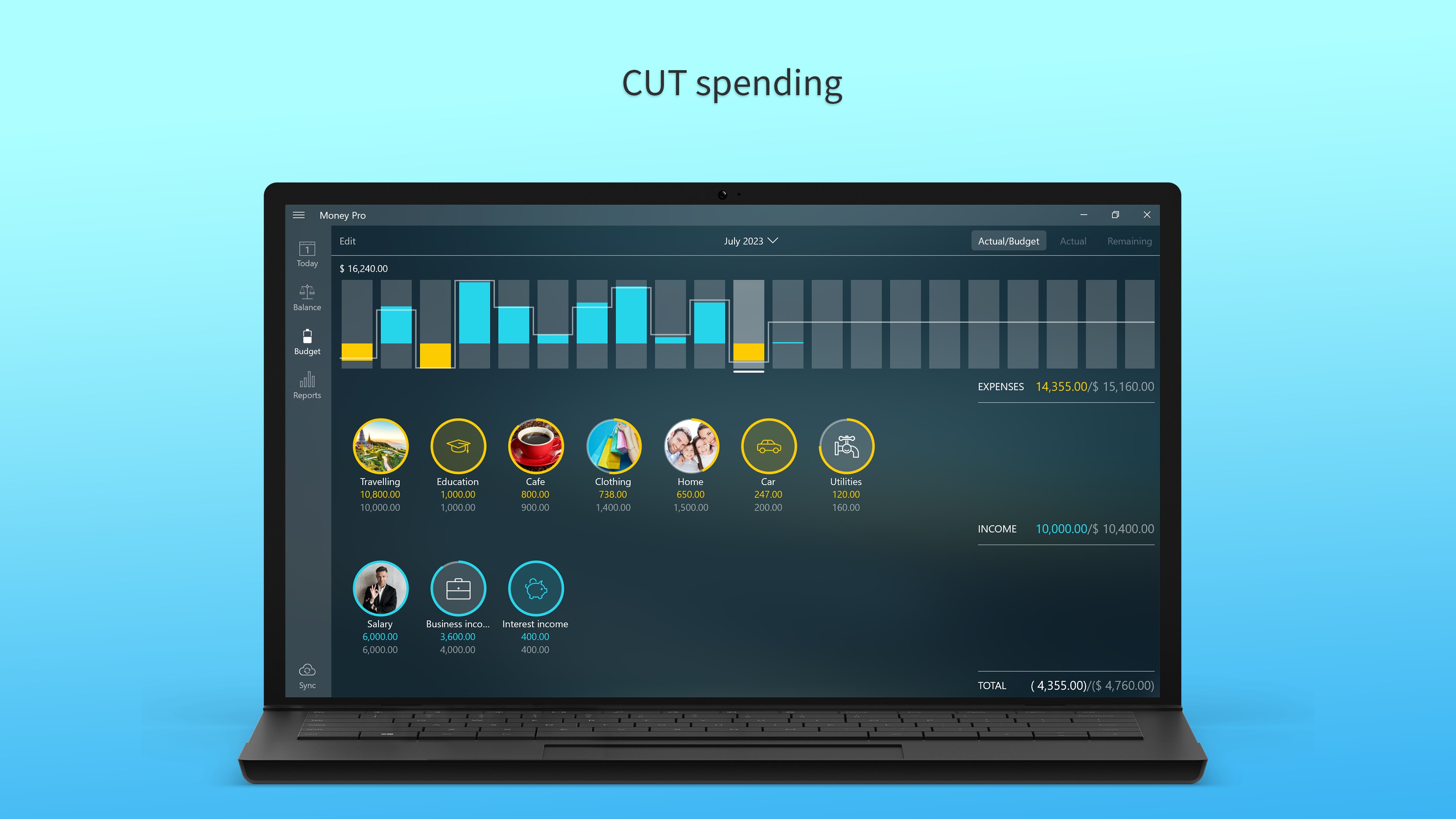
- Budget Planning and Alerts: Set monthly budgets and receive notifications when approaching limits, helping you maintain financial discipline.
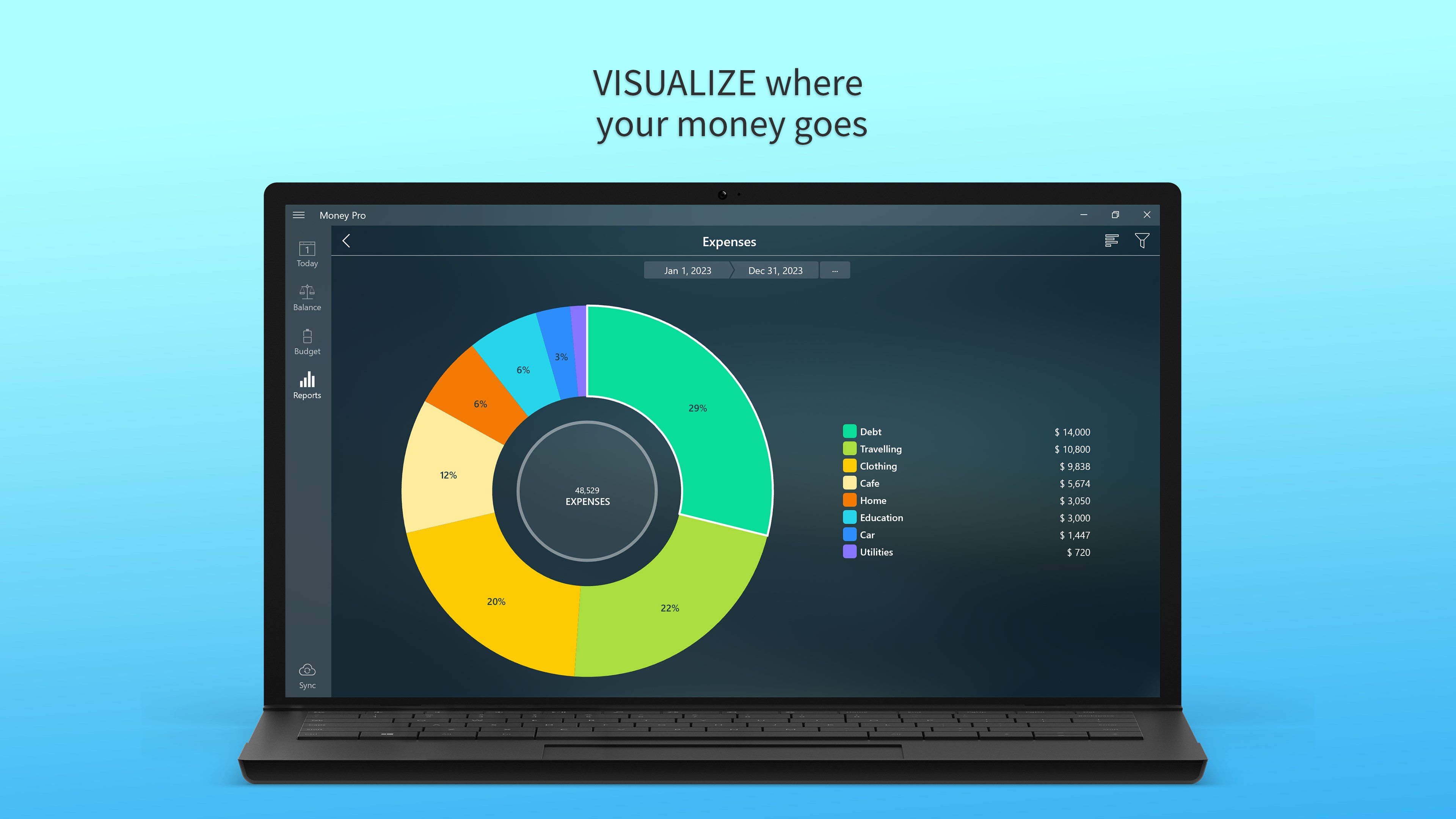
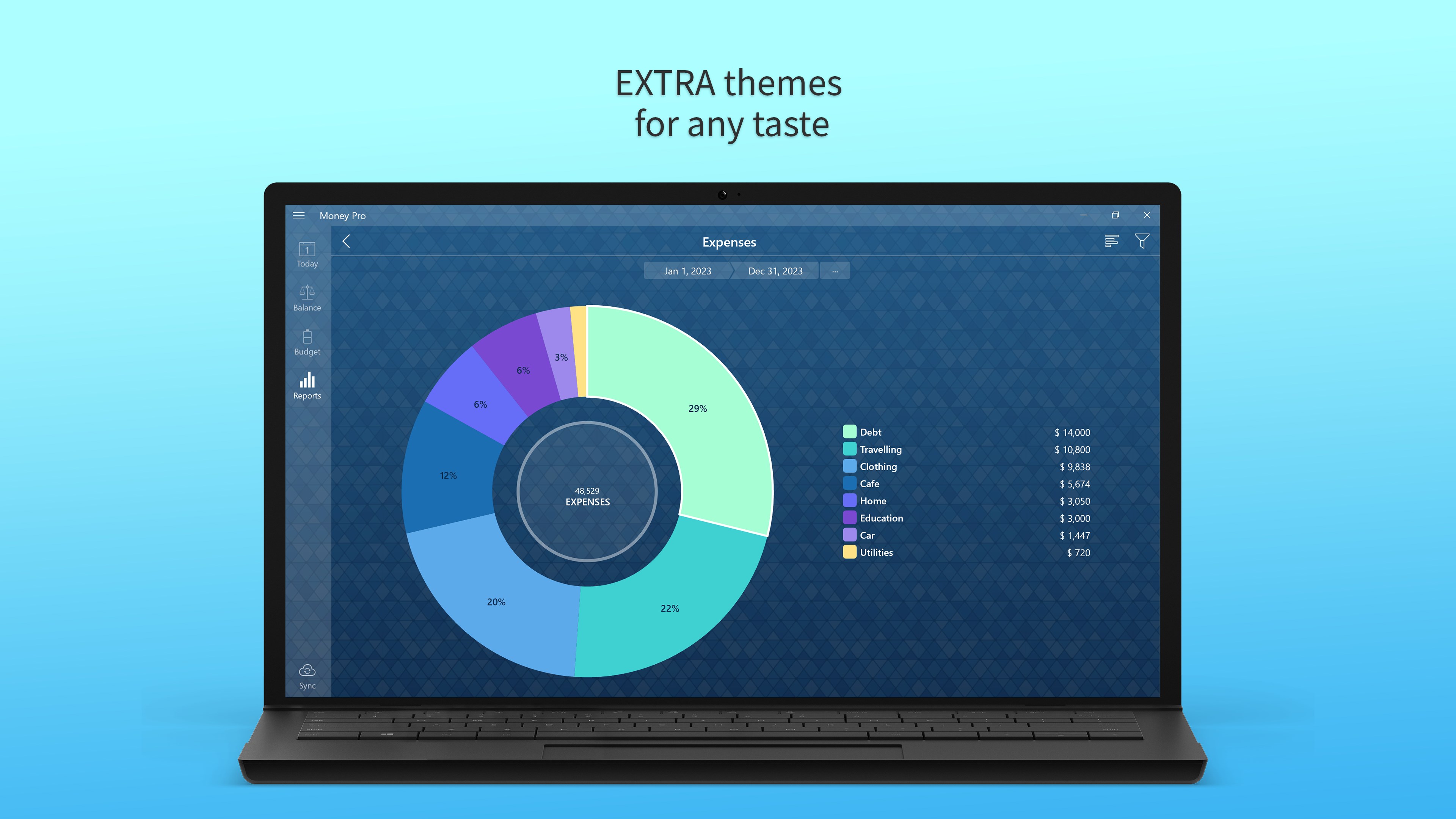
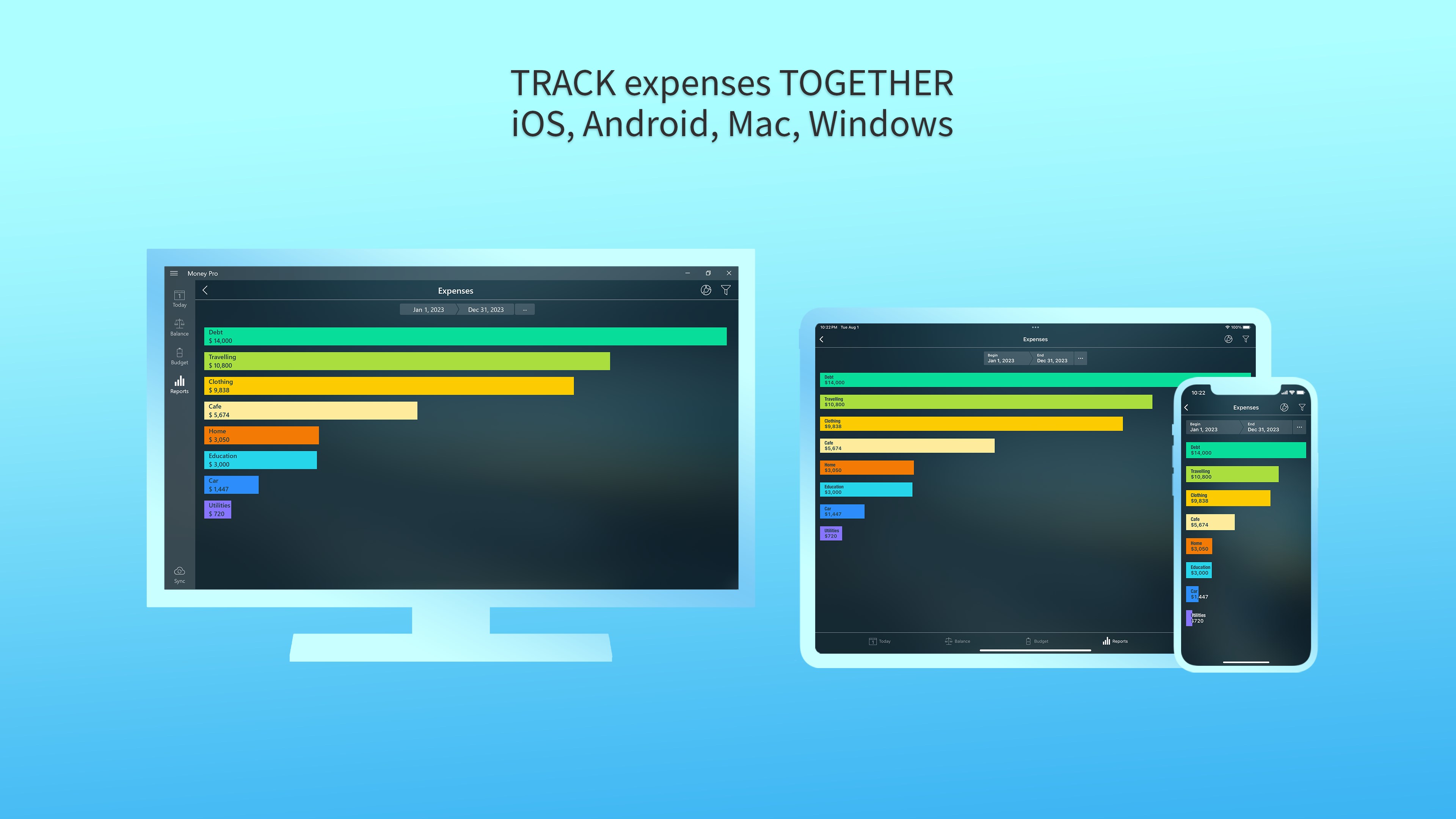
- Insightful Reports & Graphs: Visualize your financial data through pie charts and bar graphs, making complex info simple and accessible.
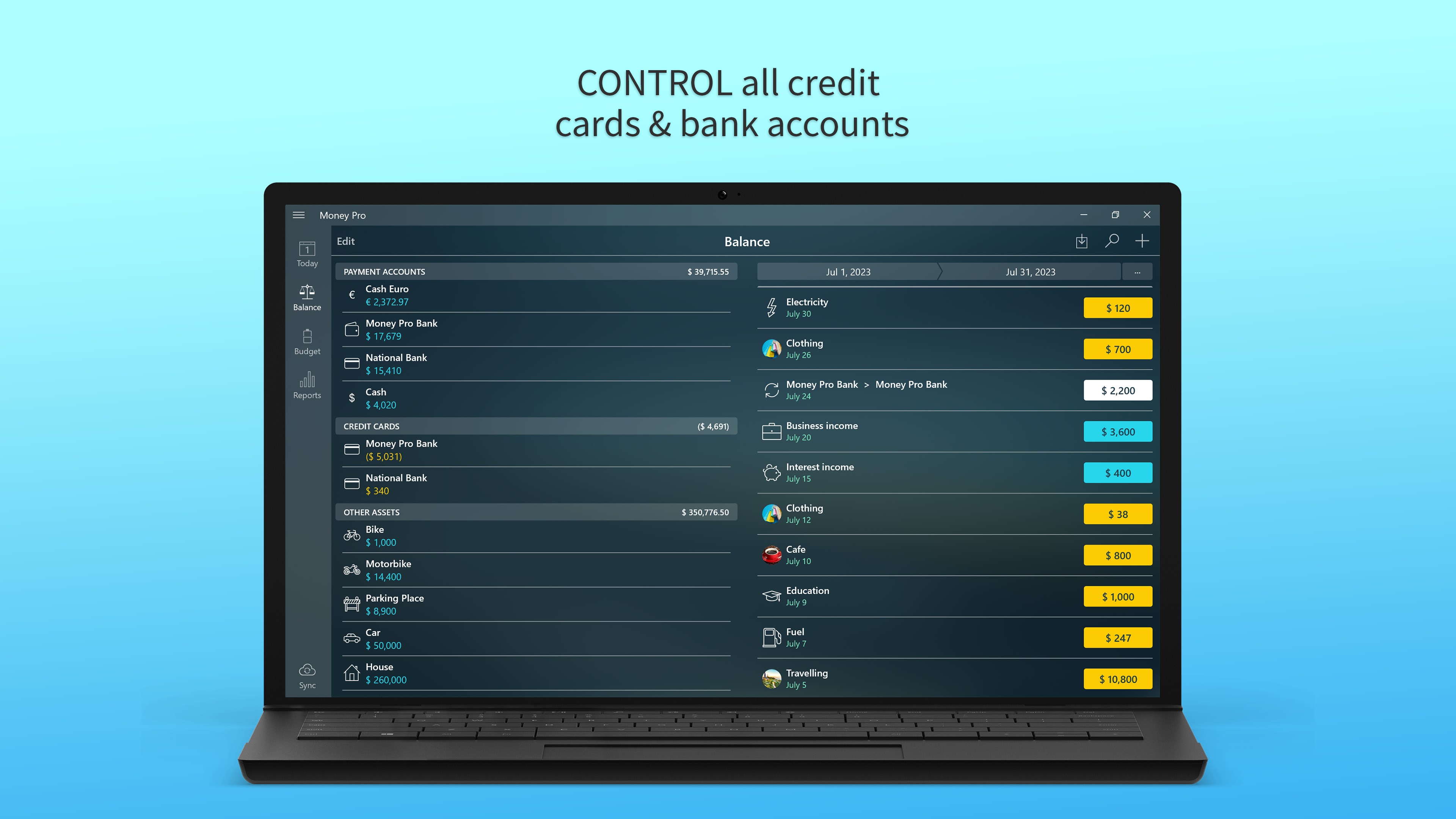
- Multi-Account Management: Manage multiple bank accounts and credit cards within one unified interface, offering a holistic view of your finances.
Targeted at individuals seeking to streamline their personal financial management, Money Pro caters to beginners, students, freelancers, and even small business owners wanting a straightforward yet powerful financial tool.
Vivid Appraisal: A Friendly Financial Partner
Imagine having a savvy accountant in your pocket—stable, reliable, and always ready with a financial snapshot—this is the kind of experience Money Pro offers. As you navigate through the app, it feels like a seasoned navigator guiding you through potentially tumultuous financial waters with calm and clarity. Whether you're jotting down your morning coffee expense or planning next month's savings, Money Pro makes it feel effortless, almost like chatting with a knowledgeable friend over coffee about your finances.
Core Functionality: Budgeting & Expense Monitoring
At its heart, Money Pro shines brightest in its ability to help you establish budgets and monitor expenses. It's like having your personal financial coach—set a monthly spending limit, then watch as your expenses are automatically categorized and tracked. The app's interface provides a clean, uncluttered dashboard with real-time updates, encouraging a proactive approach rather than reactive surprises. The visual cues—colored graphs and progress bars—serve as immediate feedback, keeping you engaged without overwhelming you. This focus on clarity makes managing daily expenses not only manageable but surprisingly enjoyable.
Core Functionality: Visual Insights & Reports
Money Pro transforms raw numbers into colorful pie charts and bar graphs, turning your financial data into a story you can read at a glance. Imagine examining a layered pie chart that clearly shows where your money is going—daily coffee, rent, entertainment—and then adjusting your habits accordingly. These insights help you spot spending patterns and identify areas to cut back or save more. The app's report generation allows you to review your finances over different periods, making it a breeze to track your progress toward financial goals or prepare for tax season.
Ease of Use & User Experience
The app boasts a modern, intuitive interface that welcomes newcomers while satisfying seasoned budgeters. Navigation feels natural, with a logical flow from entering transactions to viewing reports. It's akin to strolling through a well-organized financial assistant's office—everything is within reach and easy to find. The responsiveness and smoothness of operation make daily use feel effortless, with minimal learning curve, even for users who are new to personal finance apps. Clear labels, helpful tooltips, and straightforward menus demystify complex processes, transforming what could be daunting into manageable steps.
What Sets Money Pro Apart?
While many personal finance tools focus on automation or extensive integrations, Money Pro's unique advantage lies in its balance of simplicity and depth. The multi-account management feature, combined with clear visual reports and customizable budgets, makes it especially practical for users juggling multiple financial sources. Its straightforward interface coupled with detailed insights provides a distinctive user experience—accessible enough for beginners, powerful enough for more seasoned users seeking control.
Final Recommendations
If you're looking for a reliable, easy-to-use personal finance app that offers clear visualization and straightforward management on Windows, Money Pro is worth your consideration. Its most compelling features—especially the unified account management and visual reports—make it stand out from typical budgeting apps that often overwhelm with complexity. I'd recommend it for anyone who wants an organized, approachable way to take charge of their financial life without drowning in unnecessary features.
For best results, new users should set aside some time to familiarize themselves with the interface and budgeting tools. Once comfortable, Money Pro can become an essential part of your financial routine—less like managing numbers and more like having a friendly guide helping you meet your financial goals.
Pros
- User-friendly interface
- Comprehensive budgeting tools
- Synchronization across devices
- Detailed expense tracking
- Secure data privacy
Cons
- Limited bank integrations
- Premium features require subscription
- Occasional sync delays
- Limited customization options
- Learning curve for new users