- Name DIRT 5
- Category Racing & flying
Introducing DIRT 5 for Windows: A Thrilling Off-Road Adventure
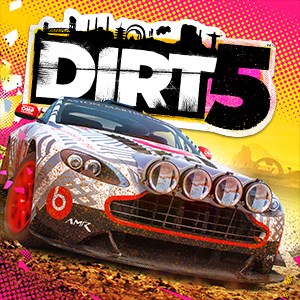
Developed by Codemasters, DIRT 5 is a high-octane racing game that immerses players in the exhilarating world of off-road racing, blending realistic physics with vibrant environments. Designed for racing enthusiasts seeking adrenaline-pumping challenges, DIRT 5 offers a comprehensive and visually stunning driving experience tailored to Windows users.
Vivid Environments and Dynamic Weather: Race Through a Living Canvas
One of DIRT 5's standout features is its breathtaking array of diverse race locations—from rugged mountain trails to dusty desert tracks and snowy landscapes. Each environment feels like a living painting, brought to life with dynamic weather effects such as rain, snow, and dust storms that not only enhance realism but also influence vehicle handling. Navigating a muddy track during a downpour feels like skidding through a real storm, making each race unpredictable and exciting.
Innovative Vehicle Customization and Realistic Physics
DIRT 5 shines brilliantly in its detailed vehicle customization system, allowing players to tailor their cars with a vast array of upgrades—from engine tuning to aesthetic modifications. This depth ensures that your racing machine truly reflects your style and preferences. Coupled with its realistic physics engine, the game delivers authentic handling and response, making each turn and jump feel tangible. The sensation is akin to wielding a meticulously crafted model car that obeys your every command with precision—adding layers of strategic depth to racing that both beginners and veterans can enjoy.
User Interface and Overall Experience: Accessibility Meets Depth
The interface of DIRT 5 is thoughtfully designed, combining a sleek, intuitive layout with straightforward controls that lower the barrier for newcomers while offering advanced options for seasoned racers. The menus are easy to navigate, and the game offers multiple difficulty settings, ensuring a comfortable learning curve. Smooth performance on modern Windows PCs allows for seamless gameplay, free from lag or stuttering—so you can focus on conquering challenging tracks without technical distractions.
What Sets DIRT 5 Apart in the Racing Genre
Compared to other racing and flying applications, DIRT 5 stands out with its emphasis on off-road adventure and its highly customizable driving experience. Its emphasis on varied environments and weather introduces a layer of realism that many competitors lack. Moreover, the game's emphasis on community-driven content—such as user-created tracks and challenging events—further elevates its replayability. Whether you're a casual gamer seeking fun or a competitive spirit craving tough challenges, DIRT 5 offers a balanced blend of accessibility and depth.
Recommendations and Usage Suggestions
Given its engaging gameplay, stunning visuals, and versatile customization options, DIRT 5 is highly recommended for racing enthusiasts, especially those who enjoy off-road challenges and scenic courses. It's suitable for players of all skill levels, thanks to adjustable difficulty and comprehensive tutorials. For best experience, ensure your PC meets the recommended hardware specifications for optimal graphics and smooth gameplay. Whether you play single-player career modes or challenge friends online, DIRT 5 provides a rewarding virtual off-road racing adventure worth exploring.
Pros
- Exceptional graphics quality
- Smooth gameplay performance
- Wide variety of vehicle customization options
- Excellent track variety
- Strong online multiplayer features
Cons
- Occasional bugs and glitches
- High system requirements
- Limited single-player content
- Long load times on some systems
- Occasional difficulty with steering controls