




Overview of ZoZo Player - URL Video Player
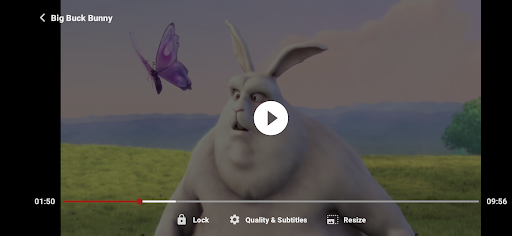
ZoZo Player is a free multimedia player designed to enhance your video streaming experience. It supports playing remote multimedia videos and integrates seamlessly with network streaming protocols such as adaptive streaming (HLS/DASH). Whether you're watching videos from a URL or streaming live content, ZoZo Player offers a versatile and user-friendly solution for all your media needs.
What Makes ZoZo Player Stand Out
User-Friendly Interface
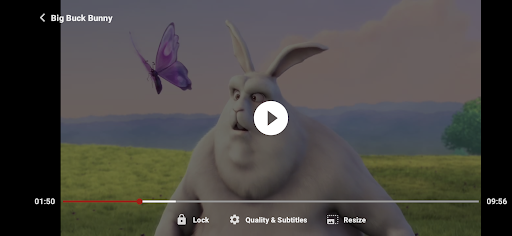
One of the first features that caught my attention was the app's intuitive and clean layout. The design prioritizes ease of use, allowing even those who are not tech-savvy to navigate effortlessly. Finding and playing your favorite videos is straightforward, thanks to a thoughtfully organized interface that makes browsing and selection quick and hassle-free.
Seamless URL Integration
This app’s defining feature is its ability to handle URL-based video streams. Simply paste the video link into the app, and it will instantly load the content for viewing. It supports a wide range of video formats, making it a universal remote for various media sources. This functionality is especially beneficial for users who prefer streaming videos directly from internet links, streaming platforms, or cloud services without compatibility worries.
Performance and Reliability
Performance is critical for a media player, and ZoZo Player delivers. It handles different video formats without lag or buffering, providing smooth playback regardless of the file size or quality. Whether watching high-definition movies or quick clips, the app maintains high video quality. Plus, it manages device resources efficiently, so you can multitask without experiencing slowdowns or interruptions.
Customization Options
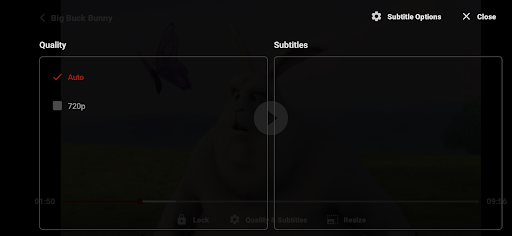
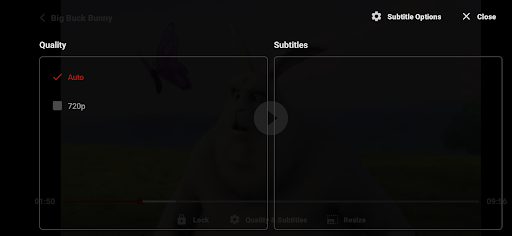
Personalization enhances user experience, and ZoZo Player offers several customization features. Users can adjust playback speed and modify subtitle appearance to match their preferences. Additionally, the app supports multiple languages, making it accessible for a global audience. These thoughtful options allow for a more tailored and enjoyable media viewing experience.
Final Thoughts
In summary, ZoZo Player - URL Video Player is an excellent choice for anyone seeking a reliable, versatile, and easy-to-use media player. Its ability to handle remote videos and support for network streaming protocols make it a standout app. The combination of user-friendly design and robust performance makes it suitable for casual viewers and media enthusiasts alike. If you love streaming videos from various sources, this app is definitely worth exploring. Give it a try and experience the convenience of a comprehensive video player at your fingertips.
Pros
- Supports a variety of video formats.
- Easy-to-use interface.
- Smooth URL video streaming.
- Personalizable playback options.
- Low memory consumption.
Cons
- Contains advertisements in the free version.
- Limited features for offline use.
- Occasional buffering problems.
- Premium features require a subscription.
- Lacks subtitle support.











