

Overview of AI Video Editor - Vidma Cut AI
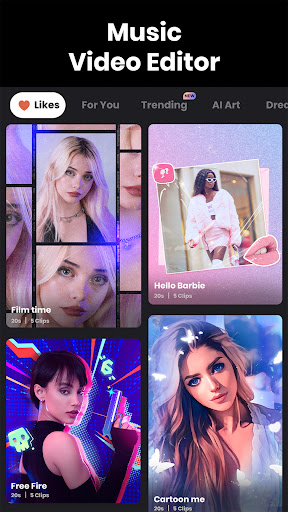
AI Video Editor - Vidma Cut AI is an innovative app designed to simplify video editing with powerful AI-powered features. It's perfect for both beginners and experienced editors who want to create captivating videos effortlessly. Whether you're looking to trim clips, add exciting effects, or produce professional-quality content, Vidma Cut AI provides a comprehensive solution that enhances your storytelling capabilities. This app is especially popular among social media enthusiasts aiming to craft eye-catching videos for platforms like TikTok, Instagram, and Facebook, thanks to its wide array of editing tools and creative effects. With intuitive controls and intelligent editing suggestions, Vidma Cut AI enables users to produce polished videos that stand out in a crowded digital landscape.
Key Features of Vidma Cut AI
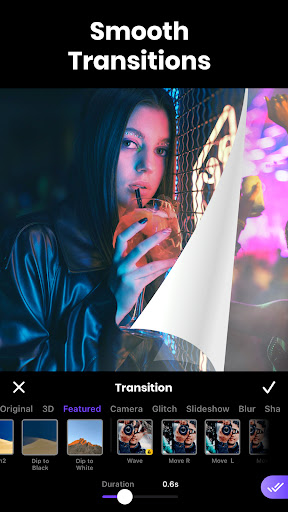
• AI-Powered Editing: At the heart of Vidma Cut AI is its smart AI engine that automates preliminary editing tasks such as clips trimming, scene transitions, and sequence suggestions. This reduces editing time significantly and helps users achieve professional results without needing advanced skills.
• Easy-to-Use Interface: The app boasts a sleek, user-friendly layout that makes navigation simple. Even first-time users can quickly understand how to utilize key features to create stunning videos.
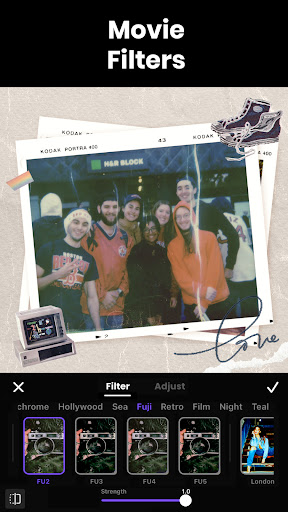
• Extensive Effects & Filters: Add vibrancy and cinematic flair with a variety of filters and effects, including Glitch, Retro, VHS, and more. Users can enhance their videos with trendy video effects and stylish filters with just a tap.
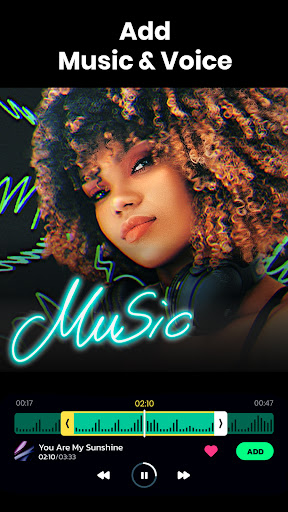
• Music & Audio Editing: Incorporate background music from over 1000 high-quality songs, extract and trim audio, record voice-overs, and apply audio effects. Fade-in/out options and speed adjustments help sync audio perfectly with visuals.
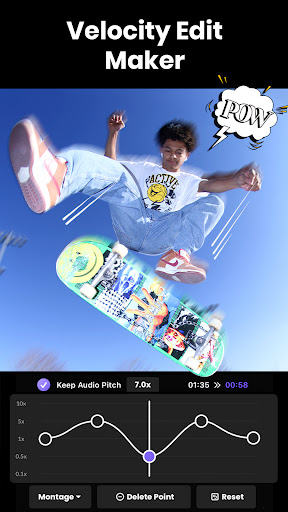
• Customizable Speed & Slow Motion: Create dynamic videos by adjusting clip speed, applying preset speed ramp effects, or reversing clips. Maintain audio pitch while changing the playback speed for seamless results.
• Background & Scene Editing: Remove or replace backgrounds using green-screen (chroma key) technology. Crop, scale, and adjust aspect ratios for different social media formats—portrait, landscape, or square.
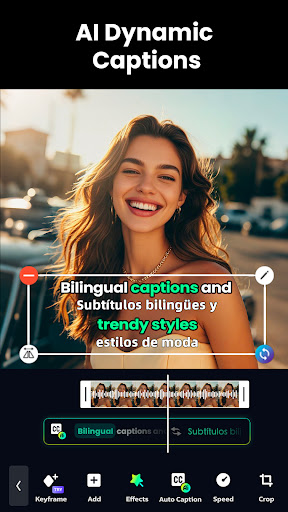
• Advanced Editing Tools: Use keyframes for motion effects, overlay multiple clips, and add freeze frames for dramatic impact. The app also supports background removal and video overlay blending.
• Asset Library & Sharing: Browse millions of royalty-free images and videos within the app. Export content in high-resolution 4K quality and resize videos to fit any social platform for easy sharing.
• Easy-to-Use Interface: The app boasts a sleek, user-friendly layout that makes navigation simple. Even first-time users can quickly understand how to utilize key features to create stunning videos.
• Extensive Effects & Filters: Add vibrancy and cinematic flair with a variety of filters and effects, including Glitch, Retro, VHS, and more. Users can enhance their videos with trendy video effects and stylish filters with just a tap.
• Music & Audio Editing: Incorporate background music from over 1000 high-quality songs, extract and trim audio, record voice-overs, and apply audio effects. Fade-in/out options and speed adjustments help sync audio perfectly with visuals.
• Customizable Speed & Slow Motion: Create dynamic videos by adjusting clip speed, applying preset speed ramp effects, or reversing clips. Maintain audio pitch while changing the playback speed for seamless results.
• Background & Scene Editing: Remove or replace backgrounds using green-screen (chroma key) technology. Crop, scale, and adjust aspect ratios for different social media formats—portrait, landscape, or square.
• Advanced Editing Tools: Use keyframes for motion effects, overlay multiple clips, and add freeze frames for dramatic impact. The app also supports background removal and video overlay blending.
• Asset Library & Sharing: Browse millions of royalty-free images and videos within the app. Export content in high-resolution 4K quality and resize videos to fit any social platform for easy sharing.
Why Choose Vidma Cut AI?
Vidma Cut AI stands out as a versatile and intelligent video editing solution that caters to every need. Its AI-driven suggestions simplify the editing process, making it accessible to those without prior experience while offering advanced tools for seasoned editors. The ability to quickly generate professional-looking videos from raw footage makes this app ideal for content creators, influencers, and marketers aiming to produce engaging videos with minimal effort. Additionally, the rich library of effects, filters, and soundtracks allows users to customize their videos to match different moods and themes, ensuring their content remains fresh and compelling.
Perfect for Social Media Content Creation
If you're passionate about sharing your life moments on TikTok, Instagram Reels, or Facebook, Vidma Cut AI provides all the essential features needed for creating viral-ready videos. From trendy effects to precise edits and background replacements, the app helps you craft impactful content that captures attention. Its straightforward workflow means you can generate stunning videos in minutes, reducing the time spent on post-production. Additionally, high-quality exports ensure your videos look sharp across all platforms, whether you’re posting a quick story or a detailed showcase.
Conclusion
In summary, AI Video Editor - Vidma Cut AI is an all-in-one video editing app that combines powerful artificial intelligence with an intuitive user experience. It empowers users to transform ordinary clips into engaging, professional-grade videos effortlessly. Whether you're trimming a clip, adding cinematic effects, overlaying music, or creating slow-motion sequences, Vidma Cut AI covers all your editing needs in one platform. Its flexibility, speed, and rich feature set make it the ideal choice for anyone looking to elevate their video content for social media or personal projects. Give it a try and discover how easy and fun video editing can be!
Pros
- User-friendly interface for editing
- AI-powered tools improve video quality
- Extensive editing features available
- Fast export and sharing options
- Compatible with numerous video formats
Cons
- Limited features in the free version
- Occasional app crashes
- Requires large storage capacity
- In-app purchases may be expensive
- Watermark added to free version exports










