

Edits: The Ultimate Instagram Video and Photo Editing App
Discover Edits, a versatile and free video editor designed to empower creators to transform their ideas into stunning videos right from their smartphones. Whether you're a casual social media user or a professional content creator, Edits offers an all-in-one platform packed with powerful tools to streamline your creative process. From high-quality video exports to intuitive editing features, this app helps you produce captivating content effortlessly.
Create Beautiful Videos with Ease
Simplify Your Creative Workflow
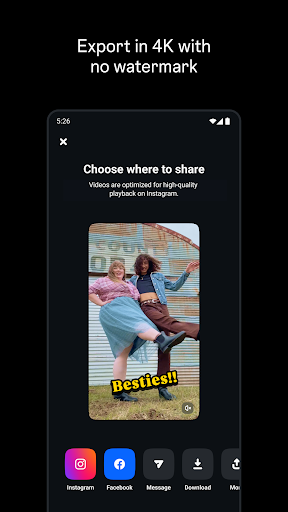
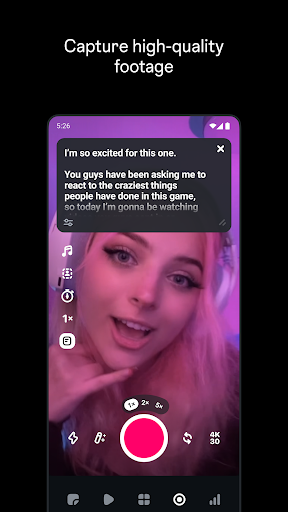
With Edits, you can export your videos in impressive 4K resolution, all without annoying watermarks. Its user-friendly interface allows you to keep track of multiple drafts and completed videos, making organization straightforward. The app supports capturing high-quality clips up to 10 minutes long, enabling you to start editing immediately. Additionally, sharing your videos to any platform, including Instagram, is seamless, with high-quality playback to impress your audience.
Powerful Editing Tools at Your Fingertips
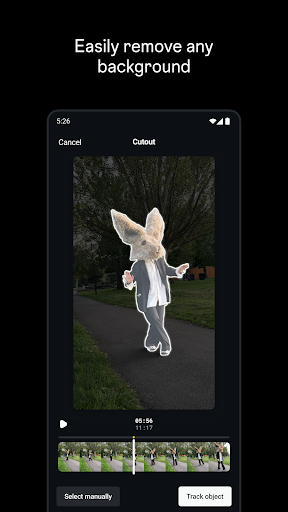
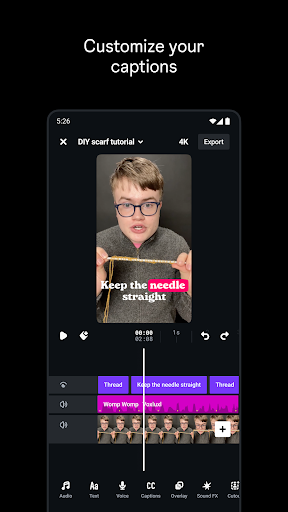
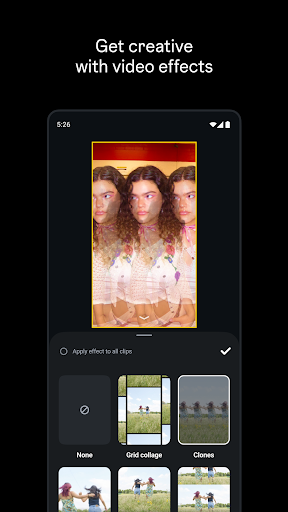
Refine your videos with precise single-frame editing. Customize camera settings like resolution, frame rate, and dynamic range, while upgraded flash and zoom controls give you professional-quality adjustments. Bring static images to life through innovative AI animation features, or change your background using green screen effects, cutouts, or overlay videos. The app offers a variety of fonts, sound effects, voice effects, filters, stickers, and more to add personality to your videos. Enhance your audio to make voices clearer and eliminate background noise, and generate captions automatically with customizable options for an engaging viewer experience.
Inspire Your Creativity and Track Performance
Stay Inspired and Organized
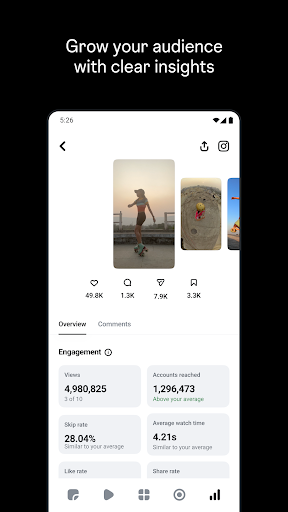
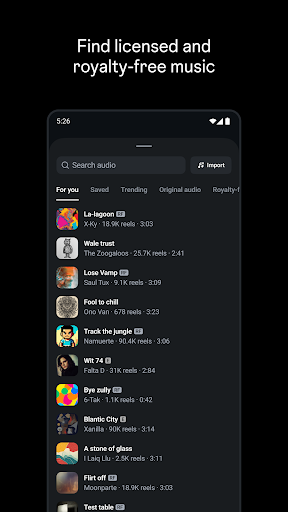
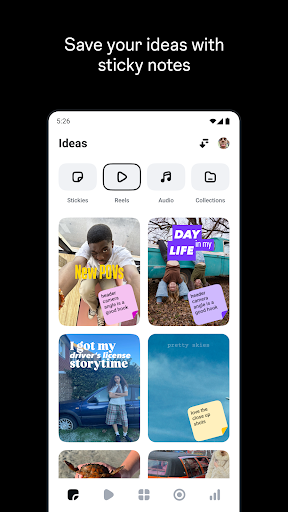
Browse trending reels with popular audio to get inspired for your next project. Keep track of your ideas and content you're excited about, so you're ready to create whenever inspiration strikes. The app’s live insights dashboard helps you monitor how your reels and videos are performing, providing valuable feedback to inform your creative decisions.
Understand Engagement Metrics
Gain insights into what influences your reels’ engagement rates, allowing you to optimize content for better reach and interaction. Edits makes it easy to analyze performance data and adapt your strategies for maximum impact on platforms like Instagram and beyond.
Enhance Your Photos with Creative Filters and Editing Features
If you love transforming your photos for social media, Edits is the perfect companion. Its extensive range of filters caters to various moods and styles—from vintage aesthetics to vibrant, modern looks. I was particularly impressed with the retro filters that add a nostalgic feel reminiscent of classic film cameras. You can easily adjust the filter intensity to match your vision, ensuring each photo is just right.
User-Friendly Editing Tools
The app offers straightforward tools to tweak brightness, contrast, saturation, and more. The cropping feature helps perfect your composition effortlessly. The intuitive user interface means you spend less time figuring out the app and more time creating stunning visual content. Want more advanced edits? Edits provides options such as curves, levels, text overlays, and other professional features, giving you the power of a mini Photoshop in your pocket.
One-Tap Presets for Quick Edits
For those days when you're short on time, Edits’ presets are an excellent way to apply pre-configured filters and settings with a single tap. They help create a consistent aesthetic across your feed and make quick enhancements a breeze. Whether you're adjusting for a specific mood or aiming for a cohesive look, presets simplify the editing process.
Seamless Sharing and Social Media Optimization
One of the app’s standout features is its smooth integration with Instagram. After editing your photos and videos, sharing them directly to your feed or stories is effortless. The app even suggests popular hashtags to boost your post visibility, helping you reach a wider audience. This seamless workflow ensures you spend less time on technical steps and more on creating engaging content that resonates with your followers.
Final Thoughts
If you're passionate about enhancing your social media presence, Edits is a must-have app. Its combination of powerful tools, an extensive library of filters, and intuitive editing features make it ideal for both beginners and experienced creators. Whether you're looking to craft high-quality videos or transform your photos into eye-catching masterpieces, Edits offers everything you need in a compact, user-friendly package. Give it a try and unlock your creative potential today!
Pros
- User-friendly interface.
- Wide range of editing tools.
- Seamless Instagram integration.
- High-quality output images.
- Frequent updates and new features.
Cons
- Requires internet for full functionality.
- Some features behind paywall.
- May consume significant device storage.
- Occasional crashes reported.
- Limited support for video editing.










