


Introducing YouCam Video Editor & Retouch: The Ultimate Selfie Video Enhancer
Key Features of YouCam Video Editor & Retouch
Pro Makeup & Retouch Tools
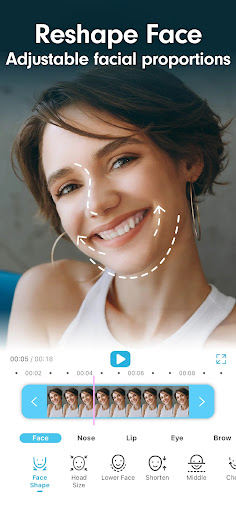
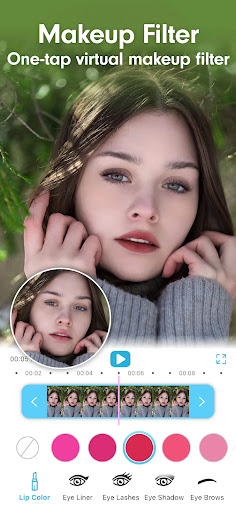
Bring a touch of glamour to your videos with extensive makeup options. YouCan Video allows you to apply eyeshadow, lip color, eyelashes, and much more. The app provides a quick and easy way to enhance your facial features, making your selfies more attractive and professional-looking. You can retouch eyes, lips, nose, and cheekbones, or even reshape your face — all in real-time!
Image-to-Video Transformation with AI
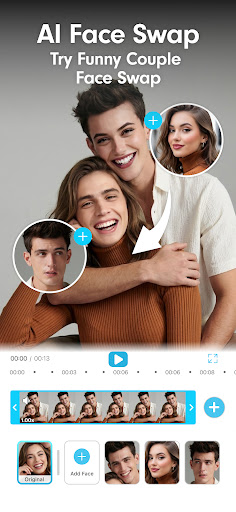
Unleash your creativity by turning still photos into lively videos. The latest AI-powered features enable you to animate static images, add movement, effects, and storytelling elements with just a few taps. This is ideal for turning memorable moments into captivating short videos that stand out on social media platforms.
Advanced Face & Body Reshaping
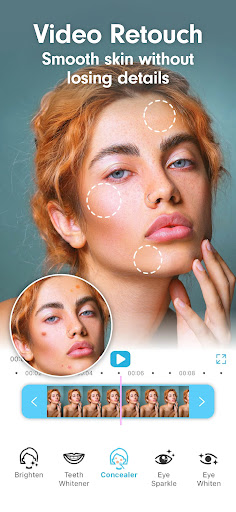
Refine your appearance with precision tools such as face slimming, chin reshaping, nose adjustments, and eye resizing. The app also offers smooth skin correction to remove blemishes, acne, wrinkles, dark circles, and spots. With the face paint feature, you can even add fun sticker art to your face for personalized, playful videos.
AI-Enhanced Video Quality
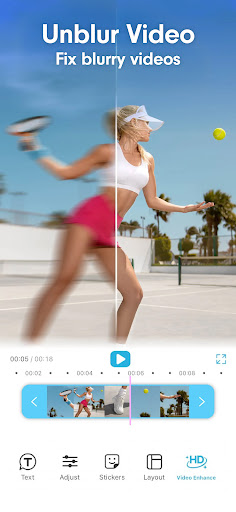
Make your videos crystal clear with a single tap. The app utilizes advanced AI algorithms to automatically enhance brightness, saturation, contrast, and overall resolution. This ensures your content looks professional and visually appealing every time.
Extensive Video Effects & Makeup Collections
Express yourself with over 100 effects and makeup styles. From vibrant lipstick shades to dramatic eyeliners, the app allows you to create personalized looks that match your style. Whether you prefer a cute, natural, or bold appearance, the variety of styles helps you achieve your desired aesthetic easily.
Realistic Hair Color & Effects
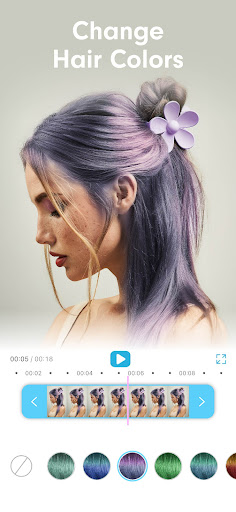
Experiment with different hair colors using the app's realistic hair dye tool. Find your perfect shade in real-time and apply it to your videos seamlessly. Note: Hair coloring features may have device requirements, such as RAM ≥ 2GB, Android version ≥ 8.0, and a multi-core processor.
Easy Editing & Sharing
With just a few taps, you can crop, zoom, and adjust your selfie videos for optimal framing. Multiple orientations are available, including portrait, landscape, and square. The app also offers a before-and-after comparison to assess your edits. Once satisfied, share your masterpiece directly to your favorite social media platforms like Instagram, TikTok, or Facebook, making it easy to showcase your creativity to the world.
Premium Version Benefits
Upgrade to YouCam Video Premium for unlimited access. Enjoy features such as no restrictions on video length, exclusive makeup collections, unlimited beautify tools, and advanced hair coloring options. Removing watermarks also comes with the premium upgrade, allowing for cleaner and more professional videos.
Why Choose YouCam Video? A User-Friendly Editing Experience
Many users appreciate how intuitive and straightforward this app is. From the moment you open it, you'll notice its clean and organized interface, making navigation simple even for beginners. The powerful editing features, combined with AI enhancement and creative makeup options, allow users to craft professional-looking videos without experience in complex editing software. Sharing your custom videos is quick and effortless, helping you easily connect with your audience on social media.
Conclusion: Create Stunning Selfie Videos with Ease
Pros
- User-friendly interface for straightforward editing
- Extensive selection of effects and filters
- Supports high-definition video editing
- Easy sharing to social media platforms
- Frequent updates introducing new features
Cons
- Premium features require in-app purchases
- Can take up substantial device storage
- Panel of occasional advertisements disrupting workflow
- Limited export options in the free version
- Internet connection needed for full features











