



Introduction to xBrowser - Video Downloader
Are you tired of missing out on your favorite videos because you can't save them for offline viewing? xBrowser - Video Downloader is here to revolutionize your browsing experience by making video saving effortless and efficient. Whether you want to watch videos offline, create a library of your preferred content, or simply enjoy seamless media management, this all-in-one app is designed to meet your needs. With its user-friendly interface, powerful download capabilities, and support for multiple media formats, xBrowser stands out as a top choice for video enthusiasts seeking a reliable and versatile downloader.
Main Features of xBrowser - Video Downloader
Seamless Video Detection and Download
The core strength of xBrowser lies in its ability to automatically detect videos on any website. When you browse with the app, videos are identified without extra steps, so you can download them with just a single tap. Supported formats include MP4, FLV, AVI, and more, ensuring compatibility across various media types.
Fast and Efficient Download Management
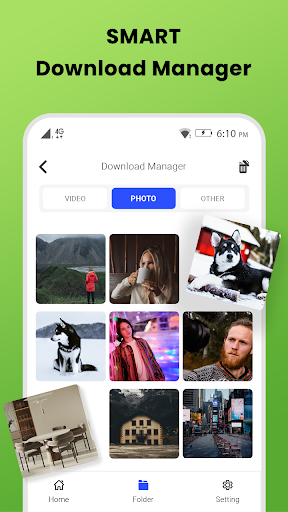
The app boasts a full-featured download manager that enables you to pause, resume, or cancel downloads at any time. You can also download videos in the background while continuing to browse, and handle multiple downloads simultaneously without sacrificing speed. The optimized transfer technology ensures rapid download speeds, so your videos are ready to watch offline in no time.
Offline Playback and Media Organization
Once downloaded, videos can be played directly within the app using the integrated media player—no internet connection required. Easy access to your downloaded media is supported by an intuitive UI, allowing you to organize your files, create bookmarks, and manage your library effortlessly.
Browsing and Content Management
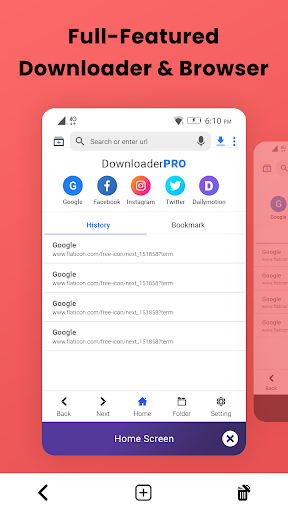
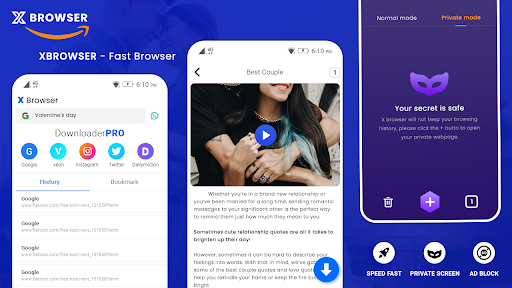
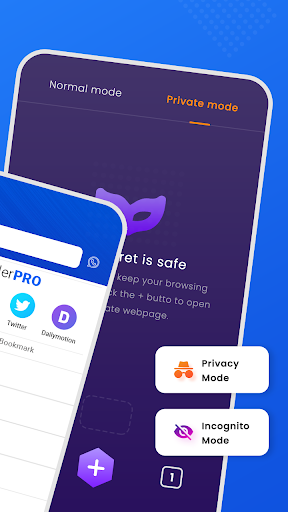
xBrowser features a built-in browser that lets you explore websites and discover videos seamlessly. Create multiple tabs for better website management, add your favorite pages to bookmarks for quick access, and customize your default search engine to personalize your browsing experience. This flexibility helps you stay organized and efficient.
Compatibility and Connectivity Options
This app allows you to download videos over various network types including Wi-Fi, 2G, 3G, and 4G. Whether you're on a fast home connection or a mobile network, xBrowser ensures smooth downloads. Additionally, you can save multimedia files such as videos, music, and images from online sources for offline enjoyment.
Advanced Download Capabilities
Download by video extension links, resume failed downloads, and support large file transfers are part of the app’s advanced features. It allows multiple files to be downloaded simultaneously, enhancing productivity with fast, bulk downloading options.
Important Considerations and Disclaimer
Note: Due to policy restrictions, xBrowser does not support downloading videos from YouTube. The app is not affiliated with any social media platform, and users are responsible for respecting copyright laws and intellectual property rights when downloading content. Unauthorized re-uploading or distribution of copyrighted material is strictly prohibited. Use the app responsibly.
Why Choose xBrowser - Video Downloader?
If you’re seeking an all-in-one solution for browsing, downloading, and managing videos effortlessly, xBrowser is your go-to app. Its intuitive design simplifies the process of saving videos from various websites, while its robust download manager ensures fast and reliable transfers. The ability to personalize your browsing, organize downloads, and enjoy offline playback makes this app a valuable tool for anyone who consumes media online. Whether you're a casual user or a media collector, xBrowser helps you take control of your online video content with ease and confidence.
Pros
- Fast video downloads
- Supports multiple formats
- User-friendly interface
- Background downloading
- No intrusive ads
Cons
- Limited free features
- Occasional crashes
- No built-in video player
- Requires stable internet connection
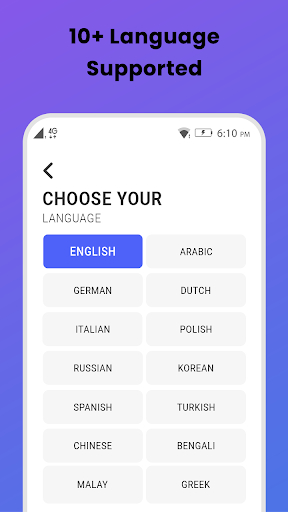
- Limited language options











