

Introducing Wink: Video Enhancer & Editor
Wink is an innovative video enhancement and editing app designed to transform ordinary videos into stunning visual experiences. Whether you are a casual content creator or a professional filmmaker, Wink offers a comprehensive suite of tools that make high-quality video editing accessible and straightforward. With an intuitive interface and powerful features, Wink empowers users to create breathtaking videos with minimal effort, making it a must-have in your digital toolkit.
Key Features of Wink
Video & Photo Enhancement
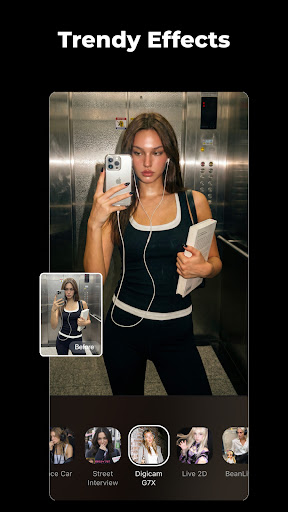
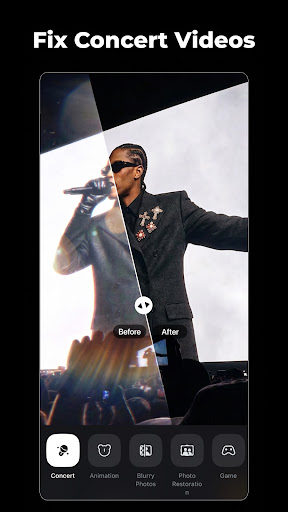
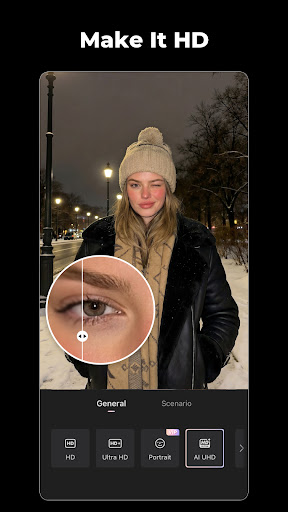
Wink takes your videos and photos to the next level with its advanced enhancement capabilities. The app allows you to make any low-quality video or photo into HD, Ultra HD, or even 4K resolution by providing easy comparison options for before and after editing. Its 4K Upscaler powered by AI ensures your footage looks crisp and professional. Additionally, features like stabilization eliminate shaky footage, and noise reduction helps reduce grain for cleaner, more polished results. The AI Color tool adds vibrant, fresh tones to your videos, enhancing overall visual appeal.
Video Retouching & Face Editing
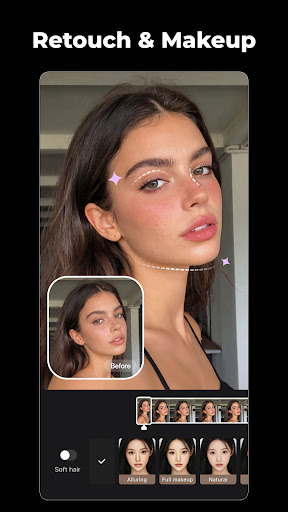
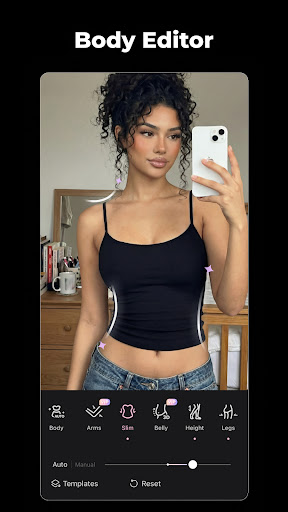
Wink offers comprehensive tools to fine-tune your selfies and portraits. With manual face slimming, you can customize facial features to your preference, while the body shape feature helps achieve a supermodel physique. The app also provides stylish makeup options with natural-looking effects, and a dedicated face editor allows you to remove acne, plump your face, and adjust skin tone effortlessly. Want a brighter smile? The whiten teeth feature ensures your smiles are always dazzling, making your videos more engaging and personable.
Professional Video Editing Tools
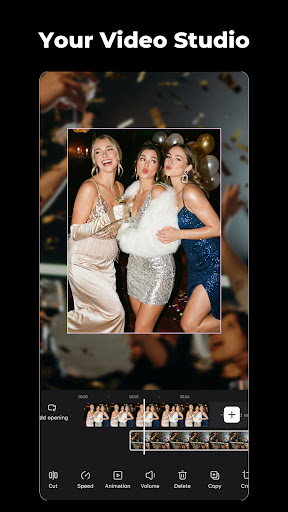
Wink simplifies complex editing tasks with its extensive suite of professional tools. You can adjust color, crop, modify speed, split clips, and add mirror effects to craft the perfect video. The app contains a variety of templates for quick creation of high-quality vlogs and social media content. Its AI-enhanced restoration feature helps recover and clarify old or damaged footage. For creative customization, Wink provides options to add texts, stickers, and transition effects, enriching your videos visually. An automatic subtitle feature leverages voice recognition technology to add accurate captions in seconds, supporting bilingual and multi-language subtitles, perfect for international audiences.
Exclusive VIP Features
With Wink's VIP subscription, users gain access to a wide range of exclusive tools and features that elevate the editing experience further. The subscription options include monthly and annual plans, providing flexibility for casual or dedicated users. VIP members enjoy premium effects, unlimited access to enhanced functionalities, and priority support, ensuring that their creative projects stand out. Wink is committed to continually updating and expanding its features to offer the best possible user experience for both amateurs and pros.
Why Choose Wink?
Wink stands out in the crowded field of video editing apps thanks to its balance of powerful tools and user-friendly design. The app’s intuitive interface allows users of all skill levels to quickly navigate and utilize its features. Its seamless performance ensures smooth workflow even when editing high-resolution videos. Whether you want to quickly enhance a family video, create engaging social media content, or produce professional-grade videos, Wink offers the necessary features to bring your vision to life. Its easy sharing options further facilitate effortless distribution across social platforms such as Instagram, Facebook, and YouTube.
In conclusion, Wink - Video Enhancer & Editor is a versatile, reliable, and innovative tool that empowers users to unlock their creative potential. With its comprehensive feature set, intelligent AI-driven tools, and a commitment to continuous improvement, Wink makes video editing accessible and enjoyable for everyone. Whether you're looking to improve video quality, retouch selfies, or craft engaging stories, Wink is the perfect partner to enhance your visual storytelling.
Pros
- User-friendly interface
- High-quality video enhancements
- Fast processing times
- Variety of editing tools
- Supports multiple video formats
Cons
- Requires internet connection
- In-app purchases for advanced features
- Limited free version capabilities
- May drain battery quickly
- Occasional crashes on older devices











