

Widgeet-Color Widgets (Widget): Your Ultimate Home Screen Customization Tool
Key Features of Widgeet-Color Widgets
Seamless Integration & Easy Customization
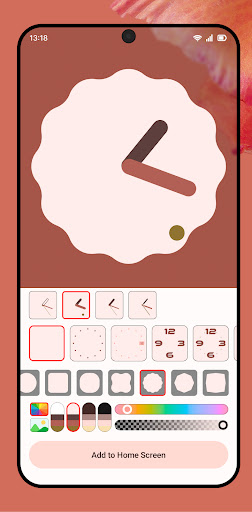
Adding widgets to your home screen has never been easier. With just a single click, you can personalize your layout to reflect your style. The app offers thousands of vibrant color schemes, allowing you to match your widgets effortlessly with your overall theme. Adjustments such as widget size and placement are simple and intuitive, ensuring you can craft the perfect look without hassle.
Diverse Collection of Android Home Screen Widgets
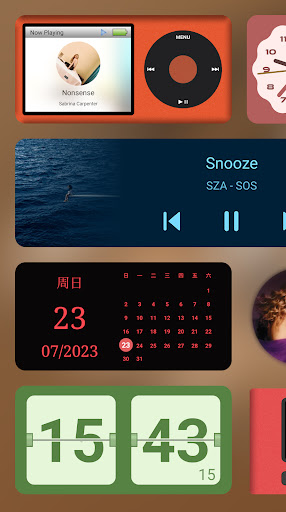
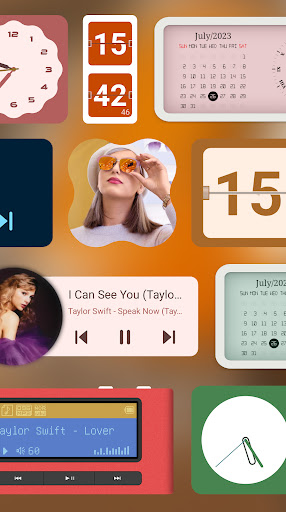
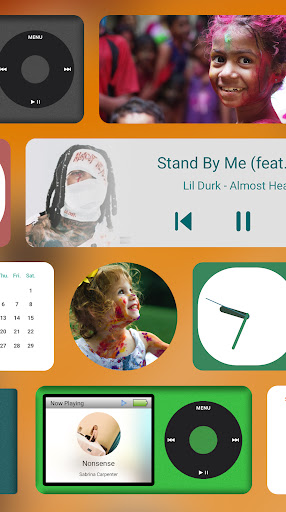
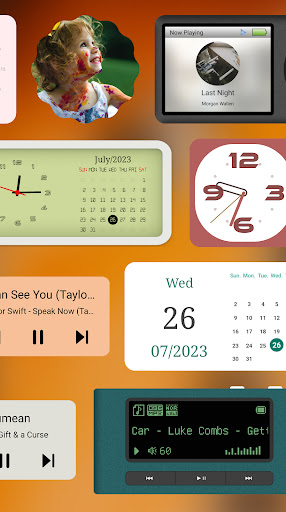
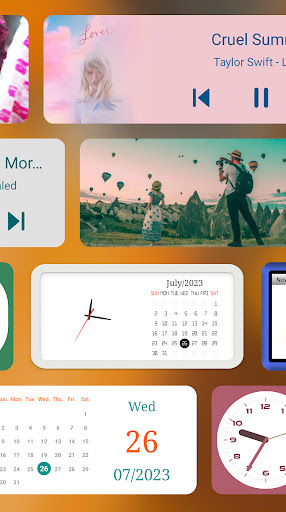
- Music Player Widget: Control your music directly from the home screen—pause, play, skip tracks—and view detailed song information, including album cover art. Choose from styles like classic iPod, minimalist, or retro MP3 player. Compatible with popular music platforms such as Spotify, YouTube Music, and more.
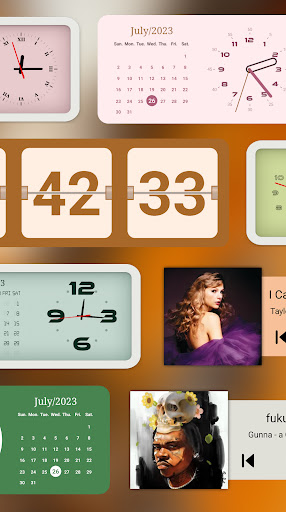
- Analog Clock Widget: Keep track of time stylishly with various beautiful clock faces that synchronize with your system time, adding an elegant touch to your screen.
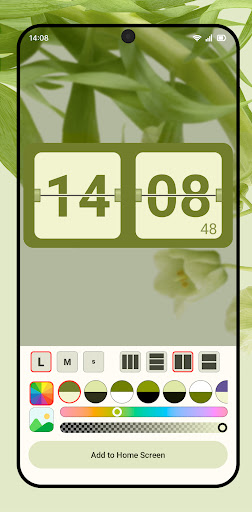
- Flip Clock Widget: Go retro with customizable flip-style displays, adjustable orientations, second hand support, and options for horizontal or vertical layouts, including multi-column options.
- Calendar Widget: Stay organized with a sleek calendar that smoothly integrates into your home screen, keeping your schedule at your fingertips.
- Device Information Widget: Monitor your device’s performance in real-time, including app usage, storage status, and memory health, helping you keep your phone optimized.
- Photo Widget: Showcase your favorite memories using customizable slideshow photo widgets, making your home screen both personal and dynamic.
Performance & Efficiency
Despite its extensive features, Widgeet-Color Widgets is designed to run efficiently without draining your battery. The widgets update in real-time, ensuring you stay informed and entertained without excessive power consumption. This high-performance design guarantees smooth operation on a wide range of devices, making it a reliable addition to your Android customization toolkit.
Personalization Made Simple
Personalizing your home screen with Widgeet-Color Widgets is straightforward. Tap to add your desired widgets, resize them easily, and choose from a broad selection of color themes for each element. You can even incorporate personal photos for a truly unique touch, allowing your android device to reflect your personality and style perfectly. The user-friendly interface ensures that even those new to customization can navigate effortlessly and create stunning displays.
Continuous Improvements & Updates
The development team is dedicated to maintaining freshness by regularly adding new widgets, features, and customization options. This commitment ensures that your home screen remains exciting and personalized over time, with ongoing support and enhancements for an ever-evolving user experience.
Why Choose Widgeet-Color Widgets?
If you are passionate about customizing every detail of your smartphone—whether through color schemes, widget styles, or layout arrangements—Widgeet-Color Widgets is the perfect app for you. It combines **fun** and **functionality**, giving you the power to craft a home screen that truly matches your personality. The satisfaction of a well-designed interface is unmatched, and this app makes that process enjoyable and effortless. Explore countless personalization possibilities and turn your device into a beautiful, organized extension of yourself.
Pros
- Highly customizable widgets
- Intuitive user interface
- Regular updates
- Seamless integration
- Wide range of widget types
Cons
- Some features require payment
- Occasional bugs
- Limited free widget options
- Consumes battery quickly
- Ads can be intrusive











