

Microsoft Launcher Overview
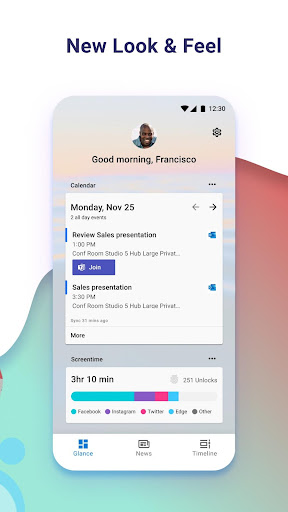
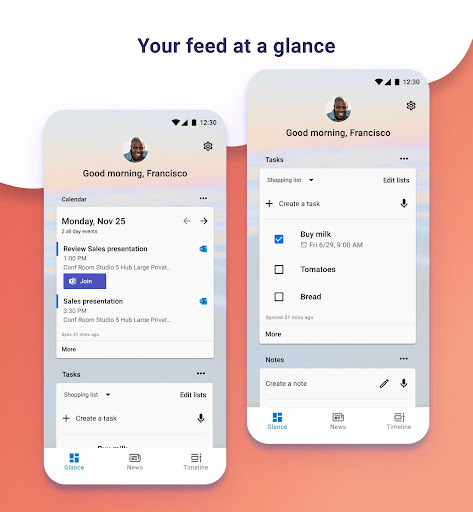
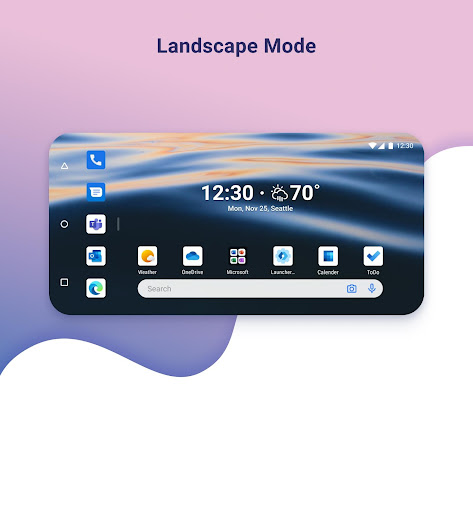
Microsoft Launcher offers an innovative home screen experience designed to boost your productivity and personalize your Android device. With its highly customizable interface, you can organize everything on your phone to suit your preferences. The app features a personalized feed that makes it easy to view your calendar, to-do lists, sticky notes, and more. Whether you want to start fresh or import your existing home screen layout, Microsoft Launcher provides seamless setup options. Built on a new codebase, this version introduces exciting features such as dark mode and personalized news, elevating your mobile experience.
Microsoft Launcher Features
Customizable Icons
Enhance your device's look with customizable icons. You can choose from various icon packs and adopt adaptive icons to give your phone a uniform and stylish appearance.
Beautiful Wallpapers
Enjoy a fresh new wallpaper from Bing every day, or select your own photos to personalize your home screen, adding a unique touch every time you unlock your device.
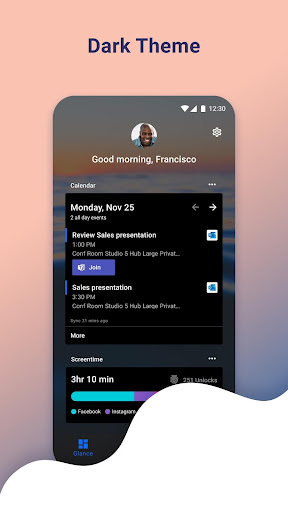
Dark Theme
The dark mode feature allows comfortable usage at night or in low-light environments. It’s compatible with Android’s native dark mode settings, offering a cohesive visual experience.
Backup and Restore
Switching devices or trying new home screen setups is simple with the Backup and Restore features. Backups can be stored locally or in the cloud, ensuring your personalized settings are preserved for easy transfer.
Gestures
Navigate effortlessly with gestures such as swipe, pinch, and double tap on the home screen. The launcher uses the Accessibility Service permission for optional functions like screen lock and recent apps view, enhancing user interaction.
Permissions and Privacy
Microsoft Launcher requests various optional permissions to deliver its full suite of features, including:
- Microphone: For speech-to-text functionality across features like Bing Search, Bing Chat, and Sticky Notes.
- Photo and Video: To access wallpapers, apply effects like Blur, and support Bing Visual Search.
- Notifications: To alert you about updates or app activities.
- Contacts: To facilitate contact search via Bing Search.
- Location: For contextual weather widgets.
- Phone: To enable quick calling of contacts.
- Camera: For creating image notes and image-based searches.
- Calendar: To display calendar info in your feed.
Note that on Android 13 and higher, these permissions are replaced with ‘All file’ access permissions. Users can still use Microsoft Launcher without granting permissions, but some functionalities may be limited.
Additional Insights and User Experience
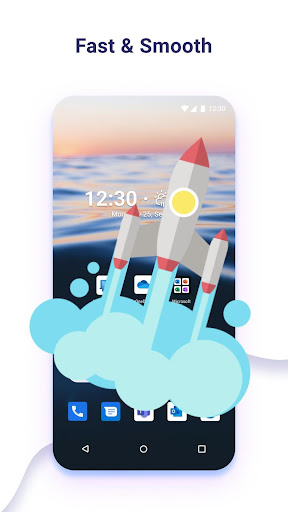
Upon installation, Microsoft Launcher provides a sleek and intuitive interface that’s quick to set up. The launcher is lightweight, ensuring smooth performance without slowing down your device. The app drawer is easy to navigate, and transitioning between screens feels seamless. Its high level of customization allows users to tweak icon shapes, themes, and layout to reflect personal style. The integration with other Microsoft services enhances productivity, enabling quick access to calendars, documents, and notes.
For users seeking efficiency, the launcher’s universal search bar is a standout feature, making it simple to locate contacts, apps, or files instantly. The inclusion of family safety features—such as managing screen time, setting app limits, and tracking location—is ideal for parents wanting to monitor their children’s device usage. Overall, Microsoft Launcher is a versatile tool that combines aesthetic customization with powerful productivity features, making it suitable for a wide range of users—from casual users to professionals.
By enabling a personalized, smooth, and feature-rich Android experience, Microsoft Launcher helps you make the most of your device—whether through stunning visuals, seamless integration, or efficient task management. Give it a try to transform your smartphone into a highly personalized and productive digital hub.
Pros
- Highly customizable user interface
- Seamless compatibility with Microsoft services
- Fast and smooth performance
- Optimized battery consumption
- Regular updates adding new features
Cons
- Limited selection of widgets
- Insufficient deep customization for certain users
- Occasional minor bugs
- Features may be overwhelming for some users
- Certain features demand a Microsoft account










