
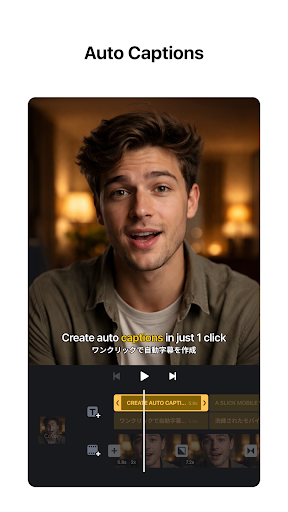
Introducing VN - Video Editor & Maker: Your Ultimate Video Creation Companion
Are you looking for a versatile and user-friendly app to bring your video ideas to life? VN - Video Editor & Maker is the perfect solution for both beginners and seasoned video editors. This free app stands out with its powerful features, intuitive interface, and no watermark policy, making it an ideal choice for creating professional-quality videos directly from your mobile device or PC. Whether you're crafting social media clips, personal memories, or professional projects, VN offers a comprehensive suite of tools to elevate your content effortlessly.
Easy-to-Use Interface Designed for Everyone
Getting started with VN is simple and straightforward. The app's sleek design ensures that even users with no prior editing experience can navigate with ease. Its intuitive layout allows you to quickly import videos, photos, and audio. With just a few taps, you can begin editing your masterpiece, making the process enjoyable and stress-free. The seamless cloud project saving feature enables you to start editing on one device and pick up right where you left off on another, providing flexibility and convenience wherever you are.
Robust Editing Features for Professional Results
Multi-Track Video Editing & Precision Tools
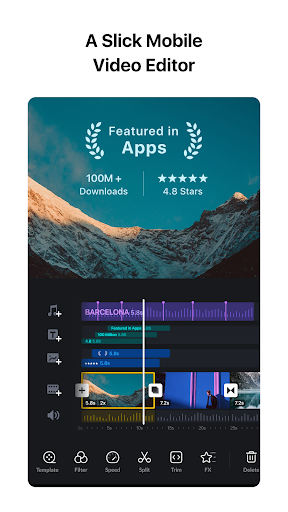
VN features a multi-track timeline that supports layering videos, images, stickers, and text. This allows for creative compositions like picture-in-picture effects and complex overlays. The quick rough cut tool, available on PC versions, enables zooming in/out of materials and selecting keyframes as precise as 0.05 seconds, giving you full control over your edits. You can easily delete clips via swipe gestures or reorder them with drag-and-drop—streamlining your workflow.
Music, Voice-Overs & Sound Effects
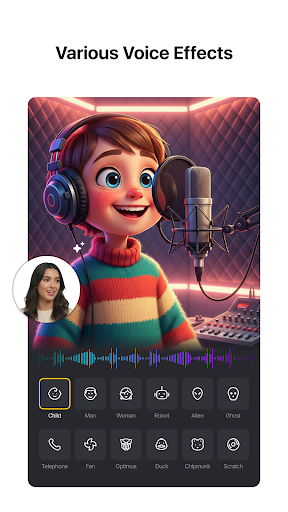
Enhance your videos by adding background music, sound effects, or high-quality voice-overs. The app's music beats feature allows you to mark specific points in your audio to sync with your video cuts for a more dynamic presentation. Creating captivating content has never been easier with these tools that help your video resonate with viewers.
Advanced Effects & Color Grading
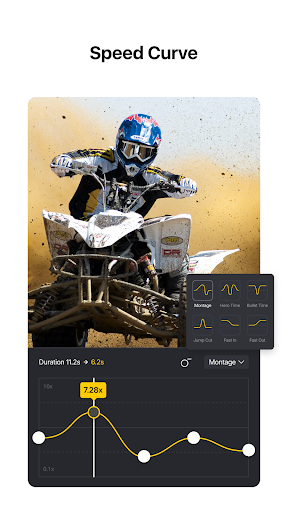
Transform your footage using a variety of effects, including transitions, overlays, and blurring options. Drop in LUT (.cube) files to give your videos a cinematic look with rich filters. The speed curve feature even allows you to control the play speed for slow-motion or fast-motion effects, similar to professional editing software like Adobe Premiere Pro.
Creative Tools to Elevate Your Videos
Keyframe Animation & Special Effects
Utilize VN’s keyframe animation capabilities, featuring 19 built-in effects, to craft stunning visuals. You can animate position, scale, opacity, and more, to add flair to your projects. Other fun features include reversing clips, zoom effects, and creating freeze frame effects by selecting specific frames, perfect for emphasizing moments or adding cinematic touches.
Templates & Material Library
Create customized templates for music and videos, then share them easily with friends. The app's rich material library offers a variety of stickers, fonts, and other assets, allowing you to add personality and style to your videos without hassle. Import materials effortlessly via Wi-Fi, WhatsApp, or Telegram, even in bulk with ZIP files.
Seamless Sharing & Security Features
Once your editing is complete, export your videos in 4K resolution up to 60 FPS with customizable settings like frame rate and bit rate. Direct sharing options make it simple to upload videos to social platforms while maintaining excellent quality. Furthermore, VN provides secure collaboration with protection mode, allowing you to set passwords and expiration dates on your drafts, ensuring your content stays private.
Why Choose VN - Video Editor & Maker?
In today’s digital landscape, creating eye-catching video content is essential, whether for social media, professional portfolios, or personal projects. VN - Video Editor & Maker combines powerful editing capabilities with an easy-to-navigate interface, making high-quality video production accessible to everyone. Its extensive features, including multi-track editing, cinematic filters, speed control, and creative templates, empower users to craft stunning videos with minimal effort. Plus, its flexible import/export options and secure data protection make it a reliable tool for both casual creators and professionals alike. If you want to turn your raw footage into cinematic masterpieces or share meaningful moments in a professional manner, VN is undoubtedly the app to try.
Pros
- User-friendly interface for easy editing
- Supports high-resolution video exports
- Wide variety of effects and transitions
- Fast rendering times for quick results
- Offers multiple background music options
Cons
- Limited advanced editing features
- Some features require payment to unlock
- App crashes occasionally reported
- Large file sizes may need additional storage space
- Intrusive ads during editing











