

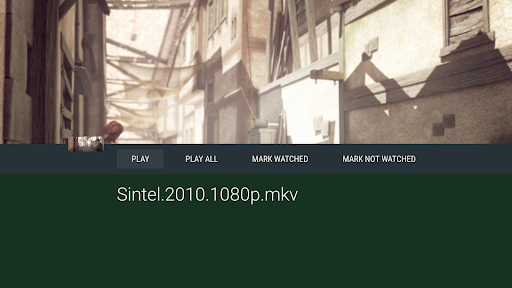
Introduction to Vimu Media Player for TV
Let me tell you about an app that has transformed my TV-watching experience into something seamless and enjoyable. If you’re tired of clunky interfaces and buffering woes, you might want to check out the Vimu Media Player for TV. It’s designed to make watching your favorite movies and shows a breeze, and I’ve been using it non-stop since I discovered it.
Getting Started with Vimu
Easy Setup Process
Setting up the Vimu Media Player for TV was surprisingly straightforward. You simply download it from the app store on your smart TV or Android TV box. The installation process is quick, and the app doesn’t take up much space, which is always a plus.
Simple Navigation
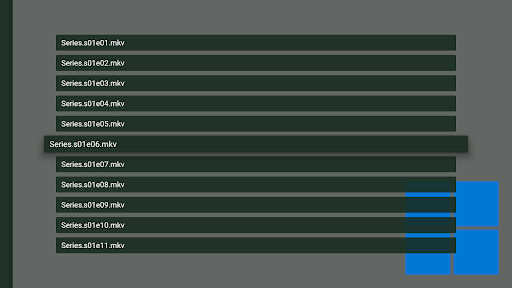
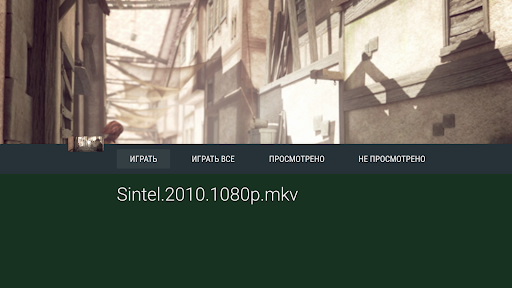
Once installed, it’s a matter of navigating its user-friendly interface to load your media. From the moment you open Vimu, you’ll notice how intuitive it is. The layout is clean, and everything is exactly where you’d expect it to be. You can easily access your media library, browse through folders, and start watching without hassle.
Key Features of Vimu Media Player
• One minute setup! The app is optimized for the TV, ensuring a quick and hassle-free configuration. Supporting most common file formats like MKV, AVI, MP4, MOV, FLV, TS, MPTS, WMV, DIVX, 3GP, VOB, MP3, FLAC, ALAC, and JPEG (depending on device capabilities), Vimu offers broad compatibility.
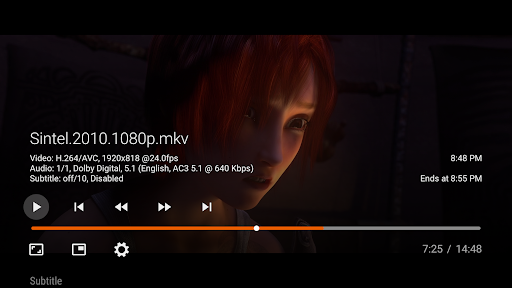
It supports hardware decoding up to 4K resolution with HEVC/VP9 codecs on compatible Android TV devices, ensuring crisp picture quality. The app provides multiple navigation options—grid, list, and double list—making browsing your media straightforward.
Vimu also functions as a UPnP Renderer (DLNA Push), allowing easy streaming within your network. Its simple and fast Leanback UI designed for Android TV makes navigation effortless, especially with features like Picture-in-Picture mode (7.0+).
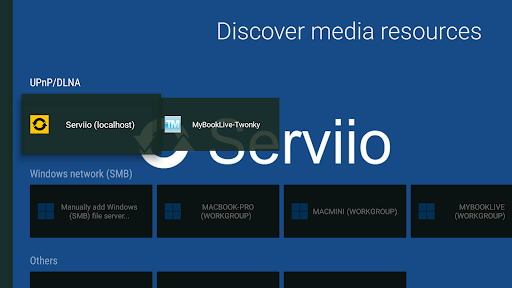
Access media from various sources including internal storage, SD cards, USB drives, Windows shares (SMB), UPnP/DLNA servers, WebDAV, and NFS. The app supports switching between multilingual audio tracks, with support for external SRT subtitles (in any encoding) located in the same directory as your media files. It also supports embedded subtitles in formats like SSA/ASS, DVBSub, and VOBSub.
Additional features include support for M3U playlists, streaming from HTTP/HTTPS sources via progressive download, and audio pass-through for formats like AC3, EAC3, and DTS. This makes Vimu a comprehensive media player for all your multimedia needs.
Performance and Compatibility
Vimu delivers steady, smooth playback with minimized buffering, thanks to hardware acceleration and efficient decoding support. It performs well on both high-speed and modest internet connections. The app’s performance is consistent across most official Android TV units, and it may also work on some non-official Android TV boxes running on Android 6.0 or higher.
The app’s flexible design means you don’t need to upgrade your entire setup—just install Vimu on your existing Android TV or TV box for enhanced media enjoyment.
Customization and Support
You can customize your viewing experience by adjusting audio settings, aspect ratio, and interface themes. If you encounter issues, such as no sound during playback, it’s often related to unsupported audio tracks in your files. The developers provide documentation at http://www.vimu.tv/ and support forums at Support Group for assistance.
In Summary
The Vimu Media Player for TV is an excellent choice for anyone looking to elevate their media consumption with minimal effort. Its broad format support, powerful features, and user-friendly interface make it suitable for casual viewers and media enthusiasts alike. If you want reliable playback, extensive compatibility, and customizable options, Vimu is definitely worth trying. It transforms your TV into a versatile media hub, making every viewing session more enjoyable and hassle-free.
Pros
- Supports various video formats
- Intuitive and easy-to-use interface
- Adjustable playback options
- Delivers high-quality audio and video output
- Provides smooth streaming over network
Cons
- Limited subtitle options
- Lacks offline download feature
- Occasional playback stability issues
- Requires in-app purchases for full features
- Not compatible with all devices











