

Video to MP3 Convert: Your Ultimate Audio Extraction Tool
Are you looking for a powerful yet easy-to-use application to extract high-quality audio from your favorite videos? Video to MP3 Convert is here to simplify the process of converting videos into MP3 files and more. Whether you want to create custom ringtones, merge multiple audio files, or simply save audio tracks from videos, this app offers a comprehensive set of features designed for all users—beginners and experienced alike.
Seamless Video to Audio Conversion
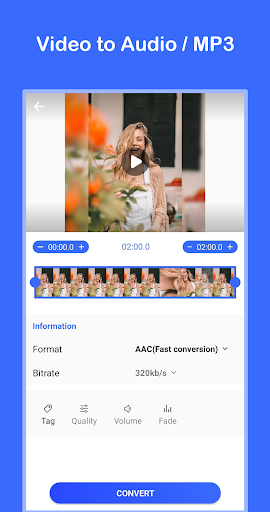
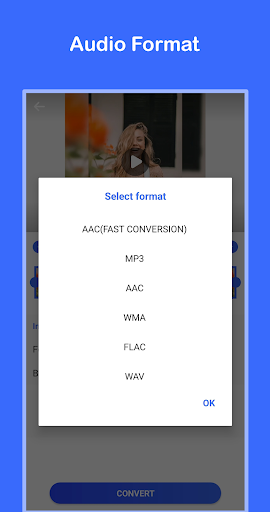
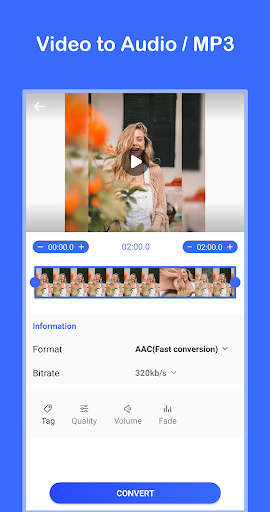
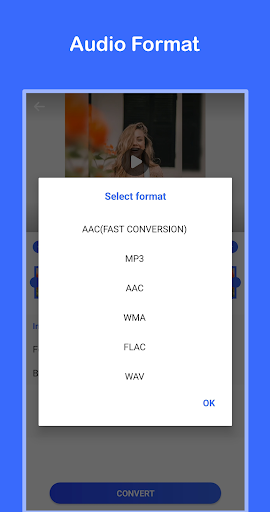
With Video to MP3 Convert, transforming your videos into crisp, clear audio files has never been easier. The app supports rapid conversion—turn your MP4 videos into MP3s in just a second—making it perfect for those who need quick results without compromising quality. It supports multiple formats including MP3, AAC, WMA, FLAC, and WAV, ensuring compatibility with a wide range of devices.
High-Quality Audio Support
Choose your preferred bitrate—up to 320kb/s—for optimal sound quality. The app also offers audio effects such as fade in and fade out, along with options to change volume and adjust audio quality. This level of customization makes it suitable for creating professional-sounding recordings or casual listening files.
Powerful Editing and Customization Features
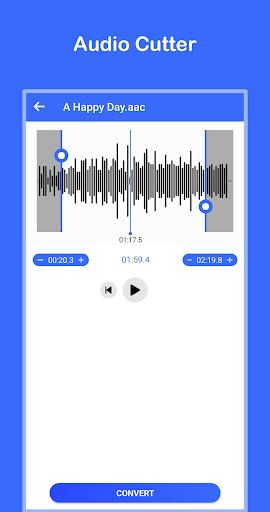
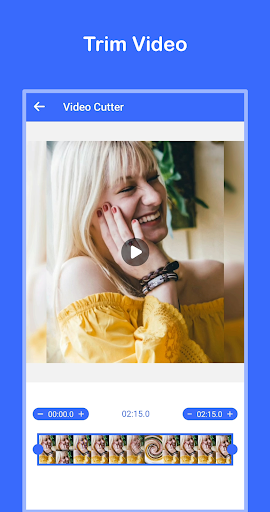
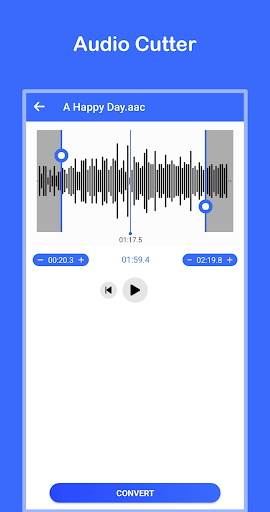
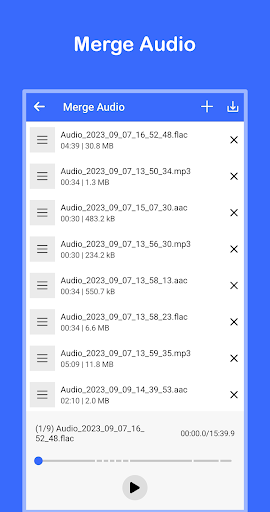
Beyond simple conversion, Video to MP3 Convert provides tools to refine your audio and video files. Use the video cutter to trim videos precisely or extract specific parts, making your files more manageable and tailored to your preferences. The audio cutter allows you to extract your favorite segments from audio files with just one click. Want to combine multiple audios? The merge audio feature makes merging several clips into one seamless file straightforward.
Set Ringtones with Ease
One of the standout features is the ability to set ringtone. Extract audio from any video and directly turn it into a ringtone for your phone, customization at your fingertips. This is perfect for personalizing your device and sharing unique sounds with friends.
User Experience and Accessibility
Designed with user-friendliness in mind, Video to MP3 Convert boasts an intuitive interface that makes navigating its features effortless. Batch conversion support saves time when handling multiple videos, and quick processing ensures your workflow remains smooth. Whether you're a casual user or an audio enthusiast, the app adapts to your needs, whether you’re converting a single file or managing a large library.
Why Choose Video to MP3 Convert?
This free application is a must-have for anyone who loves to extract audio from videos, create personalized ringtones, or curate custom playlists. Its rich feature set, combined with easy-to-understand controls, makes it stand out from other audio converter apps. The ability to adjust audio quality, merge files, and support various formats ensures you get exactly what you need, whether for professional projects or casual listening.
Download and Start Transforming Your Media Today
Experience the convenience and power of Video to MP3 Convert. Download the app now and unlock a world of audio possibilities. With its efficient performance and comprehensive features, you’ll wonder how you ever managed without it. Transform your video files into high-quality audio effortlessly and take your media collection to a new level.
Pros
- Fast conversion speed.
- High-quality audio output.
- Supports various video formats.
- User-friendly interface.
- Batch processing available.
Cons
- Ads in the free version.
- Limited features without premium.
- Occasional crashes reported.
- No cloud saving option.
- Requires internet connection for some features.











