

Introducing the Video Player - Media Player App: Your Ultimate Media Companion
If you're looking for a reliable and feature-rich media player for Android devices, the Video Player - Media Player app is designed to meet all your needs. This powerful app allows you to enjoy high-quality videos, manage your media library effortlessly, and enhance your viewing experience with advanced features. Whether you're watching movies in ultra HD, listening to music videos, or creating a private video collection, this app provides a seamless and immersive experience.
Seamless Video Playback in All Formats
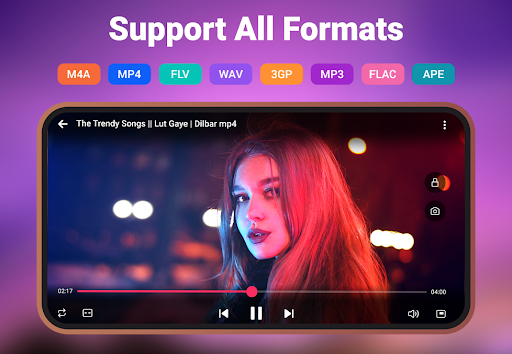
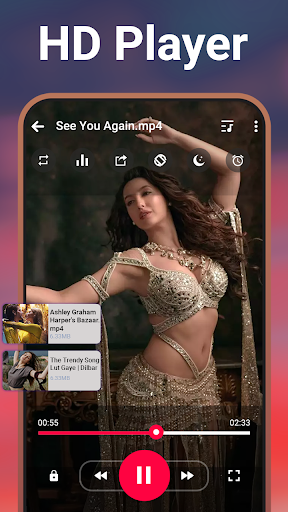
The Video Player for Android supports a wide range of video formats including • MKV, • MP4, • M4V, • FLV, and many more. This compatibility ensures you can play virtually any video file without the hassle of converting formats or installing additional codecs. Whether your videos are in HD, 4K, or standard quality, this app guarantees smooth playback with crystal-clear resolution.
Advanced Features for an Enhanced Viewing Experience
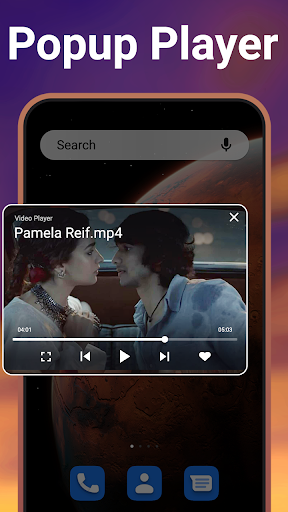
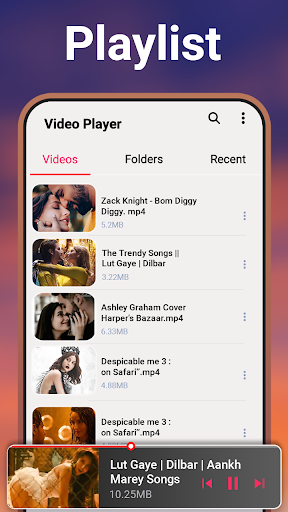
Designed with user convenience in mind, this media player offers features like stunning video quality combined with an intuitive interface that makes navigation easy even for beginners. You can watch videos in a floating window or play them in the background, allowing you to multitask effortlessly. The app intelligently auto detects and organizes video files, simplifying media library management. Creating and managing video playlists lets you access your favorite content swiftly.
Privacy is a priority with options to hide folders, protecting your private videos from unknown viewers. Switch between light and dark modes to reduce eye strain, and adjust video speed for slow-motion or fast-forward viewing modes—perfect for analyzing tutorials or relishing action scenes. Plus, the app enables offline playback and easy sharing with friends, ensuring your entertainment isn’t limited by internet connectivity.
Enhanced Audio and Subtitle Support
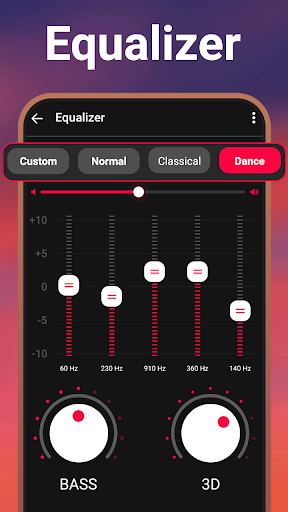
Enjoy a full multimedia experience with the integrated sound equalizer that allows you to customize audio output to your liking. For fans of foreign films or anime, the app supports subtitles in various formats, with options to synchronize timing for perfect sync. Multi-track audio support further enriches your listening experience in high fidelity, whether you’re using headphones or speaker systems.
Easy Management and Privacy Control
Managing your media library is straightforward thanks to the auto-scan feature that detects and sorts all your videos. You can easily rename, delete, or share videos directly within the app. For privacy-conscious users, the folder-hiding feature ensures that sensitive videos remain concealed, providing peace of mind.
Multitasking and Customization
The Pop-up Player feature lets you watch videos in a floating window, so you can continue browsing or chatting without interrupting playback. Playback controls are accessible via notification bar, providing quick access and seamless control. Set a sleep timer to automatically stop playback, making it ideal for relaxing before sleep without worrying about leaving videos running all night.
Download the Video Player - Media Player App Today
Experience an unmatched level of convenience and quality with this lightweight yet powerful media player. It supports all formats and resolutions, delivering smooth, high-quality playback every time. Whether you're a casual viewer or a media enthusiast, this app is your comprehensive solution for managing and enjoying all your videos offline. Download now and elevate your media experience to the next level!
Pros
- Supports a wide variety of video formats.
- Provides high-quality video playback.
- Has an easy-to-use interface.
- Allows subtitle customization.
- Uses battery efficiently.
Cons
- Displays ads in the free version.
- Offers limited features without a premium plan.
- Sometimes experiences lag on older devices.
- Lacks offline mode functionality.
- Needs frequent updates.











