


Discover the Power of Video Player - AnyPlay
Are you searching for a comprehensive media solution for your Android device? Look no further than Video Player - AnyPlay. This all-in-one app seamlessly integrates video playback, file management, and video downloading functionalities, making it a must-have for any media enthusiast. Despite its rich feature set, AnyPlay remains lightweight, ensuring smooth performance without draining your device’s resources.
Main Features of Video Player - AnyPlay
High-Quality Video Playback
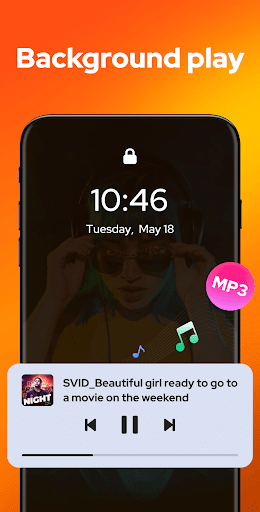
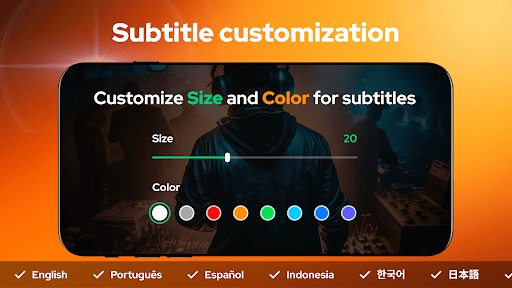
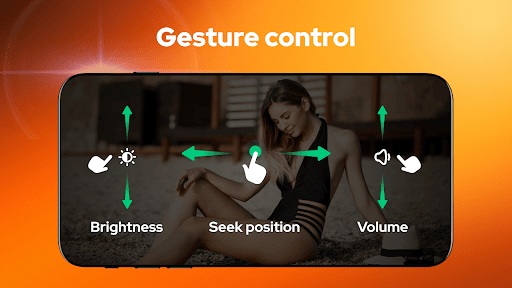
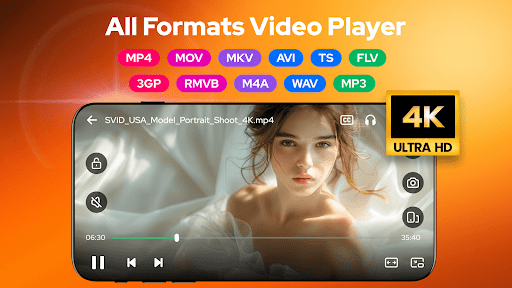
Enjoy stunning HD video playback across all formats. Whether you are watching MP4, MKV, MOV, or AVI files, AnyPlay provides crisp visuals. Its support for customizable subtitles allows you to import local files or download subtitles from the internet, with options to personalize the subtitle color and size. Additionally, built-in equalizer and reverb effects enhance your viewing experience. The app’s gesture controls effortlessly manage fast forward, rewind, and brightness/volume adjustments. The convenient pop-up play lets you watch videos in a floating window while multitasking, while background play enables listening without keeping the screen on.
Robust File Management
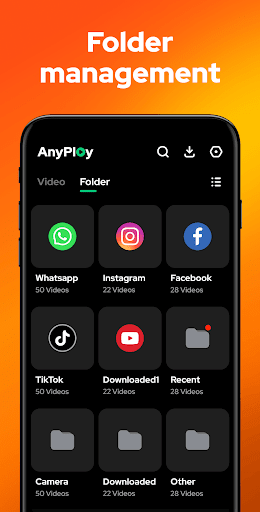
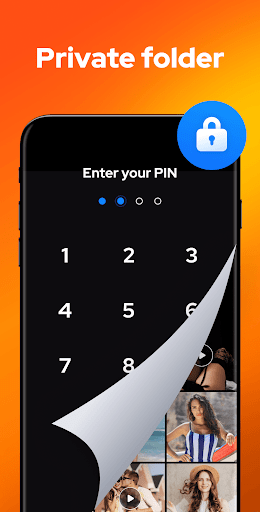
AnyPlay automatically detects and organizes all your media files stored on your phone or SD card, supporting a wide range of formats including MKV, MP4, M4V, AVI, MOV, 3GP, FLV, WMV, RMVB, and TS. You can manage your media efficiently in folder view or playlists, sort files by date, name, length, or size. For added privacy, videos can be hidden in a secure private folder with just a tap.
Video Downloader
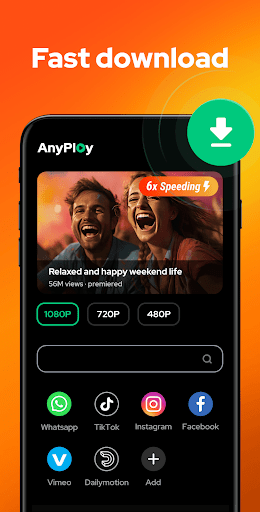
With its integrated browser, AnyPlay allows you to swiftly browse websites and download videos directly in HD quality. Supports social media platforms as well, making it effortless to save videos for offline viewing. You can select preferred resolution during download, with options like 1080P, 720P, or lower. Quick access is made easy by bookmarking your favorite sites or videos.
Music Player Capabilities
Transform your device into a music hub with AnyPlay's powerful HQ music player. Create playlists, choose between different looping modes like shuffle or repeat, and support for various audio formats such as MP3 and M4A. The app also offers an equalizer and reverb effects with preset modes, delivering an immersive audio experience.
Why Choose Video Player - AnyPlay?
User-Friendly Interface and Customization
Upon launching AnyPlay, you'll notice a clean and intuitive interface designed for ease of use. Navigation is straightforward, making media access simple for users of all technical levels. You can personalize themes and create playlists tailored to your preferences. The app intelligently remembers your playback settings, providing a seamless transition each time you revisit your media library.
Performance and Compatibility
Performance is a standout feature—videos load rapidly with minimal buffering, even in high-definition quality. The app supports both HW Decoder and SW Decoder options for optimal playback. Additionally, AnyPlay is compatible across Android devices, and it also facilitates streaming from cloud services like Google Drive and Dropbox. This compatibility ensures your media is always accessible, wherever you are.
Enhanced Viewing Experience
Gesture controls, subtitle customization, and a variety of audio effects all contribute to a superior viewing and listening experience. Whether you're watching foreign films, listening to music, or downloading videos for offline use, AnyPlay adapts to your needs, making media consumption effortless and enjoyable.
Conclusion
If you're looking for a versatile, reliable media app that combines video playback, file management, video downloading, and music playback into one streamlined package, Video Player - AnyPlay is the perfect choice. Its rich feature set, user-friendly design, and high performance make it stand out in the crowded field of media apps. Download AnyPlay today and experience the convenience of managing all your media content seamlessly—anywhere, anytime.
Pros
- Supports multiple video formats
- User-friendly interface
- High-quality video playback
- Fast loading times
- Customizable playback settings
Cons
- Contains ads in the free version
- Limited features without premium plan
- May deplete battery quickly
- Occasional crashes reported
- No offline playback option











