
Introducing Video Maker: Your Ultimate Tool for Stunning Video Creations
Are you eager to produce eye-catching videos but feel overwhelmed by complex editing tools? Look no further than Video Maker, the intuitive app designed to transform beginners into professional editors with ease. Whether you're crafting quick social media clips or creating detailed vlog edits, Video Maker offers a seamless editing experience packed with powerful features that won’t require any technical expertise. Let’s explore why this app is becoming a favorite among content creators and social media enthusiasts alike.
Getting Started with Video Maker: User-Friendly and Effortless
Upon launching Video Maker, users are welcomed by a sleek and clean interface that feels both inviting and intuitive. The layout simplifies navigation, allowing you to jump straight into editing without searching for tools or menus. The app provides a variety of pre-designed templates perfect for various occasions such as birthdays, travel adventures, or professional presentations. Simply select a template, import your clips, add your preferred music and effects, and your masterpiece is ready to share. This streamlined process makes video creation accessible to everyone, regardless of prior experience.
Standout Features of Video Maker
One of the key strengths of Video Maker is its extensive collection of features designed to enhance your videos effortlessly:
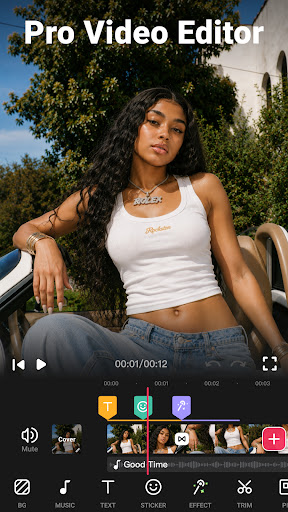
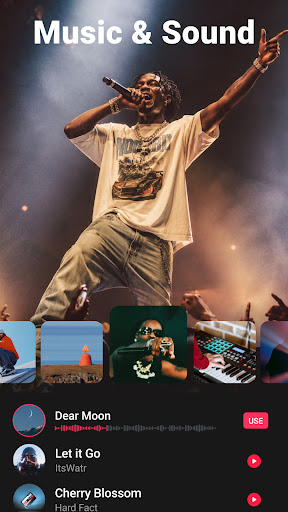
- Music Library: Access a vast library of high-quality, royalty-free music tracks to match any mood or theme. You can also add your custom songs stored on your device.
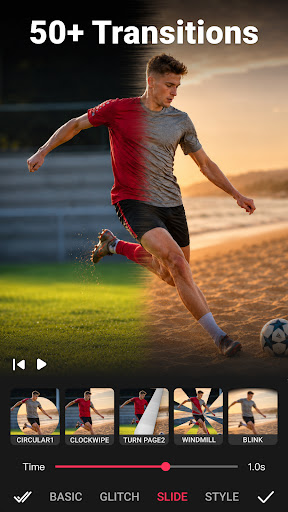
- Transitions & Effects: Add smooth transition effects like Glitch, VHS, or Noise to make your videos professional-looking with just a few clicks. Drag-and-drop functionality makes applying effects quick and easy.
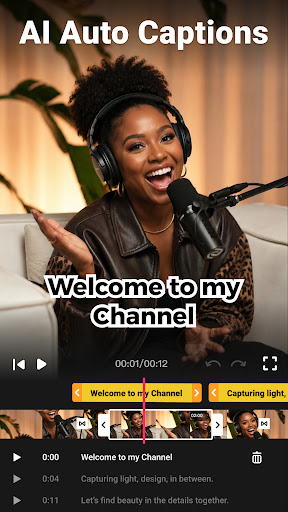
- Text & Stickers: Incorporate captions, titles, and fun stickers to make your content more engaging and personalized.
- Video Trimmer & Cutter: Precisely trim and split clips to craft perfect sequences for social media or longer projects.
- Audio Extraction & Synchronization: Extract audio from videos or add sound effects, matching clips to music rhythm for a cohesive feel.
- Multiple Export Options: Export videos in various resolutions, including HD and 4K, suitable for any platform or purpose.
- Easy Sharing: Directly upload your creations to YouTube, Instagram, Facebook, TikTok, and more, ensuring your content reaches a broad audience.
Advanced Editing Made Simple
Beyond basic functionalities, Video Maker empowers you with advanced editing tools typically found in desktop software. Adjust video speed for dramatic slow-motion or dynamic fast-motion effects, perfect for emphasizing key moments. Additionally, the app offers background options like blur or solid colors, enabling you to create professional-looking borders and frames tailored for social media formats like square or portrait videos.
Enhanced Creativity with Filters and Effects
Elevate your videos with a variety of stylish filters and FX effects that lend a cinematic touch. Merge multiple clips seamlessly with transition effects, or apply filters that give your footage a mood or tone—ideal for storytelling or branding. With just a few taps, you can produce attention-grabbing videos that stand out online.
Versatile Video Editing Tools
The app offers a range of versatile features such as cropping in various ratios (1:1 for Instagram, 16:9 for YouTube), compressing videos to save storage space, and converting videos between formats—all without compromising quality. Additionally, support for up to 4K resolution ensures your videos appear crisp and professional.
Seamless Sharing and Exporting
Once your masterpiece is finalized, effortlessly export your videos in your preferred resolution and quality. The app supports quick sharing directly to your favorite social media platforms, making it convenient to showcase your content immediately. Whether you’re creating a quick story for Instagram or a detailed vlog for YouTube, Video Maker has you covered with its flexible export options.
Why Choose Video Maker?
If you’re searching for a free video editing app that combines ease of use with robust features, Video Maker is your ideal companion. It’s designed for everyone—from casual social media users to aspiring content creators—without the complexity of professional editing software. Best of all, it offers watermark-free exports in high quality, including HD and 4K resolutions, so your videos look polished and professional.
Unleash Your Creativity Today
Ready to turn your ideas into stunning videos? Give Video Maker a try today and discover how simple and fun video editing can be. With regular updates adding new effects, filters, and features, your creative toolbox keeps growing. No registration required, and it's completely free! Start making captivating videos that captivate your audience and elevate your social media presence now.
Pros
- User-friendly interface suitable for beginners.
- Offers a wide variety of editing tools.
- Compatible with multiple video formats.
- Quick rendering and exporting speeds.
- Produces high-quality video output.
Cons
- Limited features in the free version.
- Occasional app crashes have been reported.
- Advertisements in the free version can be disruptive.
- Does not include advanced editing options.
- Free version does not support 4K video.











