


Introduction to Video Downloader for Pinterest
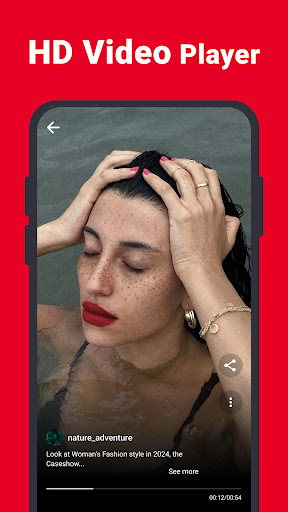
If you’re an avid Pinterest user looking to download high-quality videos, GIFs, and photos, the Video Downloader for Pinterest app is an essential tool to consider. Whether you're seeking inspiration for fashion, home décor, or DIY projects, Pinterest is a treasure trove of ideas. However, one common frustration is the inability to directly save captivating videos for offline viewing. This is where this innovative app steps in, offering a seamless and efficient way to save your favorite Pinterest content directly onto your device. With support for multiple formats and user-friendly features, Video Downloader for Pinterest makes it simple to download and manage your inspiring content on the go.
Main Features of Video Downloader for Pinterest
This app is designed with user convenience in mind, offering a range of effective features:
- No login required — Quickly start downloading without the hassle of creating an account.
- Fast download speed — Save videos and images quickly, even in low bandwidth conditions.
- Safe, light, and HD quality — Download high-definition content without compromising device storage or performance.
- Intuitive interface — Simple and clear design for effortless navigation, suitable for all users.
- Multiple formats supported — Download videos, photos, GIFs, and images in various formats tailored to your needs.
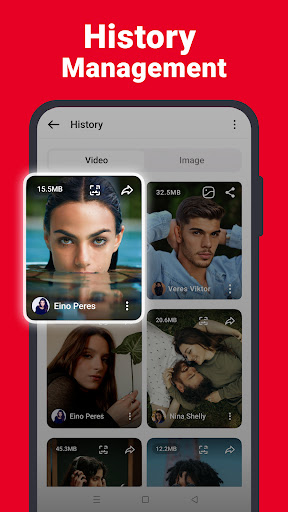
- File size display — See the available quality options with their file sizes and choose the best quality for download.
How to Download Videos from Pinterest Using the App
The process is straightforward and involves just a few steps:
Method 1
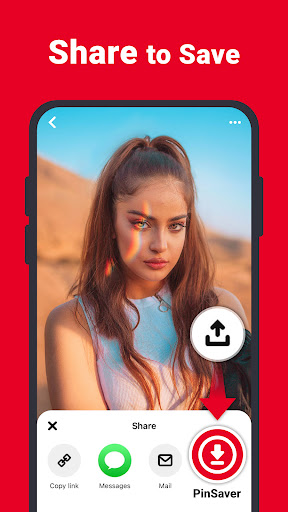
- Open the Pinterest app and locate the video you want to save. Tap the share icon.
- On the popup menu, select the Video Downloader for Pinterest app icon.
- Choose your preferred quality and tap the download button. Your video will be saved automatically.
Method 2
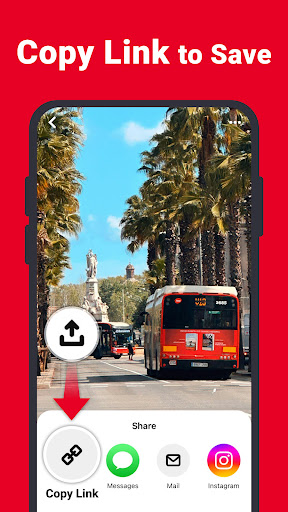
- Open the Pinterest app, click the share icon, then select "Copy Link".
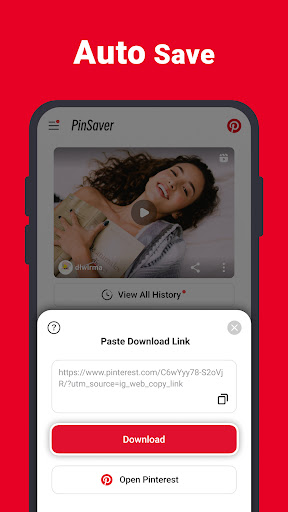
- Launch the Video Downloader for Pinterest app and tap the save icon.
- If the download options do not appear immediately, paste the copied link into the app and tap to process the download.
- Choose your desired quality and start the download. Once completed, your video is ready for offline viewing.
Storage and Usage Details
All downloaded videos and photos are stored safely in a dedicated folder named Pinterest Downloader on your device. This organization makes it easy to locate and access your saved content at any time. Remember, we do not endorse or take responsibility for copyright violations resulting from reposting or sharing downloaded content without proper permissions. The app is a tool designed to help you manage your personal collection of Pinterest inspiration efficiently.
Why Choose Video Downloader for Pinterest?
If you're passionate about collecting video pins for offline inspiration, this Pinterest video downloader app offers unmatched convenience. Its minimalist design and reliable performance make it a favorite among users who want to avoid complicated download processes. With the ability to download high-quality videos, support for various formats, and easy sharing options, this app is a game-changer for storing your favorite Pinterest content. Say goodbye to the frustration of not being able to save those stunning videos, and enjoy building your personal offline Pinterest collection effortlessly.
Pros
- Fast download speeds
- User-friendly interface
- Supports multiple formats
- No login required
- Free to use
Cons
- Contains advertisements
- Only supports Pinterest
- Lacks video editing tools
- Requires a stable internet connection
- Occasional bugs











