
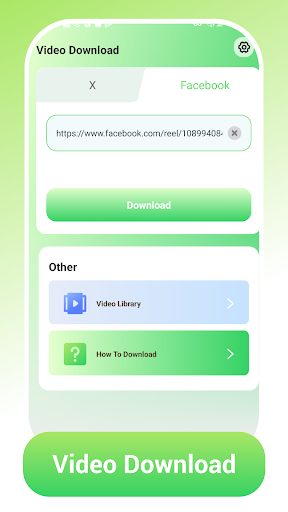
Video Download App Overview
Video Download empowers users to capture and store videos from leading social platforms with ease. While it shines with Facebook and X (Twitter) content, this tool offers precise downloading and customizable quality settings to ensure your favorite clips stay accessible offline whenever you need them. Designed with a simple mindset, it delivers a straightforward path from discovery to saving, so you can build a personal library of your most-loved moments for whenever you want them.
Core Features
Cross-Platform Downloading
Retrieve videos seamlessly from Facebook and X via URL input. The process is streamlined so you can grab content from your preferred social feeds without extra steps or technical know-how.
Multiple Resolution Options
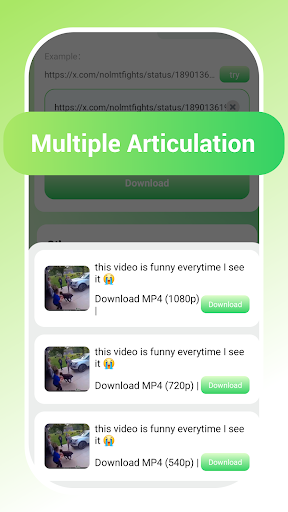
Choose from a variety of resolution options to balance quality and storage needs. Whether you want crisp, high-definition playback on larger screens or compact files for quick saves, you control the balance between clarity and space.
Instant Offline Access
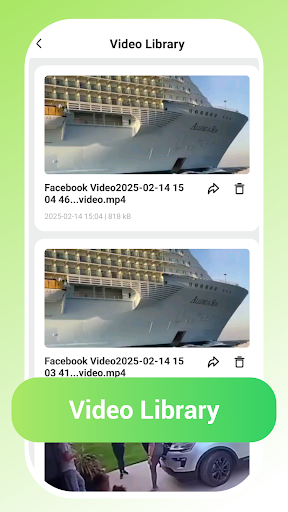
Save videos directly to your library for playback without internet dependency. This makes commuting, traveling, or being in areas with weak connectivity more enjoyable, as you can watch anytime without buffering.
Streamlined Workflow
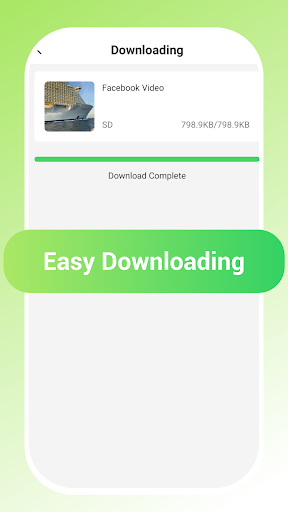
A simplified 3-step process—copy, paste, download—requires no technical expertise. The intuitive flow gets you from discovering a clip to having it ready to watch in just moments.
Copyright and Personal Use Guidance
Video Download encourages users to follow copyright laws and to download videos only for personal use or with explicit permission from the content owner. Respect for creators remains a core principle of the experience.
In-Depth Look at Video Download
Ever found yourself scrolling through endless feeds and stumbling upon a clip you simply must save? The Video Download app turns that impulse into a smooth, reliable routine. From the moment you open the app, the interface feels approachable and uncluttered, making the download journey feel effortless even for first-time users. The promise of a seamless downloading experience shines through in everyday use: whether you’re grabbing a quick laugh from Facebook, a thought-provoking talk from a streaming platform, or a clip from X, the app handles diverse sources with consistent efficiency. One of the standout strengths is compatibility across platforms. You’re not limited to a single ecosystem; MP4, AVI, MOV, and other popular formats are supported, offering flexibility for different devices and workflows. This means you can switch between your phone, tablet, and computer without being locked into a single file type. Offline viewing is the real-time magic here—downloads appear directly in your library, ready to play without a data connection. It’s a game-changer for travelers, long flights, or any moment when reliable Wi-Fi isn’t guaranteed. Storage management is thoughtful and practical. Before you download, you’re free to select the video quality that fits your current needs. For quick saves on devices with limited space, a lower resolution can save substantial storage, while high-resolution options preserve detail for larger screens. The result is a flexible system that respects both your craving for quality and your device’s capacity. Security and privacy are also at the forefront. In a landscape where personal data privacy matters more than ever, Video Download emphasizes safeguarding your information and maintaining control over downloaded content. Regular updates help address potential security gaps, reinforcing a safer experience as you build your offline library. In short, if you’re seeking a dependable video downloader with broad compatibility, straightforward operation, and thoughtful control over quality and privacy, Video Download ticks the right boxes. It’s a practical, user-friendly companion for saving meaningful videos from a range of platforms, and it’s well suited for blog readers and everyday users aiming to optimize their video collection for offline enjoyment.
Pros
- Easy-to-use interface enhances user experience.
- Supports multiple video formats.
- Fast download speeds save time.
- Allows batch downloads.
- Includes built-in video player.
Cons
- Contains ads that may be intrusive.
- Limited features in the free version.
- May not support all websites.
- Requires stable internet connection.
- Occasional app crashes reported.











