


Discover the Power of TV Cast Pro for Samsung TV
Are you eager to enhance your home entertainment experience? TV Cast Pro for Samsung TV is the ultimate solution for transforming your Samsung Smart TV into a versatile media hub. This premium app enables seamless streaming of web videos, online movies, livestreams, and live TV shows directly onto your largest screen without the need for additional streaming boxes or complicated setups. Whether you own a Samsung TV from the C series (2010) or the latest M/MU/Q series (2017 and beyond), this app is compatible with a wide range of models, making it a must-have for any home theater enthusiast.
Elevate Your Streaming Experience with No-Additional Hardware
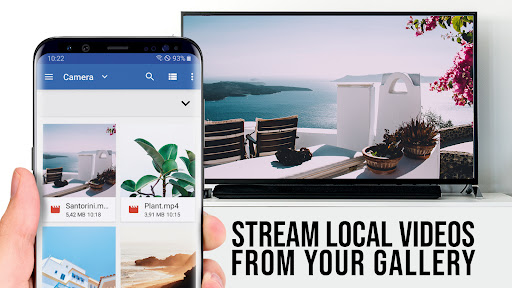
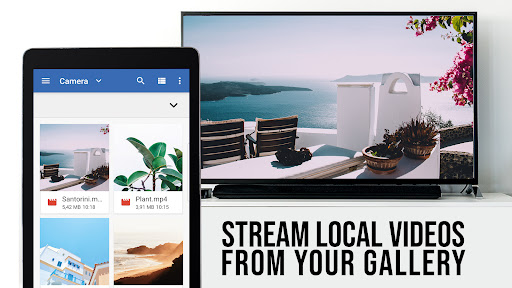
With TV Cast Pro for Samsung TV, you can upgrade your existing setup effortlessly. Simply install the app on your smartphone—available for both Android and iOS—and connect it to the same Wi-Fi network as your Samsung TV or Blu-ray Player. This app supports various video formats such as Mp4, m3u8, and hls livestreams, as well as video streaming over https connections, all in crisp Full HD. Thanks to its robust support for multiple formats, you can enjoy a range of content with excellent quality and minimal fuss. The PRO edition unlocks all premium features, providing an enhanced viewing experience that surpasses the free version.
Stream Anything with Just a Tap
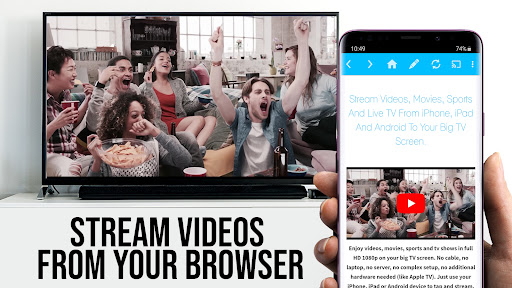
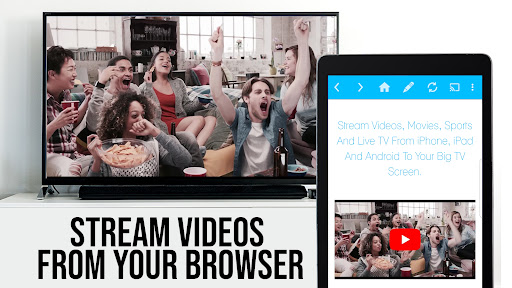
Navigating through your favorite websites is simple with TV Cast Pro. Just browse the web on your mobile device and pick the video you'd like to watch. With a single tap, the app sends the embedded video directly to your Samsung TV or Blu-ray Player. The discovered video will appear below the browser, and tapping on it will instantly cast it onto your TV—no complicated configurations required. This process makes streaming web videos straightforward, whether it's a trending clip, a homemade vlog, or a streaming service that isn't natively supported on your device.
Important Notes and Compatibility
Before beginning your streaming journey, ensure you have the TV Cast companion app installed from your TV’s app store—browse to the videos category and grab the free version. To enable casting, input your Android device’s IP address using your Samsung Remote’s keypad and directional keys. Please note that certain videos—such as Flash videos, Google Play Movies, Netflix, Amazon, and HBO—are protected by DRM and are not supported for streaming. The app does not mirror your entire device but only pushes the video content. For playback of files like mp4 or m3u8, simply paste the full URL into your browser's address bar.
Boost Your Streaming with PRO Features
The PRO version of TV Cast for Samsung TV offers a range of advanced features designed to optimize your experience:
- Remote Playbar: Gain full control over your videos with features like scrubbing, forward, rewind, pause, and stop—accessible on all Samsung Smart TVs.
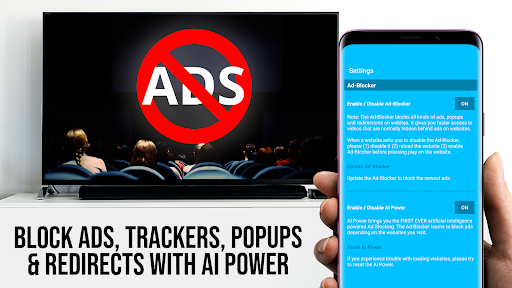
- Ad-Blocker & No Sponsoring Ads: Enjoy an ad-free experience with an integrated ad-blocker that removes popups and advertisements from most websites.
- Bookmarks: Save your favorite websites and videos for quick access anytime.
- Desktop Mode: Cloak your Android device as a desktop PC to load desktop versions of websites, enhancing browsing capabilities (note: this does not enable desktop video casting for Flash videos).
- Custom Homepage: Set your preferred starting page for easier access.
Seamless Setup and Troubleshooting Tips
Getting started is straightforward—connect your device to the same Wi-Fi network as your Samsung TV or Blu-ray Player, install the app, and follow the guided instructions. If you encounter casting issues, try restarting your devices and router. For unsupported videos, consult the FAQ or report specific URLs for support. Remember, the app prioritizes security, requiring only minimal permissions—no access to personal data, contacts, or device identifiers. Refunds are available within 24 hours after purchase upon providing your Google Purchase ID.
Why Choose TV Cast Pro for Samsung TV?
Whether you're looking to cast web videos, online movies, or livestreams, TV Cast Pro offers a reliable, feature-rich platform designed for ease of use and high-quality streaming. Its compatibility across numerous Samsung TV models ensures versatility, while the premium features—such as ad-blocking, remote control, and customizable bookmarks—enhance your viewing pleasure. It transforms your TV into a smart entertainment hub, making it easier than ever to access and enjoy a wide range of online content directly on your big screen. If you’re tired of limited streaming options and complicated setups, this app is the perfect choice to elevate your home entertainment system.
Pros
- Supports high-quality video streaming.
- User-friendly interface.
- No intrusive ads.
- Wide compatibility with file formats.
- Quick connection setup.
Cons
- Requires a stable Wi-Fi connection.
- Limited free features.
- May experience occasional lag.
- Not compatible with all TV models.
- Subscription required for full features.











