

TurboSpeed: Game Mode FPS - Enhance Your Mobile Gaming Experience
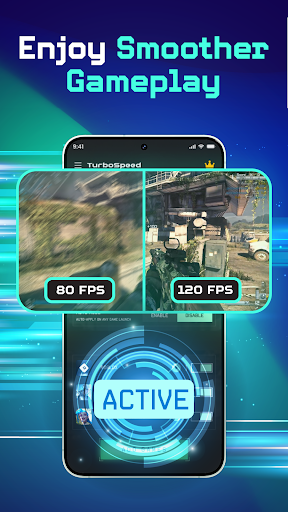
Are you a passionate gamer looking to elevate your mobile gaming sessions? TurboSpeed: Game Mode FPS is designed to optimize your device’s performance, ensuring smoother gameplay across a variety of game genres such as FPS, MOBA, RPG, and more. This app provides a seamless experience by intelligently adjusting your device settings to reduce lag, improve resource management, and help you stay focused during intense gaming moments.
Key Features of TurboSpeed: Game Mode FPS
The app offers an array of powerful features tailored for gamers seeking that competitive edge:
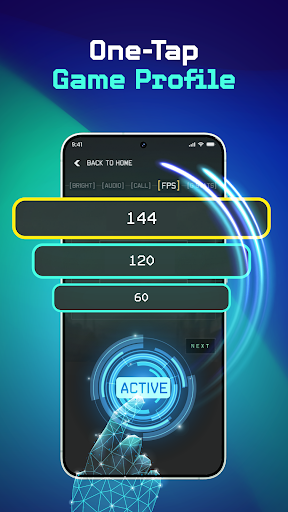
- FPS Optimization: Boost your device’s frame rate, leading to more responsive and fluid gameplay, especially beneficial in fast-paced FPS and action games.
- Display Control: Quickly toggle display settings to save battery life or pause your screen discreetly without interrupting your game.
- Brightness Adjustment: Fine-tune screen brightness to suit day or night gaming, providing clear visibility and reducing eye strain.
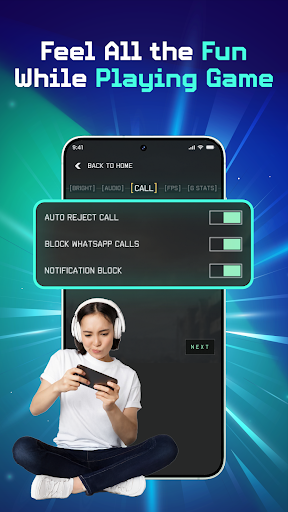
- Block Distractions: Minimize notifications and background activities, allowing you to stay focused on your game.
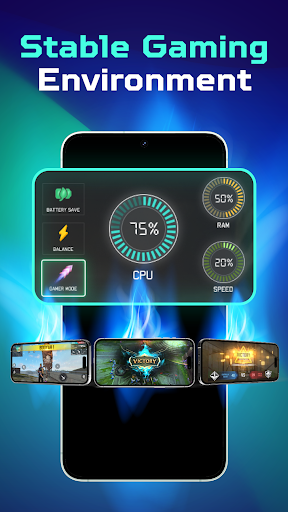
- One-Tap Boost: Effortlessly clear RAM, optimize CPU resources, and enhance overall game performance with a single tap, giving you a competitive advantage.
Ease of Use and Performance
Designed with simplicity in mind, TurboSpeed: Game Mode FPS features an intuitive interface that makes optimizing your device straightforward:
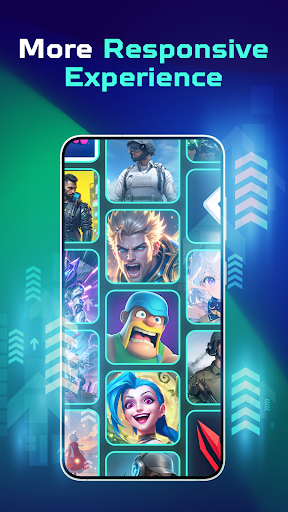
- Select your preferred game from a list or manually add custom games.
- Adjust screen brightness and activate distraction-blocking features with just a tap.
- Monitor real-time performance stats such as frame rate, CPU usage, and RAM within the app.
- Launch your game directly from the app in an optimized state for the best possible performance.
Why Gamers Should Try TurboSpeed: Game Mode FPS
If you're serious about mobile gaming, TurboSpeed: Game Mode FPS can be an essential tool in your gaming arsenal. Its ability to allocate device resources efficiently leads to notable improvements, especially in resource-heavy games like PUBG Mobile and Call of Duty Mobile. The app’s tweakable settings ensure you can customize the experience based on your device’s hardware capabilities, whether you're playing on a high-end flagship or an older model.
Considerations for Optimal Use
While TurboSpeed: Game Mode FPS offers impressive performance enhancements, there are a few things to keep in mind:
- Battery Usage: Enabling high-performance modes may increase battery drain, so it's advisable to keep your device charged or have access to a power source during long gaming sessions.
- Device Compatibility: The app performs best on newer devices with modern hardware. Older models might see smaller improvements, but any boost can prove beneficial in competitive gaming scenarios.
Final Thoughts
For avid mobile gamers seeking to optimize their device performance, TurboSpeed: Game Mode FPS offers an accessible and effective solution. Its ability to enhance frame rates, reduce lag, and block distractions streamlines your gaming experience, giving you the competitive edge you need. Just remember to monitor battery life during extended gaming sessions. Whether you're aiming for better responsiveness in FPS shooters or smoother visuals in RPG adventures, this app can become your secret weapon.
Pros
- Enhances game performance efficiently
- Intuitive and user-friendly interface
- Compatible with a wide variety of games
- Allows customization of settings for better optimization
- Frequent updates to enhance functionality
Cons
- Drains battery quickly
- Potential for overheating issues
- Limited features in the free version
- Intrusive advertisements in the free version
- May face compatibility problems with older devices











