
Discover the Power of Tasker: The Ultimate Android Automation App
Ever wished your smartphone could handle routine tasks automatically, freeing you from repetitive interactions? Welcome to Tasker, a revolutionary Android app designed to transform your device into a personalized, intelligent assistant. With its versatile automation capabilities, Tasker empowers you to create custom workflows that respond to various triggers, enhancing both productivity and convenience.
What Is Tasker?
Simply put, Tasker is an automation app that allows you to set up specific tasks for your Android device to perform automatically. Whether it’s muting your phone during meetings, sending automatic texts upon leaving a location, or adjusting system settings based on your activity, Tasker acts as your digital butler. Its flexibility makes it ideal for users ranging from tech novices to seasoned enthusiasts seeking advanced customization.
How Does Tasker Work?
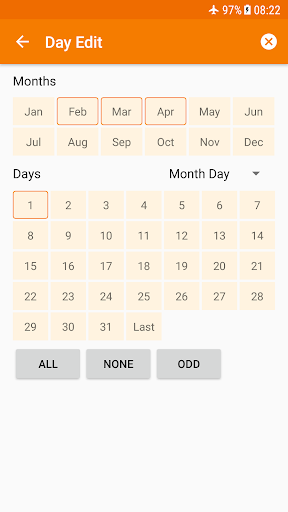
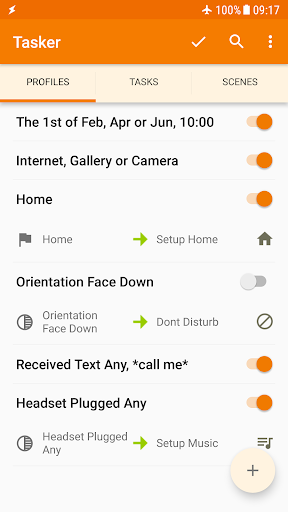
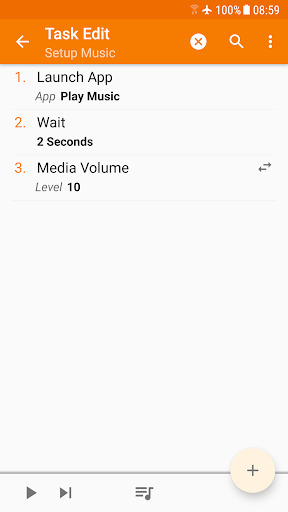
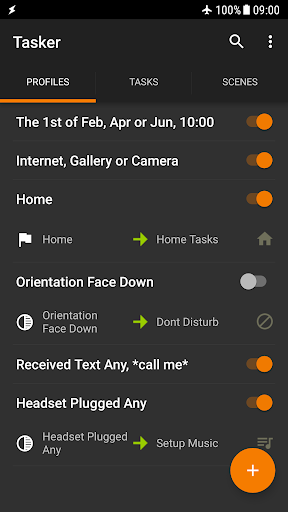
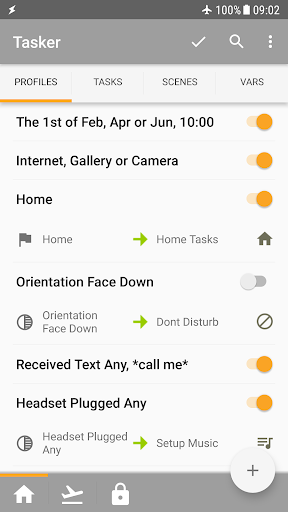
Getting started with Tasker might seem complex initially, but the process is quite straightforward. You create a profile, which involves defining the triggers—these are specific conditions like location, time, app usage, or device state. Once set, you specify the actions that should happen when those triggers occur. For example, connect your headphones, and Tasker can automatically launch your favorite playlist. Want test notifications when arriving at certain places? It’s easy to configure.
The app essentially creates a series of if-then statements—if this condition is met, then perform this action. The intuitive interface makes it manageable even for beginners, while its depth offers endless possibilities for advanced users. Plus, with online tutorials and community support, mastering Tasker becomes even easier.
The app essentially creates a series of if-then statements—if this condition is met, then perform this action. The intuitive interface makes it manageable even for beginners, while its depth offers endless possibilities for advanced users. Plus, with online tutorials and community support, mastering Tasker becomes even easier.
Key Features of Tasker
Total Automation Capabilities
Intelligent Triggers and Contexts
File Backup & APK Management
Custom User Interface with Scenes
Remote Control & Integration
App Creation & Developer Support
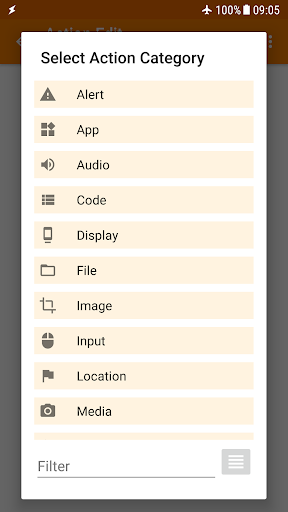
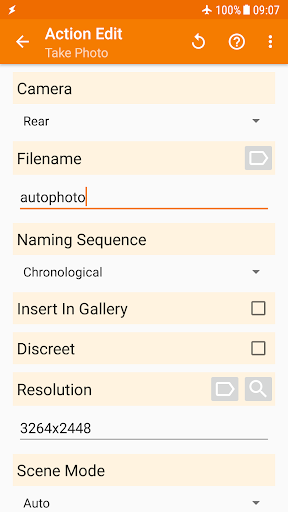
Tasker provides over 200 actions that you can combine to customize your Android device. Automate settings like Wi-Fi, Bluetooth, volume, Do Not Disturb, flashlight, and even control system features like Dark Mode or Always-On Display. It’s capable of managing SMS, notifications, file operations, music control, and more, making your device truly responsive to your needs.
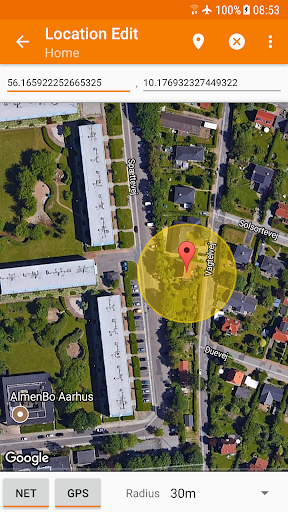
Set up automations based on a wide variety of contexts, including location, time of day, app in use, Wi-Fi connection, incoming calls, or specific media playback. This flexibility lets your device adapt seamlessly throughout your day.
Automate file backups to local storage, SD cards, or cloud services like Google Drive, ensuring your data remains safe. You can also configure Tasker to download and install APKs automatically, enabling quick updates without manual intervention.
Design your own overlays and control panels using scenes. This feature allows you to create personalized dashboards to trigger tasks directly, combining functionality with aesthetics.
With the addition of Join, you can trigger tasks remotely from other Android devices or your PC. Integration with third-party apps and Web APIs further expands its capabilities, enabling complex workflows and internet-based automation.
Build standalone apps with the Tasker App Factory or leverage many third-party plugins to extend functionality. Developers can utilize Tasker’s support for Web APIs, making it a powerful tool for tech projects and custom app development.
Practical Use Cases and Benefits
Automating daily routines with Tasker can save significant time and effort. For instance, you can configure your phone to automatically reduce brightness and mute notifications during meetings or set a custom 'good morning' scene that opens your calendar and weather updates. When arriving home, it could turn on Wi-Fi and launch your preferred music app. Business professionals love Tasker for streamlining workflows, while casual users appreciate its ability to simplify common tasks like managing notifications or changing system settings effortlessly.
Getting Started and Community Support
The app allows a 7-day trial with a one-time purchase to unlock full features. Beginners are encouraged to start with simple automations—such as activating silent mode at specific times—and gradually explore more complex setups as they become comfortable. The vibrant Tasker community provides extensive tutorials, pre-made projects, and forums to help you troubleshoot and share ideas. Official resources like the starter guides and support forums are valuable assets for novices and experts alike.
Conclusion: Unlock Your Phone’s Potential
In today’s fast-paced world, Tasker is an invaluable tool that transforms your Android device into a proactive assistant. Its extensive features support both simple automations and complex workflows, making your smartphone smarter and more responsive. While there may be a slight learning curve, the significant time-saving benefits and customization options are well worth the effort. Whether you want to automate routine tasks, control your system settings, or build your own app, Tasker offers a powerful platform to elevate your Android experience. Dive into automation today and discover how effortless your digital life can become.
Pros
- Highly customizable automation tool
- Supports a wide range of plugins
- Most features do not require root access
- Active user community for support
- Saves time through automation
Cons
- Steep learning curve for beginners
- Initial UI may be overwhelming
- Some features require root access
- Limited customer support
- Can drain battery with extensive use











