


Discover the Power of the Starlink App for High-Speed Satellite Internet
Are you tired of slow or unreliable internet connections, especially in remote or rural areas? The Starlink app offers a revolutionary solution by providing high-speed satellite internet virtually anywhere on Earth. Designed for ease of use and optimization, the Starlink app is your essential companion to set up, manage, and troubleshoot your satellite internet connection seamlessly. Whether you're a tech novice or a seasoned user, this app makes connectivity effortless and reliable.
What Can the Starlink App Do for You?
The Starlink app packs a suite of features aimed at enhancing your satellite internet experience:
- Identify the install location that will ensure the best quality of service: The app guides you to find the optimal spot for your dish, ensuring the best possible connection by minimizing obstructions.
- Check for obstructions: Instantly scan for physical barriers like trees or buildings that could interfere with satellite signals.
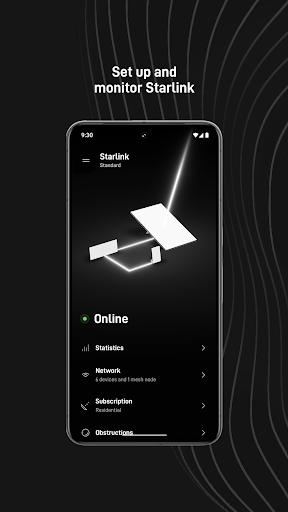
- Setup your Starlink hardware: Get step-by-step instructions to install your satellite dish and complete the setup easily.
- Verify your Wi-Fi connection: Keep track of your network's status and ensure your devices are connected smoothly.
- Receive alerts for service issues: Stay informed about any disruptions or maintenance notifications to plan your activities accordingly.
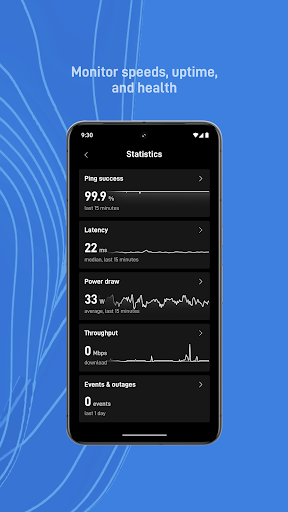
- Access your connectivity statistics: Monitor your download/upload speeds and other performance metrics to understand your connection quality.
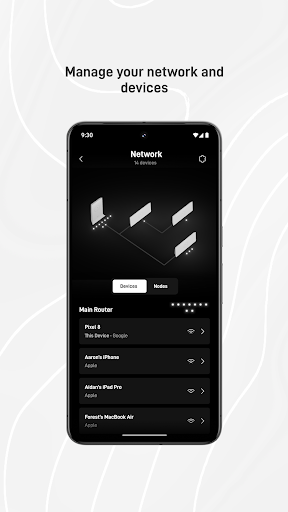
- Identify devices connected to your network: Manage your network by seeing all connected devices and ensuring security.
- Troubleshoot connectivity issues: Resolve common problems directly within the app, saving you time and frustration.
- Access support resources: If needed, get help through integrated support channels, making troubleshooting straightforward.
The App in Action: Making Satellite Internet Simple and Reliable
Imagine gazing up at the night sky, curious if that starry view can help improve your internet experience. With Starlink, that’s no longer just a poetic thought—it's a practical reality. The app simplifies the complex world of satellite internet by providing an intuitive interface that takes the guesswork out of setup and maintenance. During setup, the app’s guidance ensures you position your dish accurately, especially by checking for potential obstructions, which can significantly impact performance. The embedded speed test feature allows you to instantly verify your internet speeds, providing instant feedback on your connection quality.
Performance and Reliability You Can Count On
One of the most compelling reasons to choose Starlink is its impressive performance. Users report high-speed download and upload capabilities, often outperforming traditional rural broadband options. During testing, the connection remained consistent with minimal lag—even during peak usage times—making streaming, video calls, and online gaming more enjoyable. While weather conditions like heavy rain can temporarily affect performance, overall, Starlink offers a remarkably reliable internet option for those who need connectivity in challenging environments.
Seamless User Experience with a Modern App Design
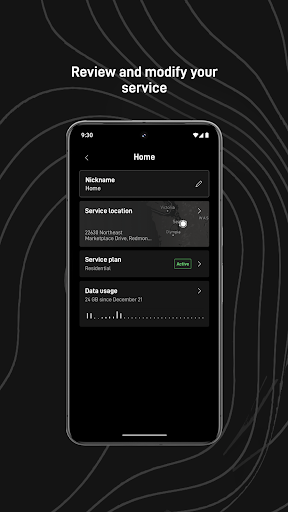
The Starlink app boasts a sleek, user-friendly interface designed to cater to all levels of technical expertise. The dashboard displays real-time data such as current speeds, network status, and device activity at a glance. Troubleshooting tools integrated into the app help resolve common issues quickly, reducing downtime. An added bonus is the community support feature, connecting you to forums and support channels where users share tips and solutions—creating a sense of community among satellite internet users.
Is Starlink Right for You?
If you face unreliable internet in rural or remote locations, Starlink can be a game-changing investment. Its innovative satellite constellation technology provides accessibility and performance previously unavailable in such areas. The combination of easy setup, detailed management features within the Starlink app, and stable connectivity makes it an attractive choice for individuals seeking dependable internet service. While a few hiccups may occur, the advantages greatly outweigh the minor inconveniences. Embrace the future of connectivity with Starlink—a true revolution in satellite internet technology.
Pros
- Fast and dependable internet speeds
- Coverage worldwide, including remote regions
- Simple installation and setup process
- Low latency ideal for gaming
- Regular updates and improvements
Cons
- High initial hardware costs
- Service disruptions possible due to weather conditions
- Limited availability in urban areas
- Potential data caps in the future
- Requires an unobstructed view of the sky











