

Introduction to Spring - Video Editor & Maker
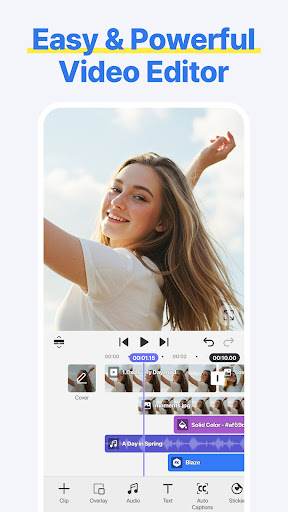
Spring - Video Editor & Maker is a versatile and user-friendly application designed to help users create and edit videos effortlessly. Whether you're a beginner or a professional, this app provides a comprehensive suite of features that make video editing accessible and enjoyable. Available on both Android and iOS platforms, Spring offers a seamless experience across devices, empowering anyone to craft high-quality videos with ease. The app's intuitive interface and powerful tools allow users to cut, combine, add effects, and enhance their videos without the need for complex software or technical skills.
Main Features of Spring - Video Editor & Maker
Make Your Videos Your Way!
With Spring, you can customize every aspect of your video. Features include cut, combine, caption, overlay, and animate, enabling you to create personalized content tailored to your style. The app leverages AI tools to simplify the editing process—no watermarks or sneaky purchases are involved. Additionally, it supports exporting videos at up to 4K resolution at 60FPS, ensuring high-quality results suitable for professional use or social media sharing.
AI-Powered Tools for Effortless Editing
Spring's smart AI features make editing faster and more efficient:
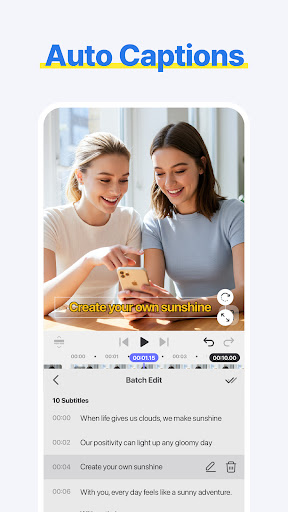
- AI Auto Captions allow instant addition of subtitles from video or audio.
- AI Text-to-Speech enables creation of spoken audio from text with just one tap.
- AI Music Match provides instant song recommendations to match your video’s mood.
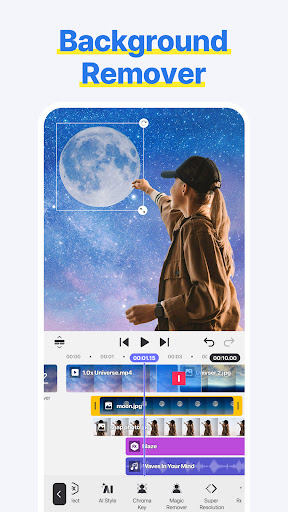
- AI Magic Removal & Noise Remover help eliminate backgrounds and unwanted sounds seamlessly.
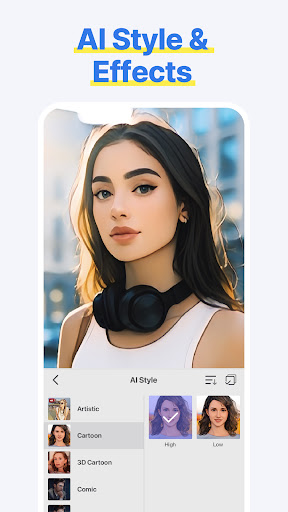
- Additional AI tools like AI Tracking, AI Upscaling, and AI Styles give you the power to entirely change the appearance and quality of your videos.
Complete Short-Form Video Templates
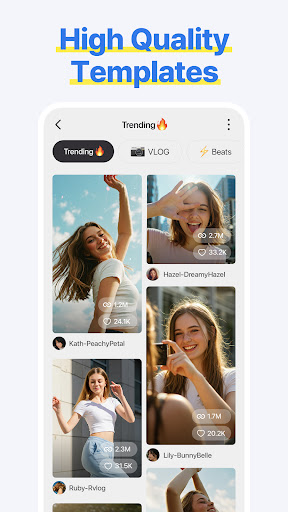
Create trendy Reels, Shorts, and TikTok videos effortlessly using built-in smart templates. Just substitute your images or clips to quickly produce engaging content. The app also supports saving, sharing, and collaborative editing, making it perfect for creators who want speed and convenience.
Easy & Powerful Editing Tools
Spring provides a rich set of editing functionalities:
- Make fast cuts, merge clips, adjust speed, and rewind.
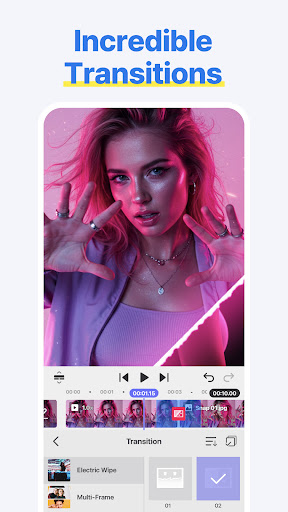
- Use creative features like pan & zoom, transitions, effects, and slow motion.
- Add subtitles, text, stickers, and fun visual effects to make your videos stand out.
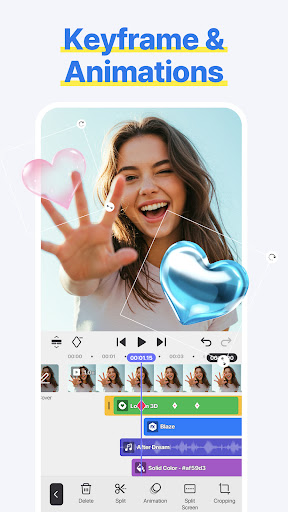
- Enhance your footage with color corrections, voice modifications, and animation with keyframes.
Music & Sound Effects for Every Mood
Enjoy a vast library of background music and sound effects to enrich your videos. The app ensures safe uploads to popular social platforms like YouTube, Instagram, and TikTok.
Design & Decorate for Creative Flair
Choose from numerous stickers, graphic animations, and effects to add personality and trendiness to your videos. Whether you're aiming to create a fun, vibrant vibe or polished professional content, the creative elements are virtually limitless.
Create Stunning 4K and HD Social Media Videos
Spring supports exporting at 4K resolution and 60FPS, perfect for social media platforms including YouTube, TikTok, and Instagram. You can also generate transparent background videos ideal for design and motion graphics projects.
User Experience and Performance
Upon launching Spring - Video Editor & Maker, users are greeted with a clean, modern, and intuitive interface that simplifies navigation. The extensive library of effects and transitions, combined with the robust editing suite, enables both quick edits and detailed projects. The app's responsiveness ensures smooth performance without lag or crashes, even on larger files. Helpful tutorials and tips are provided to assist beginners, making the entire editing process accessible and enjoyable for everyone.
Final Thoughts
Overall, Spring - Video Editor & Maker is a standout choice for anyone interested in creating polished, professional-looking videos without hassle. Its combination of powerful AI tools, easy-to-use editing features, and creative templates make it suitable for content creators, social media enthusiasts, or casual users who want to produce high-quality videos. Whether you are making quick social media clips or elaborate projects, Spring offers the functionality and reliability needed to bring your creative ideas to life.
Pros
- Intuitive interface for quick editing
- Extensive selection of filters and effects
- High-quality options for exporting videos
- Supports a variety of video formats
- Ability to integrate with social media platforms
Cons
- Limited features in the free version
- Occasional crashes of the application
- Large file size upon installation
- In-app purchases can be expensive
- Requires a stable internet connection for cloud features











